Mastering the "View Trash" – Because Nothing’s Ever Really Gone
Ever deleted a questionnaire and instantly thought, “Oops, I might need that later”?
Good news—our View Trash is your safety net! Think of it as a recycling bin where your questionnaires take a nap until you decide their fate.
Where to Find “View Trash”
It’s hiding in plain sight:
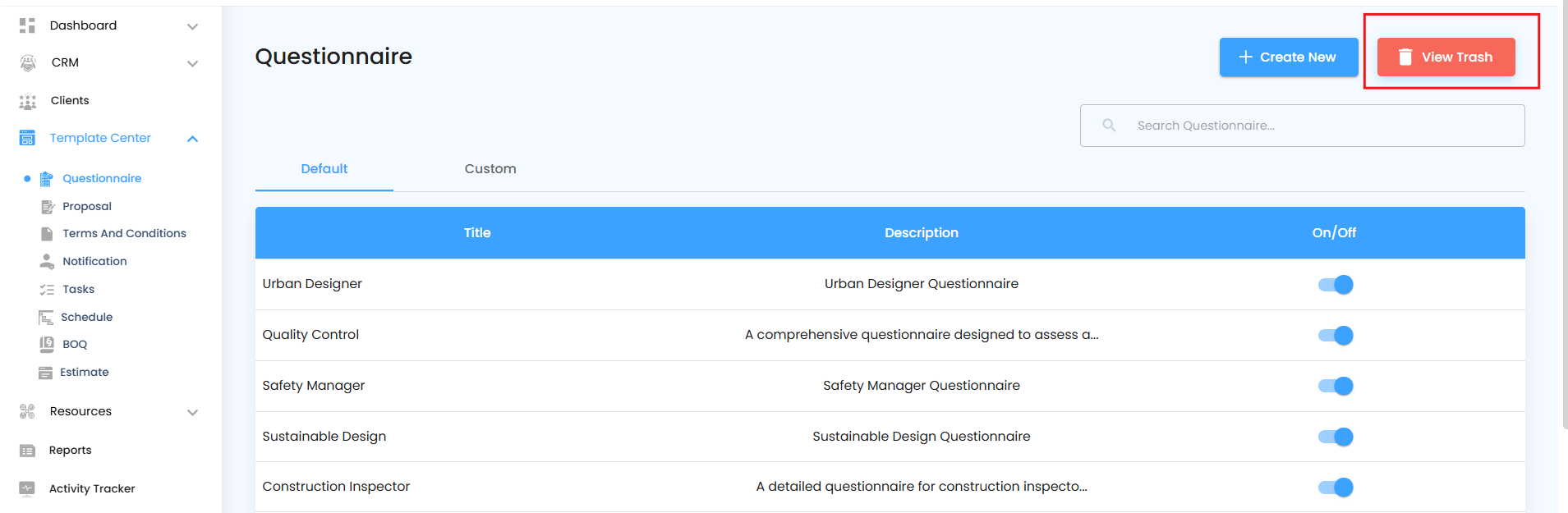
Go to your Questionnaire section
Look right beside the “Create New” button
View Trash - Here’s your View Trash option
Restoring What You Thought Was Lost
How to Restore a Questionnaire
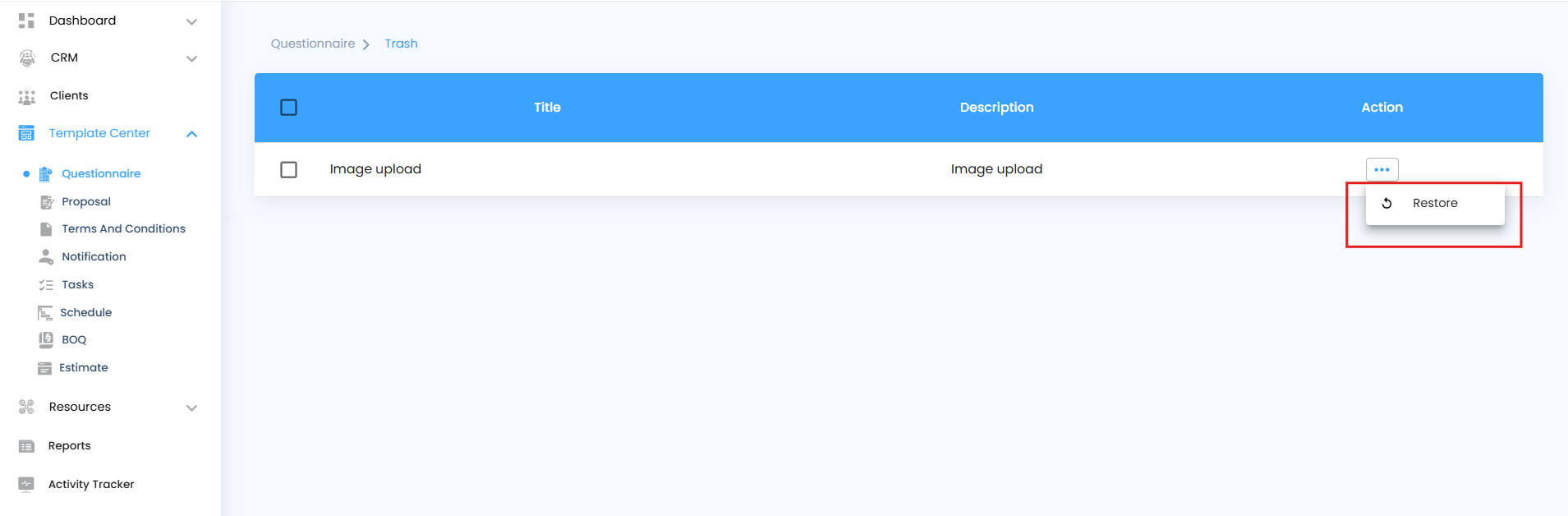
Go to View Trash from the main menu.
Find and select the questionnaire you want to restore.
Click Restore.
A confirmation popup will appear asking,
“Are you sure you want to restore?”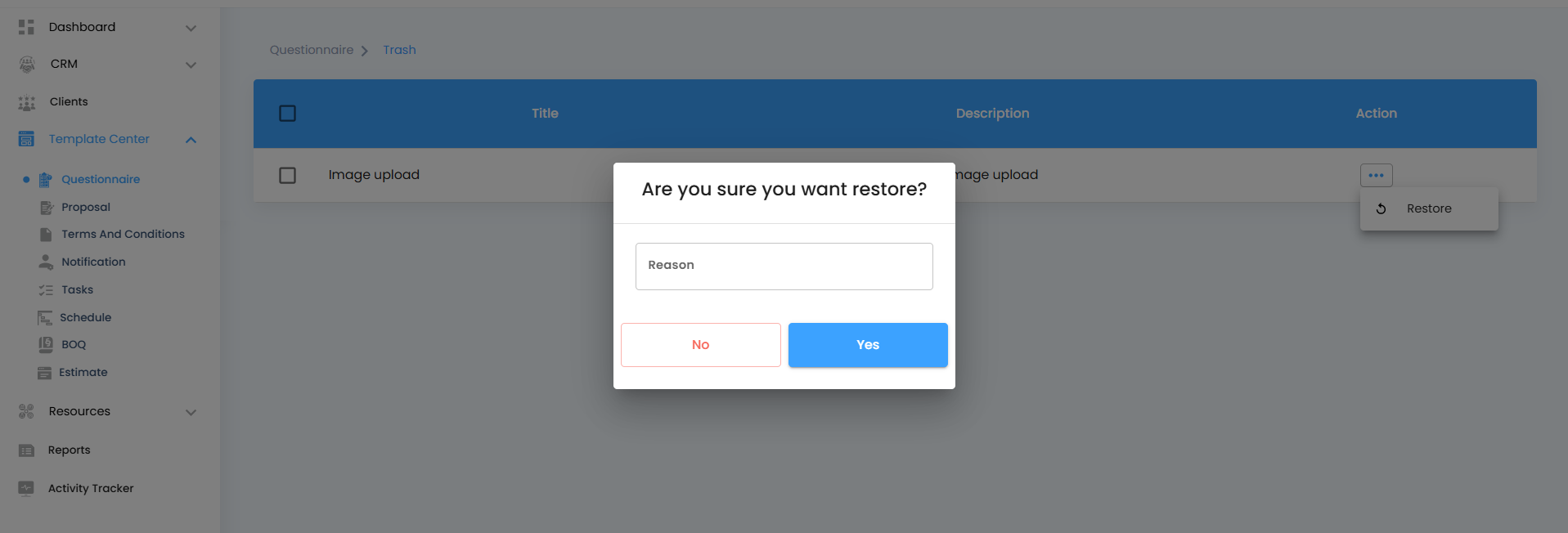
Click Yes to confirm and bring it back, or No to cancel.
Once confirmed, the questionnaire is immediately restored to your active list, exactly as it was before deletion.
Like magic, your questionnaire reappears in its original spot, ready for action.
When It’s Time for a Fresh Start
Need to declutter your workspace? The Trash section lets you manage old or unused questionnaires with ease. You can review, restore, or permanently delete them based on what you need — giving you a clean slate to work with.
Just keep in mind: once you permanently delete a questionnaire from Trash, it’s gone for good.
Review Deleted Questionnaires – View all questionnaires that have been moved to Trash before deciding what to do next.
Restore Questionnaires – Bring back questionnaires you still need with a single click.
Permanently Delete – Remove questionnaires permanently when you’re sure they’re no longer required.
Organize and Clean Up – Use Trash as a temporary space to store questionnaires you’re unsure about until you decide to keep or remove them.
Pro Tip
Treat the Trash section like a safe zone — a place to experiment without risk. You can always restore a questionnaire later if you change your mind, or delete it permanently when it’s truly time for a fresh start.
Was this article helpful?
That’s Great!
Thank you for your feedback
Sorry! We couldn't be helpful
Thank you for your feedback
Feedback sent
We appreciate your effort and will try to fix the article