Schedule Checklist New(June 20th)
Manage schedule activities more clearly with checklist support, helping teams track task completion and execution progress with better visibility.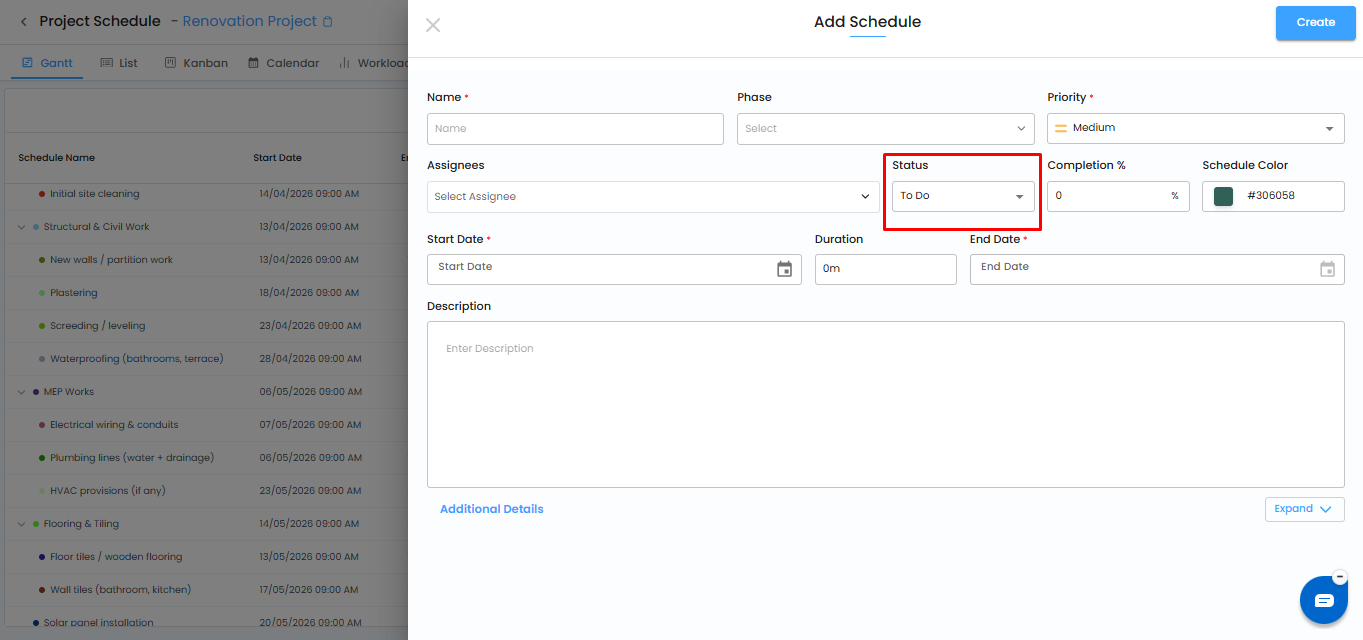
Kanban Board Enhancements (June 20th)
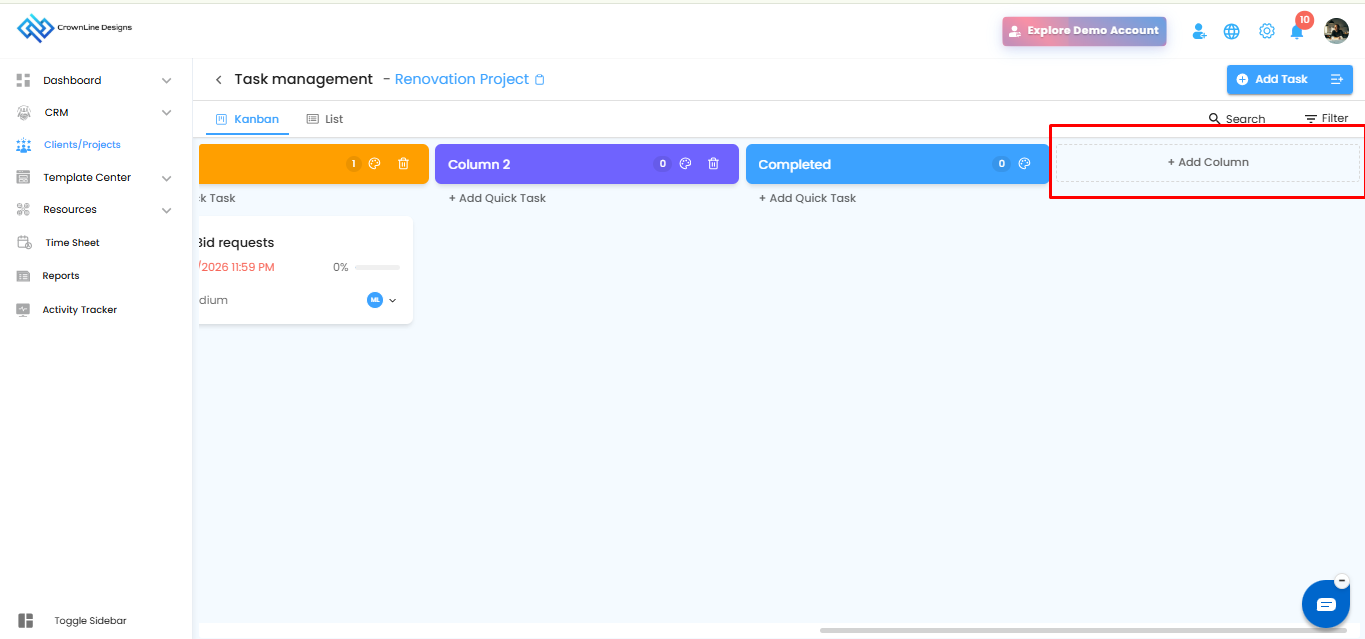
Improved Kanban board experience for better task organization, status tracking, and project activity management.
Estimate Preview & PDF Download Enhancements(June 20th)
Improved estimate preview and PDF download experience for more accurate, reliable, and professional estimate sharing.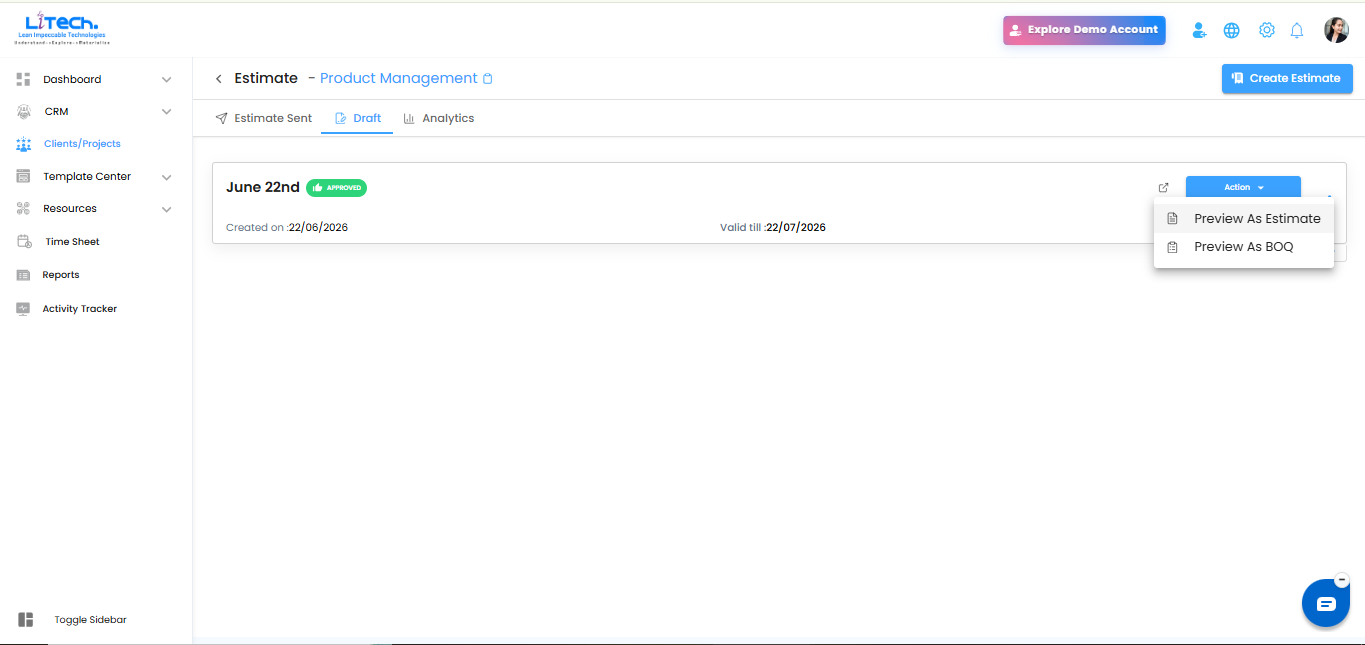
 Send as Estimate and BOQ(June 20th)
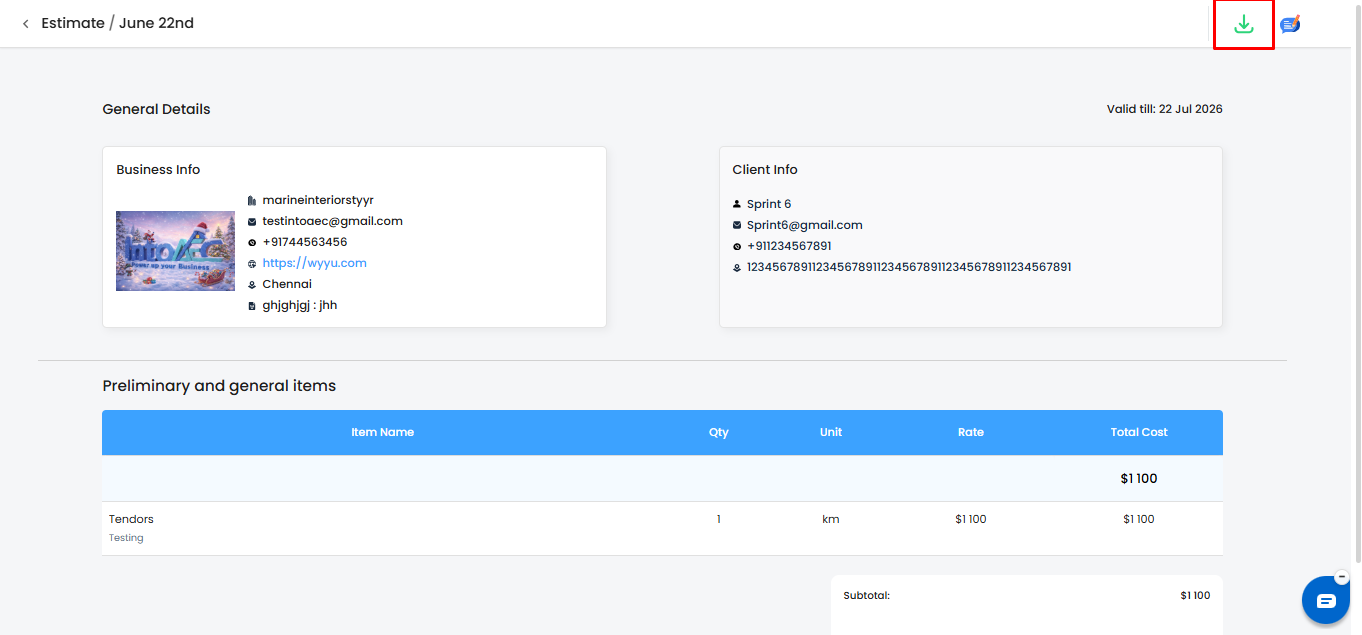
Users can now send project pricing either as an Estimate or as a BOQ, giving teams more flexibility based on client or project requirements.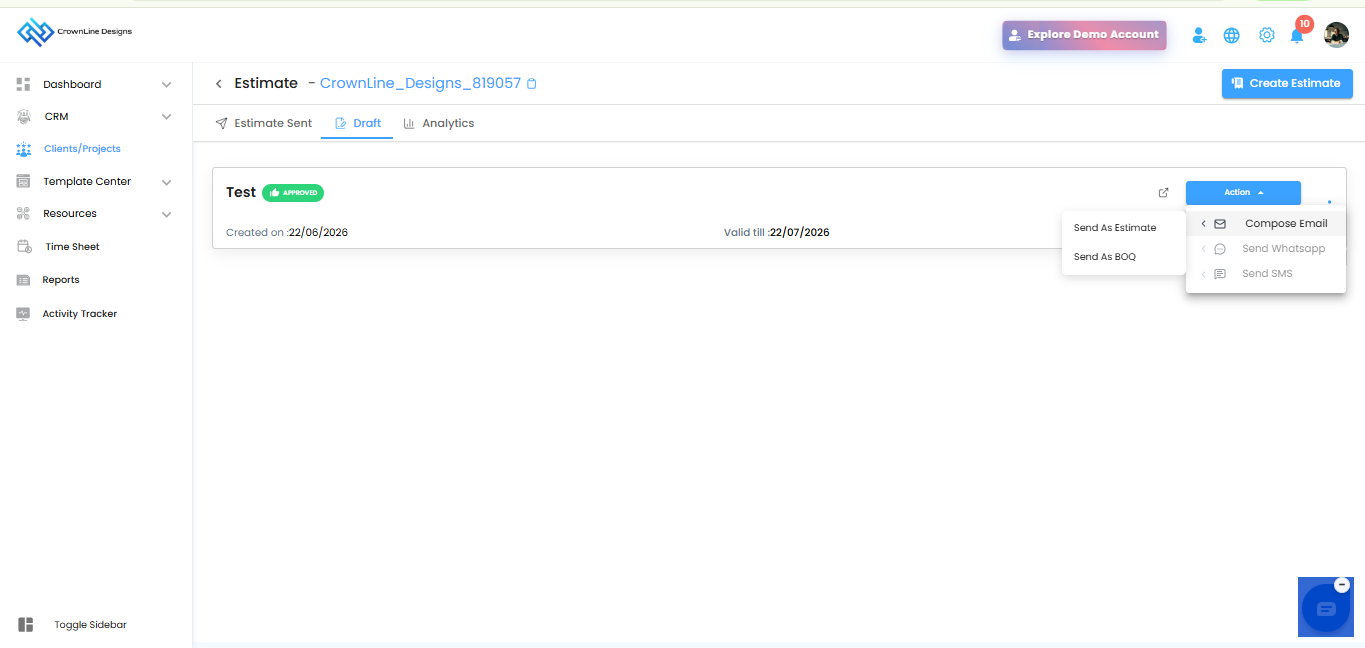
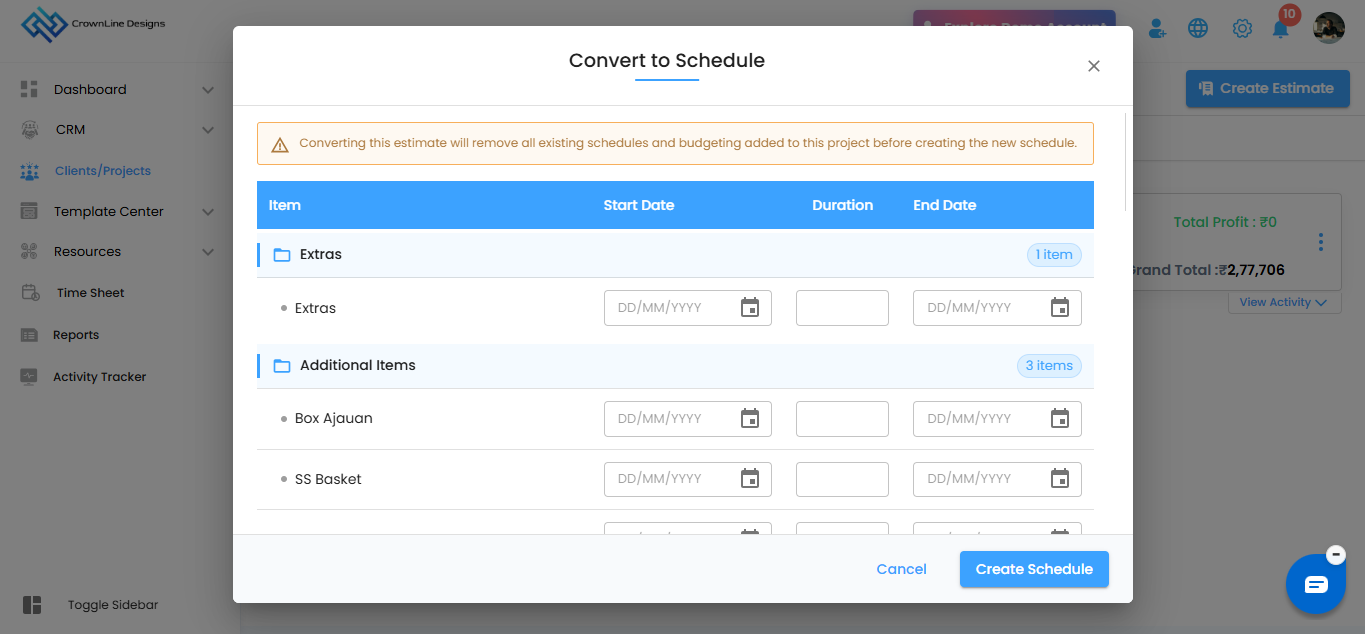
Convert Estimate to Schedule(June 20th)
Approved estimates can now be converted directly into project schedules, helping teams move from costing to execution without duplicate manual work.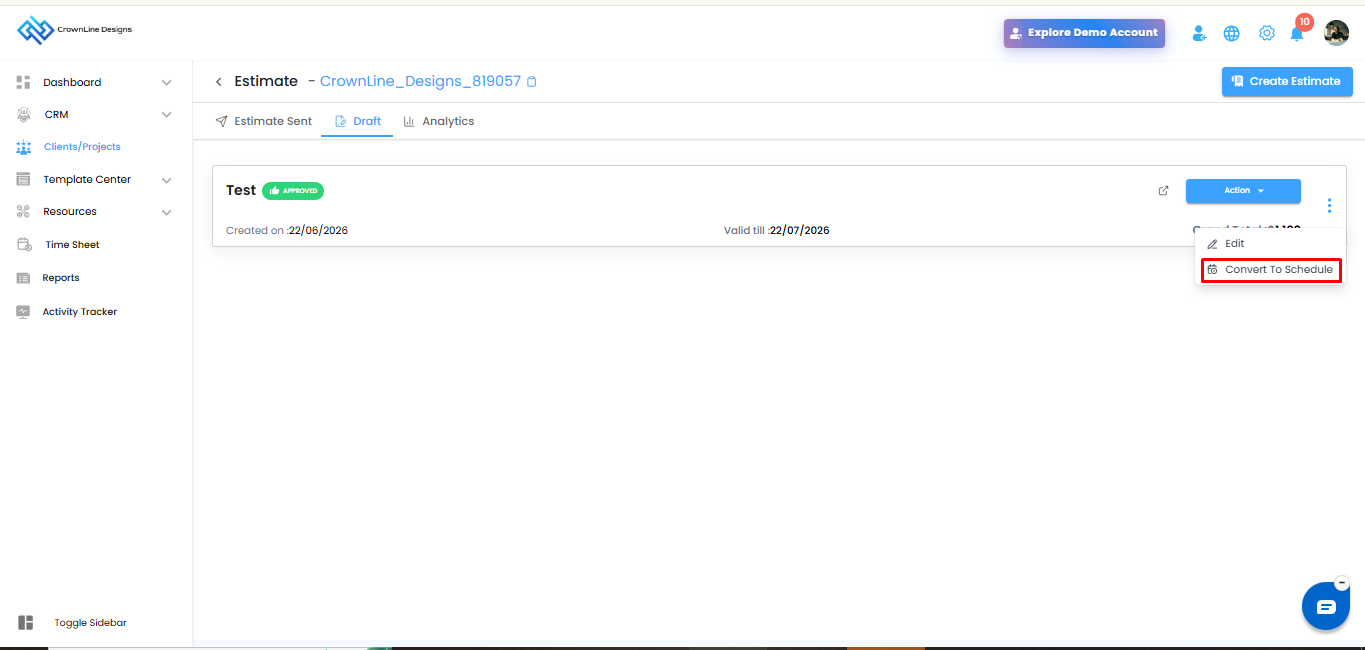
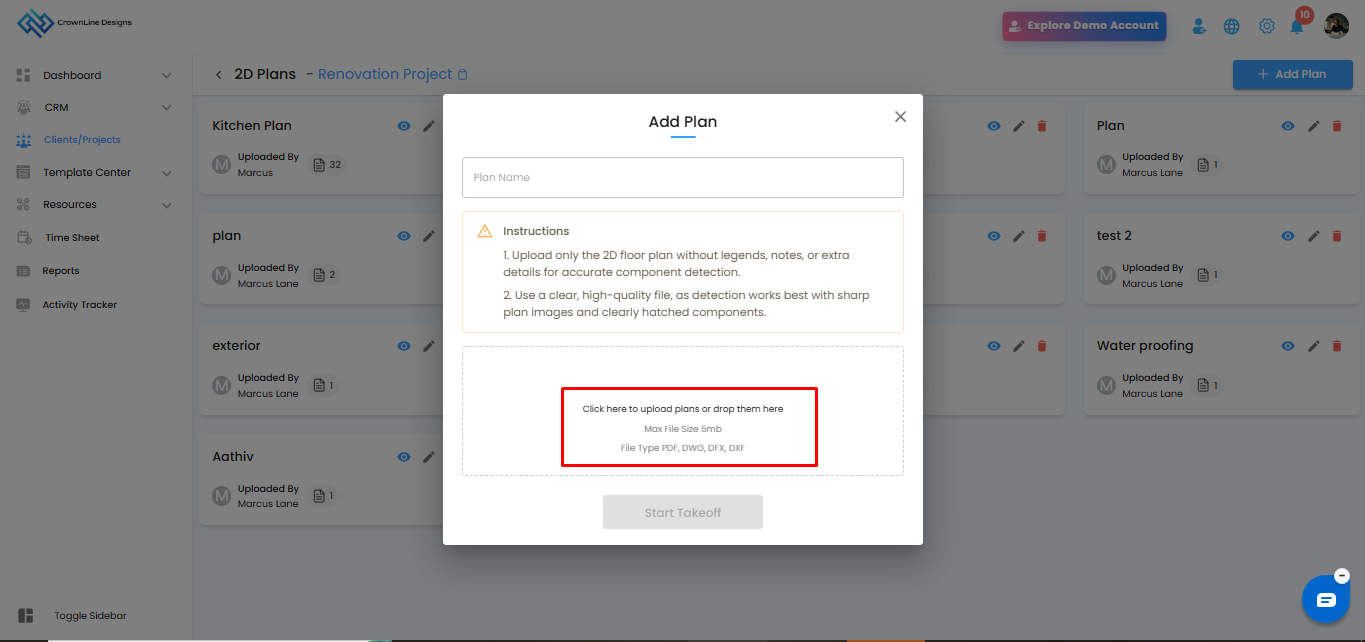
2D Takeoff Deduction Tool, Improvements & DWG Converter(June 20th)
New deduction tool support, improved 2D takeoff workflows, and enhanced DWG converter functionality for better measurement accuracy and smoother drawing-based estimation.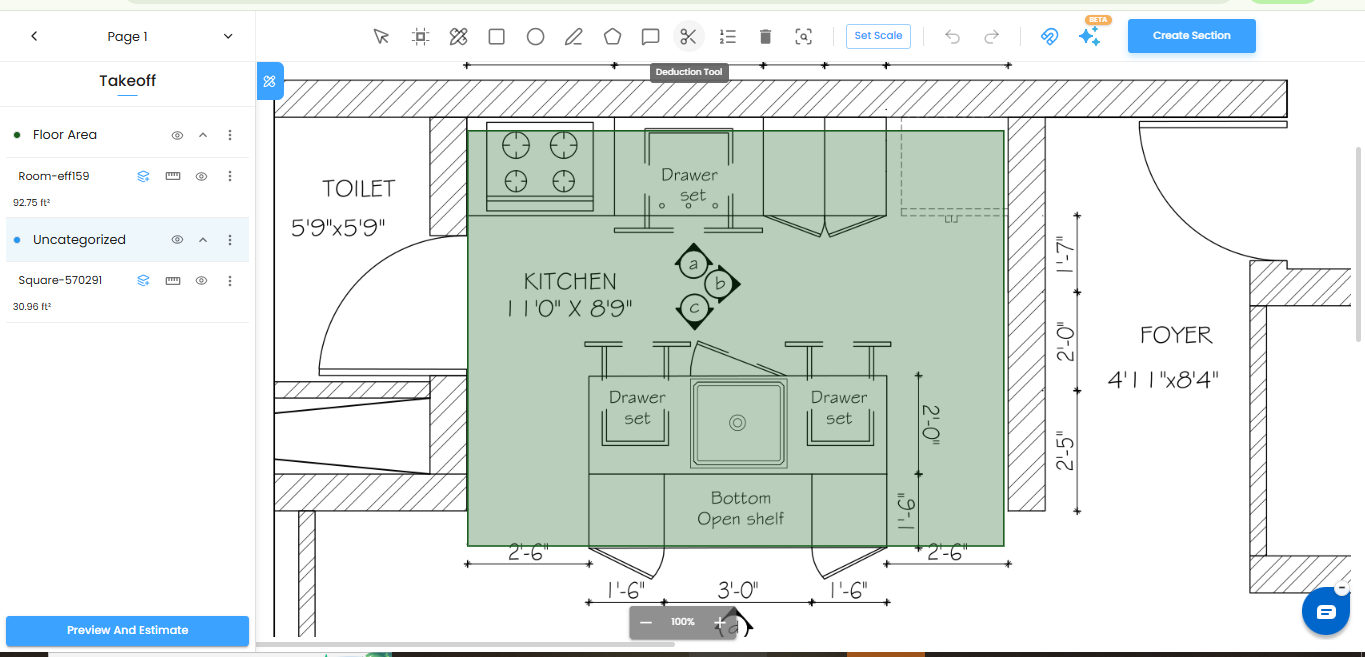
Move Items to Inventory(June 20th)
Manual items and Purchase Order items can now be moved into Inventory, making material tracking and stock management more efficient.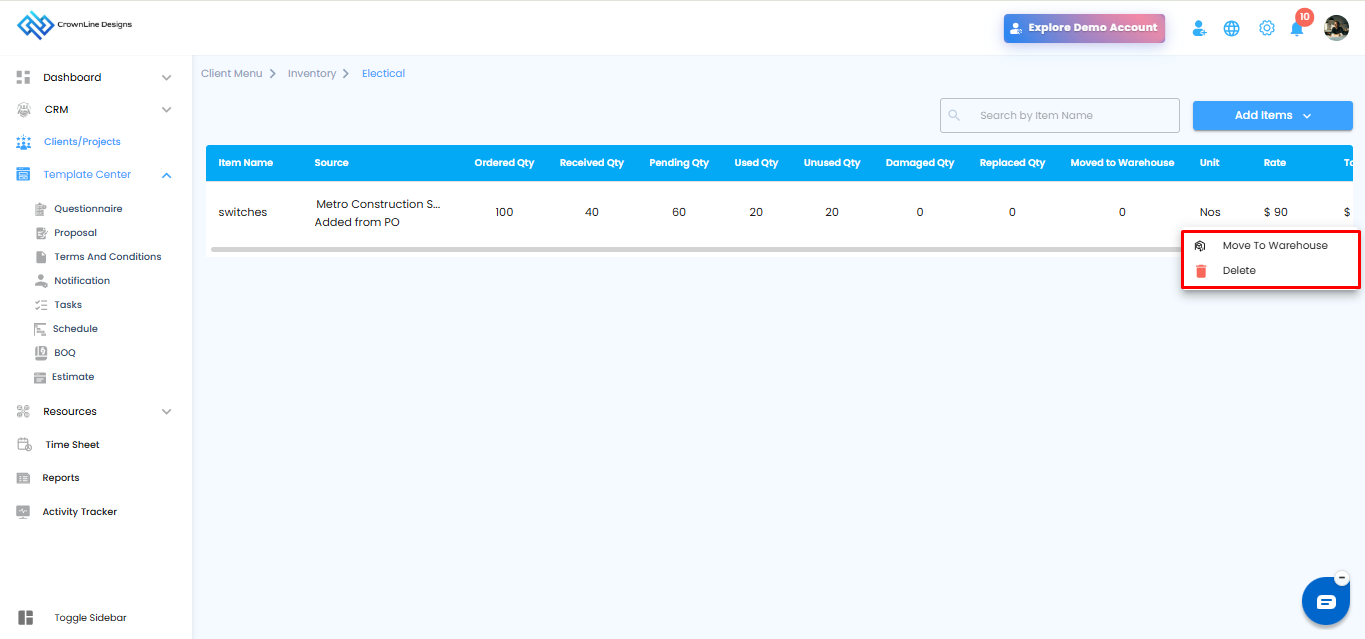
Global Timesheet & User Calendar(June 20th)
New global timesheet and user calendar improvements help teams manage time tracking, user schedules, and work visibility more effectively.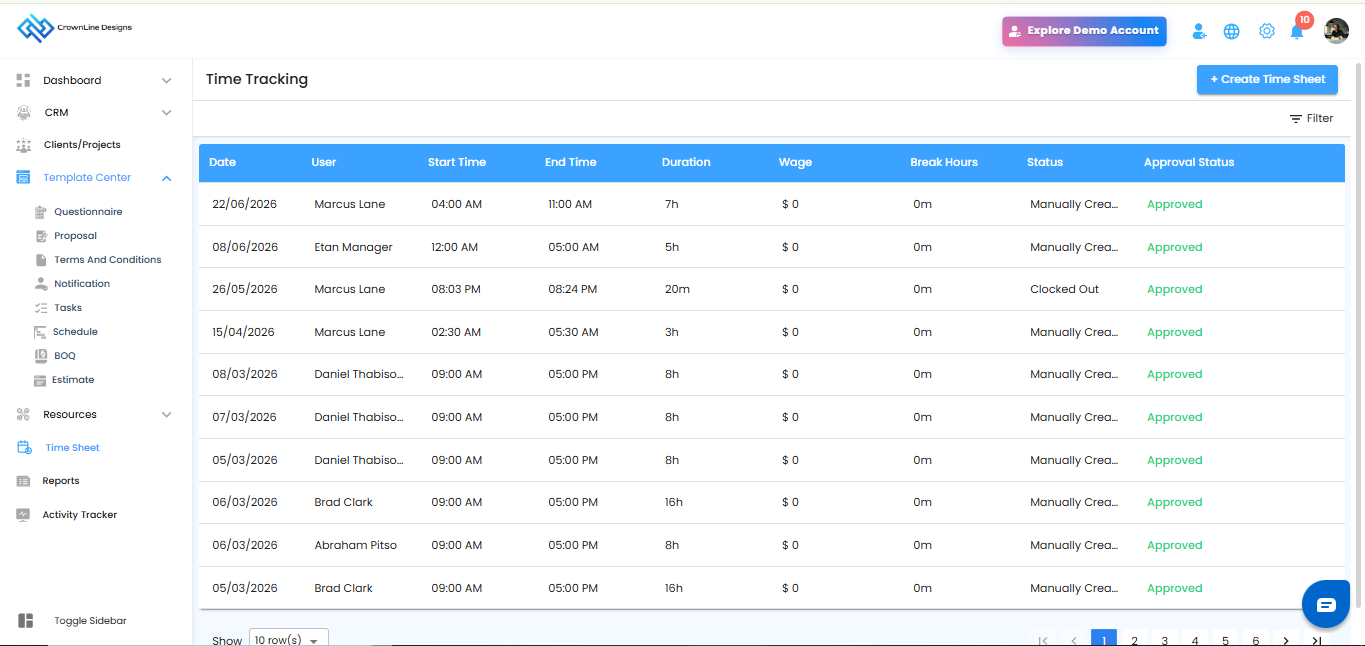
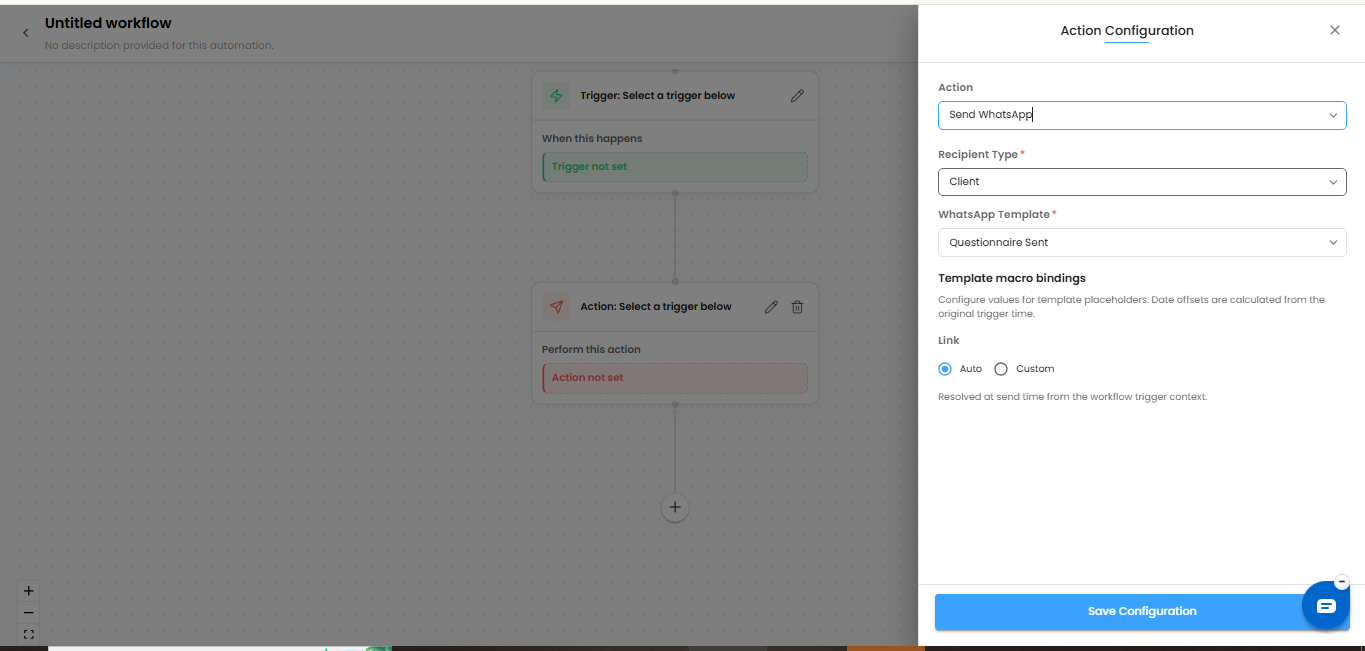
WhatsApp Integration Enhancements(June 20th)
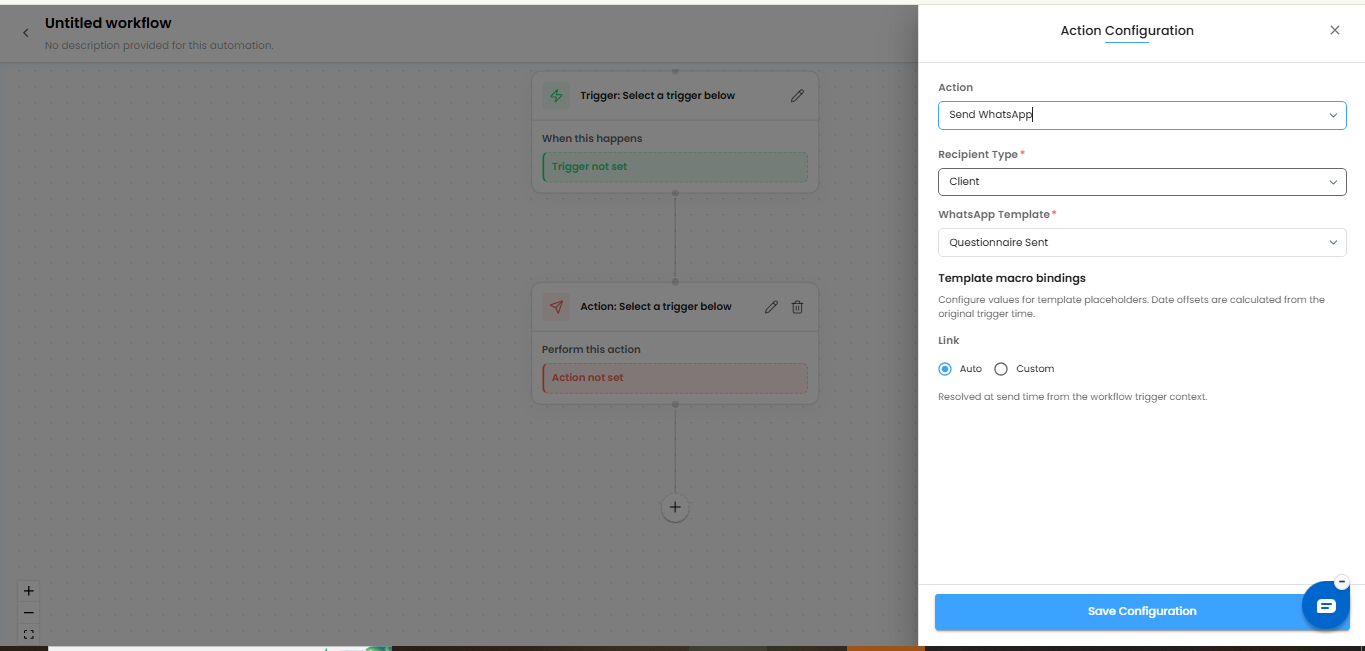
WhatsApp integration is now available in Automation, Estimates, Proposals, and Questionnaires, making client communication faster and more convenient.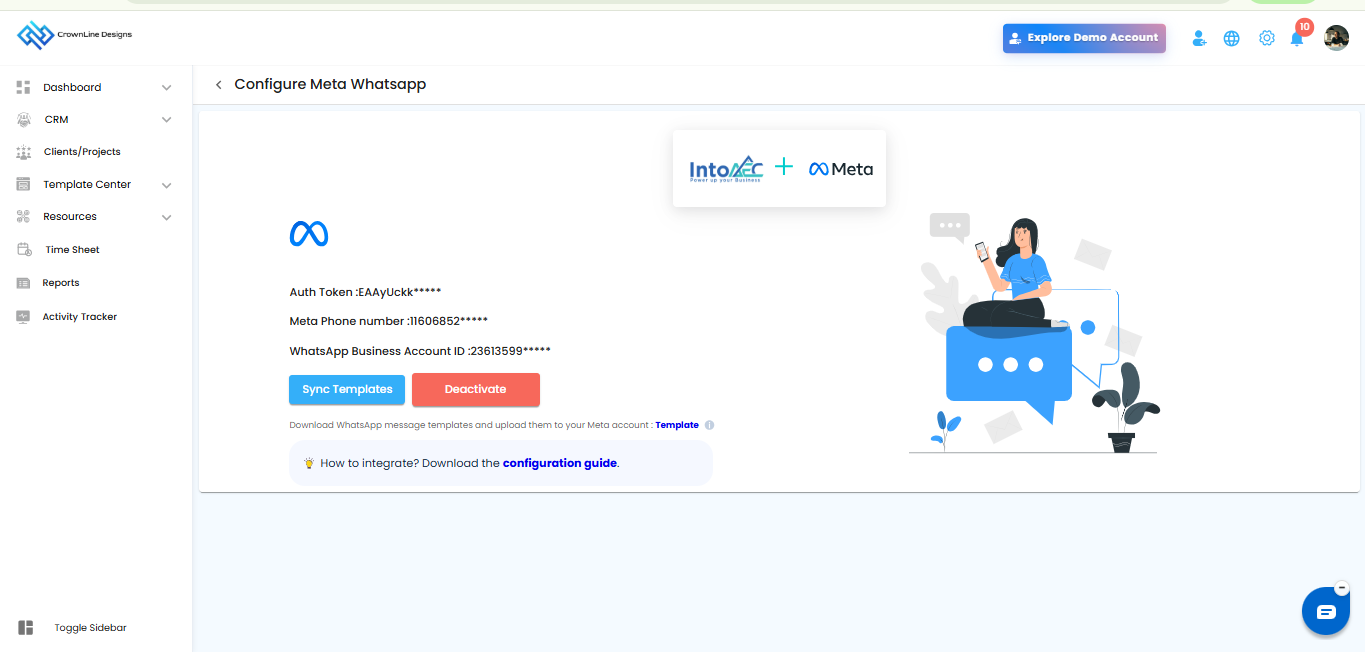
Accounting Software Integration - Zoho Books, QuickBooks & Xero: NEW (June 6th)
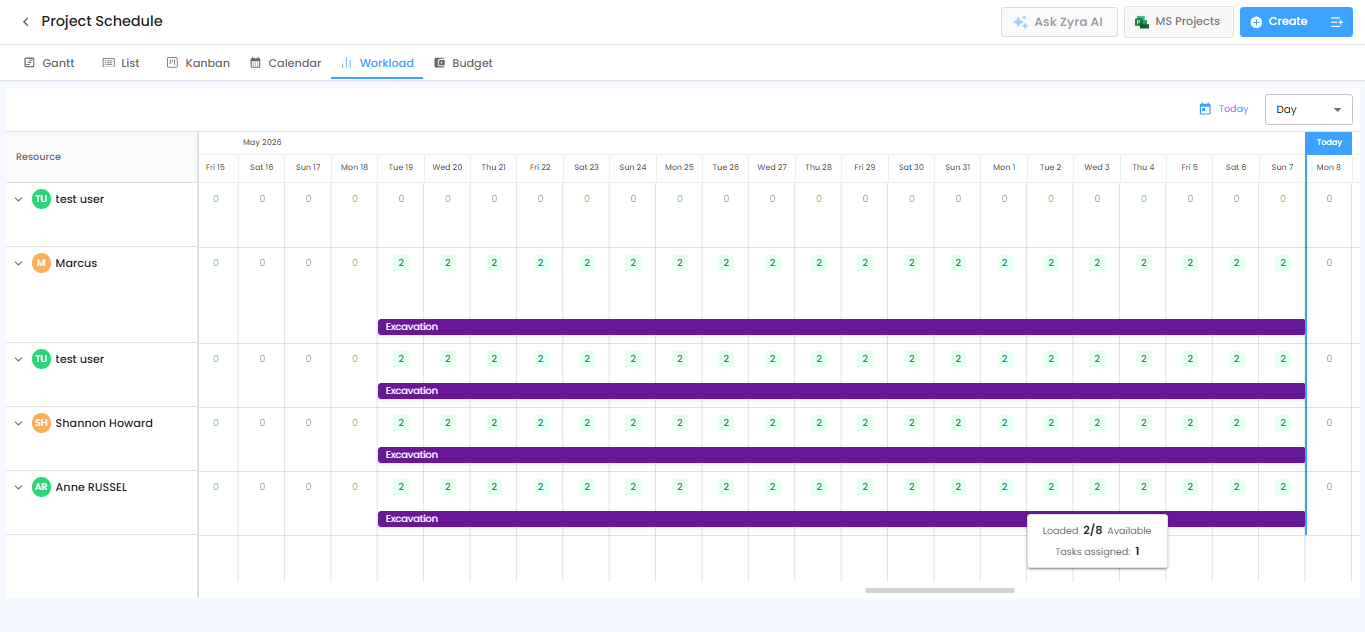
Experience seamless financial integration with Zoho Books, QuickBooks, and Xero directly into IntoAEC. Manage your projects effortlessly without migrating from your existing accounting software, with financial data automatically synced into IntoAEC.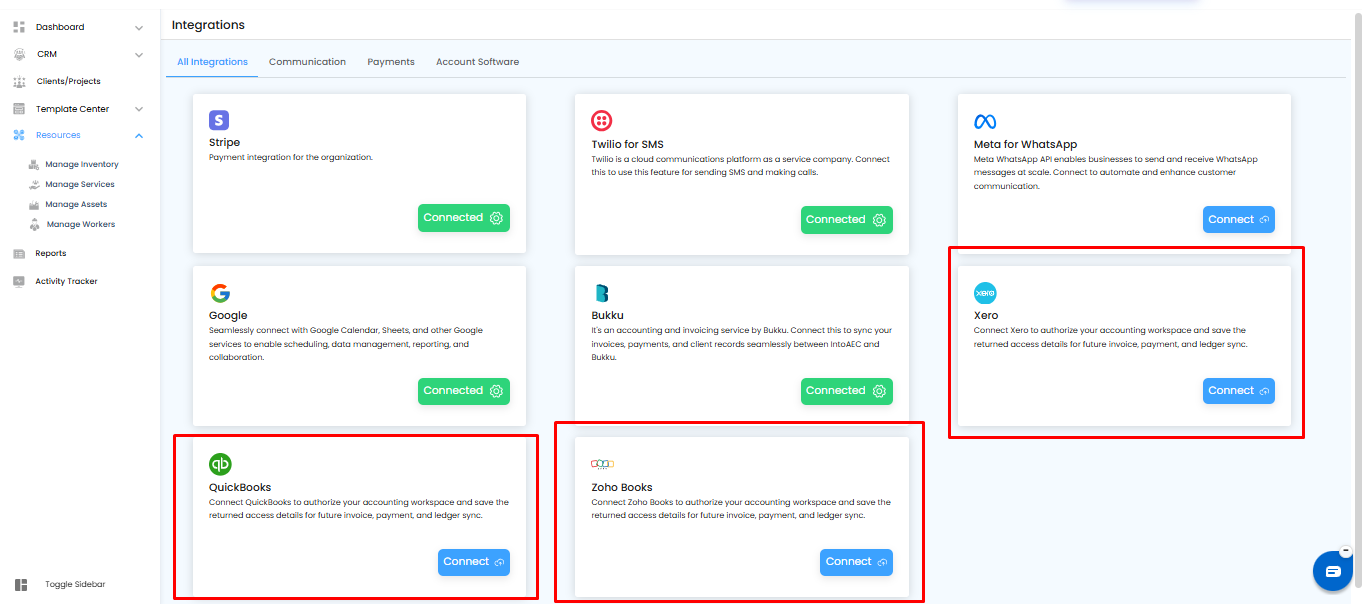 Workload in Schedule: NEW (June 6th)
Easily monitor and manage your team’s capacity with the new Workload View. Instantly see the number of hours assigned to each team member and balance workloads more effectively for improved project planning.
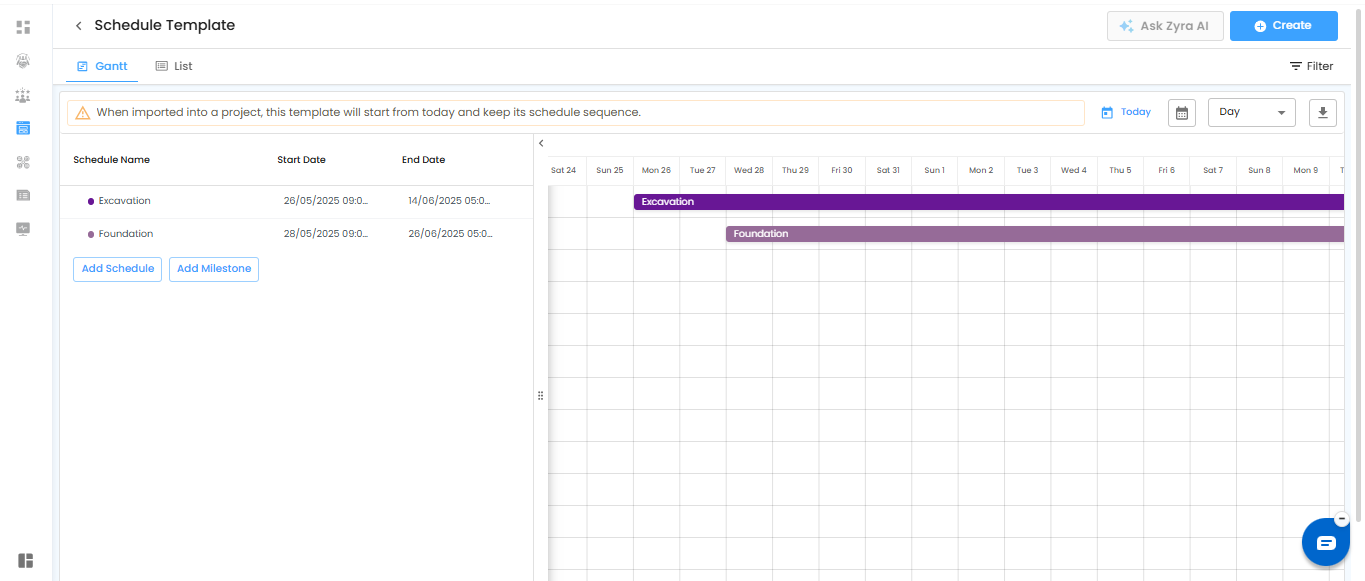
 Schedule template Gantt View: IMPROVEMENT (June 6th)
Creating project schedule templates is now faster and more efficient. With enhanced template features, you can easily build schedules in Gantt view and add task dependencies directly within the template for better project planning and control.
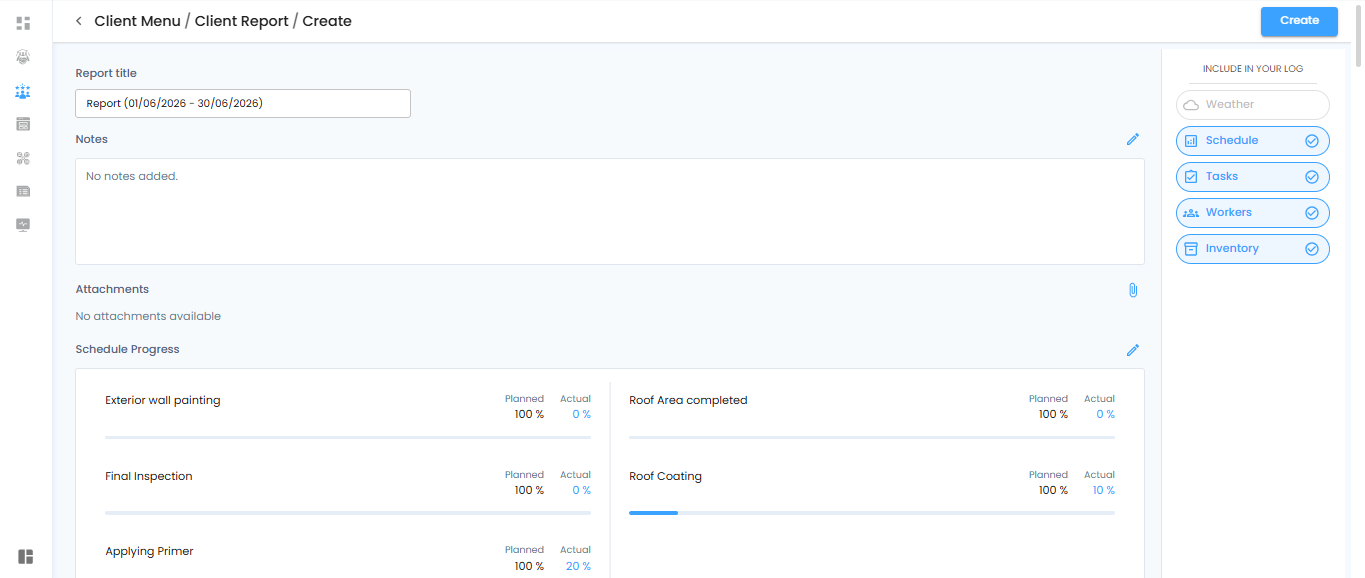
Client report: NEW (June 6th)
“Create and share professional Client Reports with ease. Compile project progress, schedules, tasks, daily logs, attachments, and key updates in one place, helping you keep clients informed with clear and structured reports.”
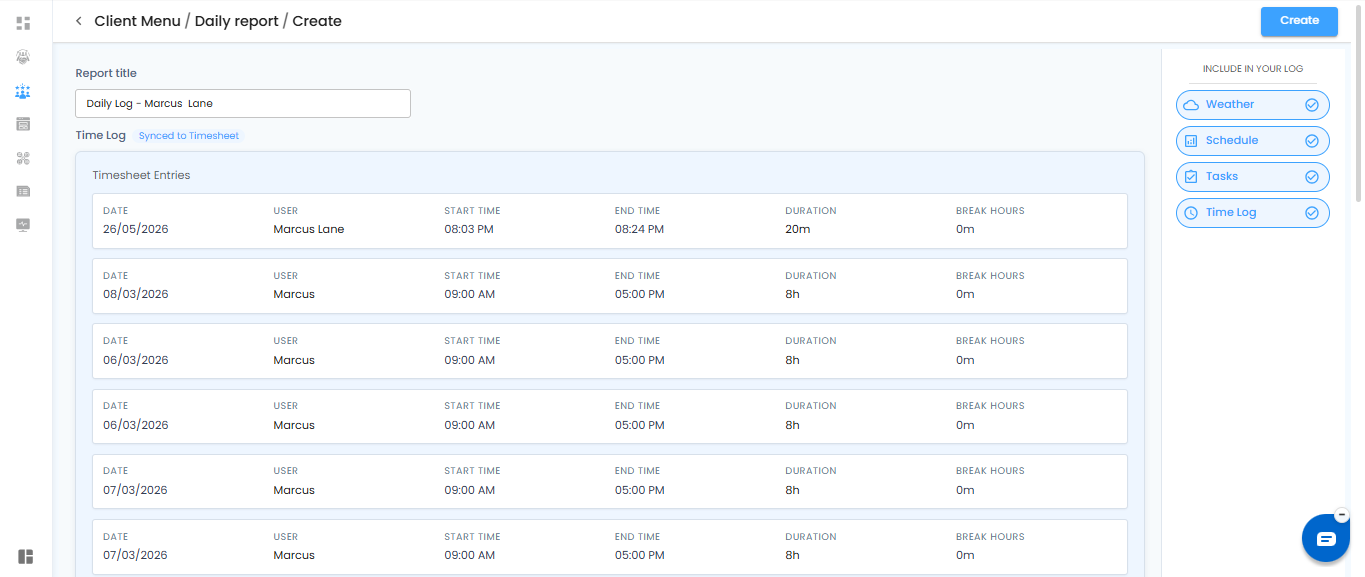
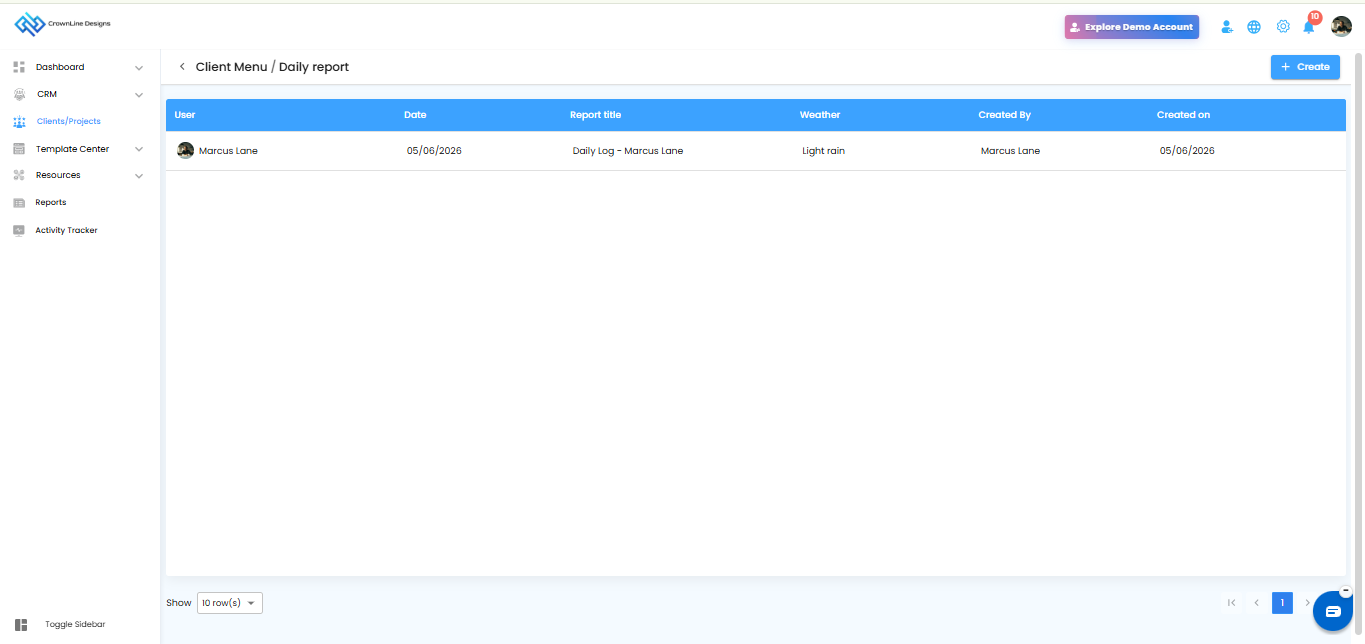
Daily report: NEW (June 6th)
Create Daily Reports to capture essential project updates in one place. View notes, attachments, weather reports, schedule progress, and task progress to keep daily site activities clear and easy to track.
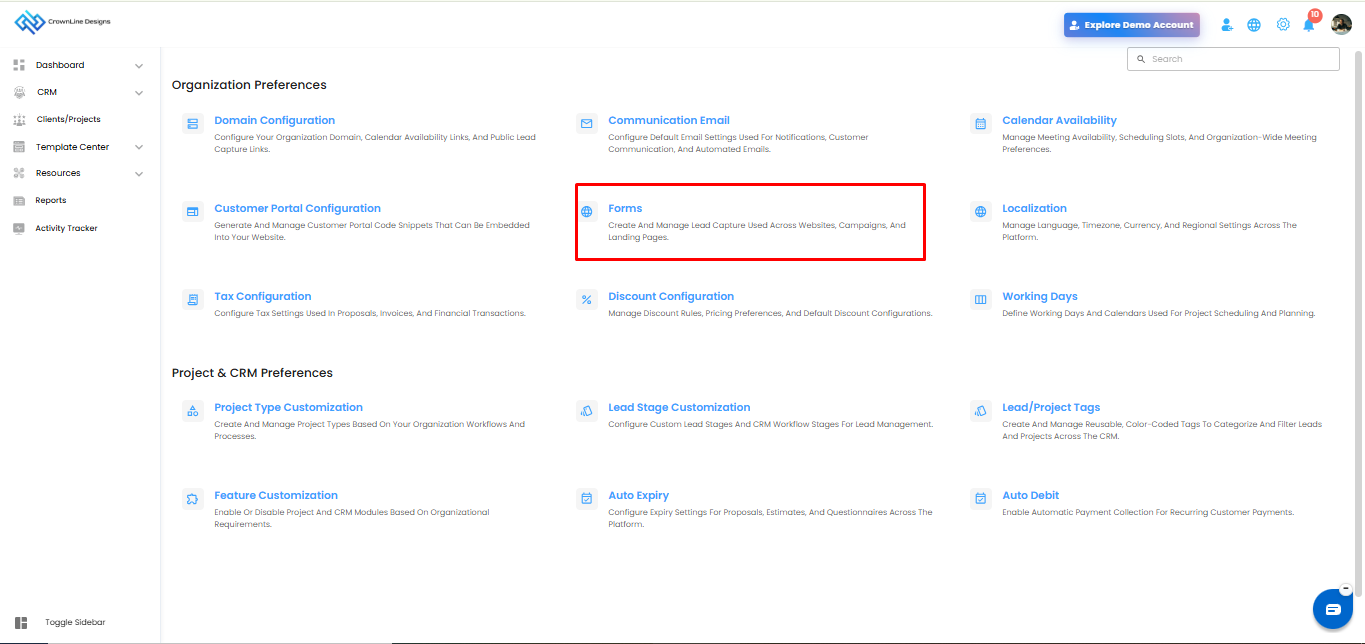
Lead Capture Form: NEW (June 6th)
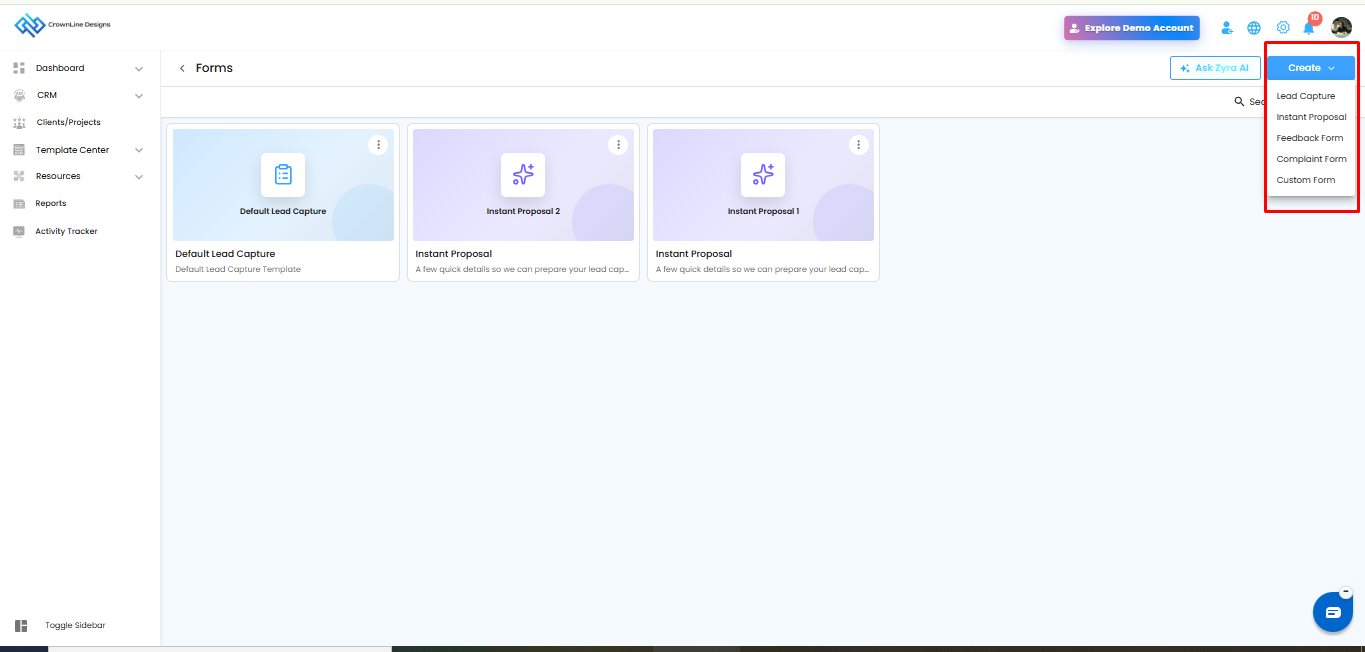
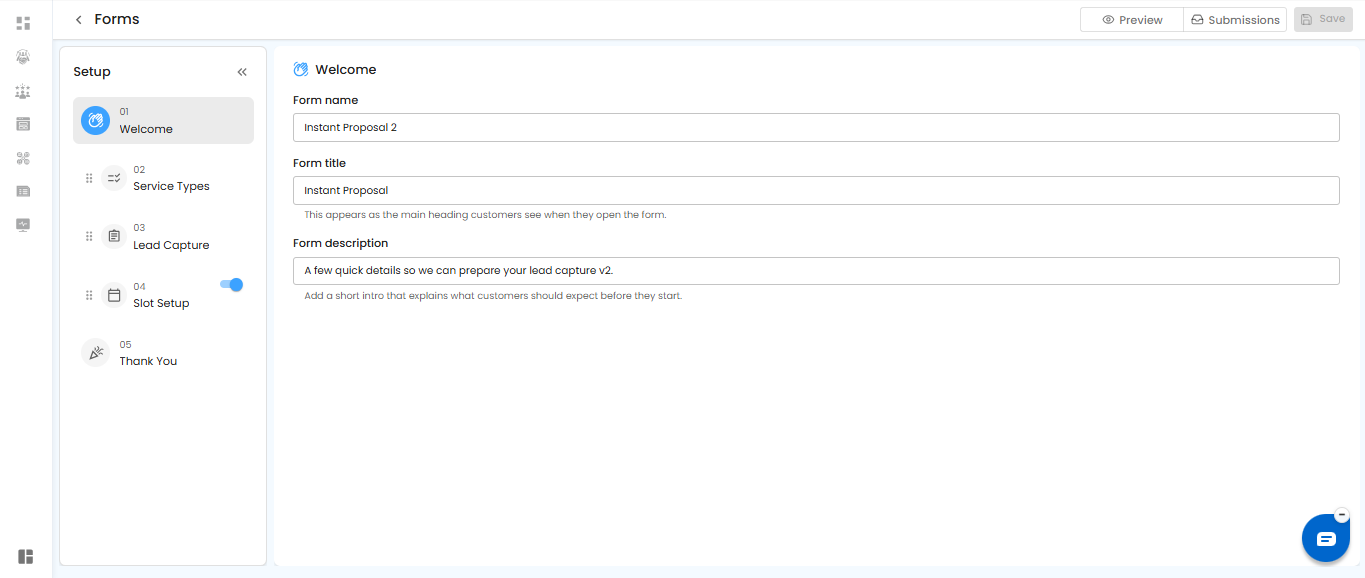
Create custom Lead Capture Forms with ease. Generate lead capture, instant, feedback, complaint, and custom forms, while Zyra AI helps you build the right form quickly based on your requirements.
Automation in CRM: IMPROVEMENT (June 6th)
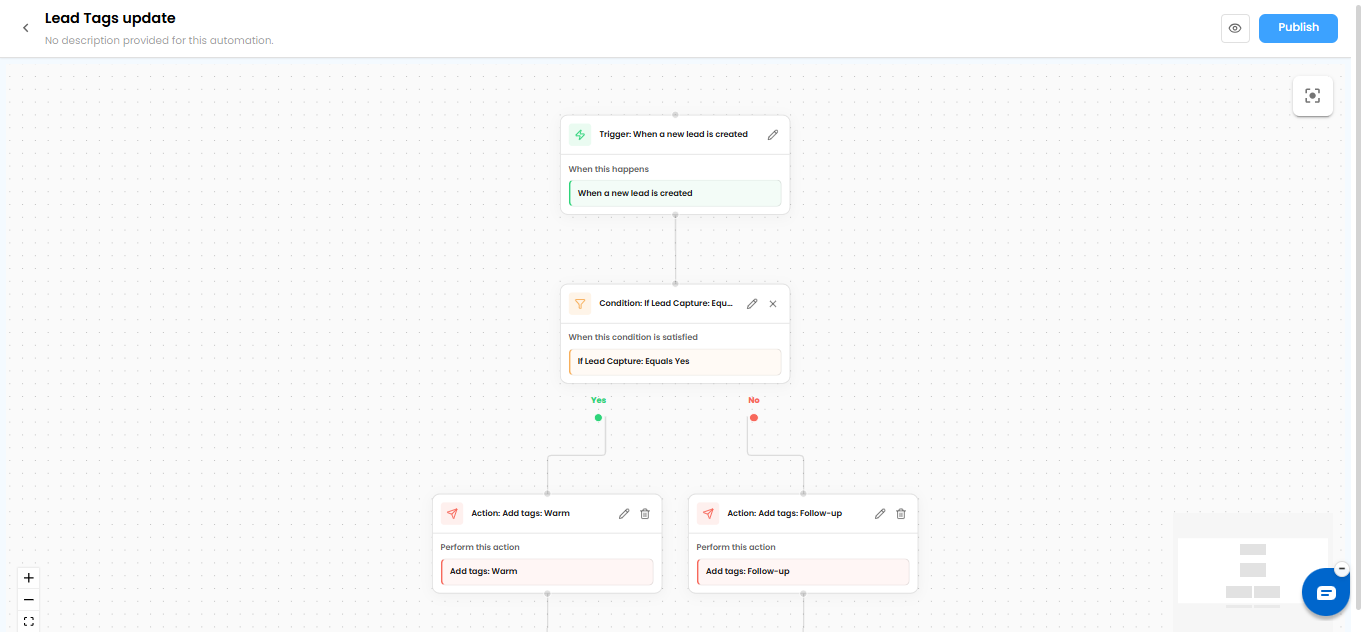
Automate your CRM workflow with complete flexibility. Create customizable automation rules that match your process, reduce manual follow-ups, and help your team manage leads and customer activities more efficiently.
Vendor Portal Improvement: IMPROVEMENT (June 6th)
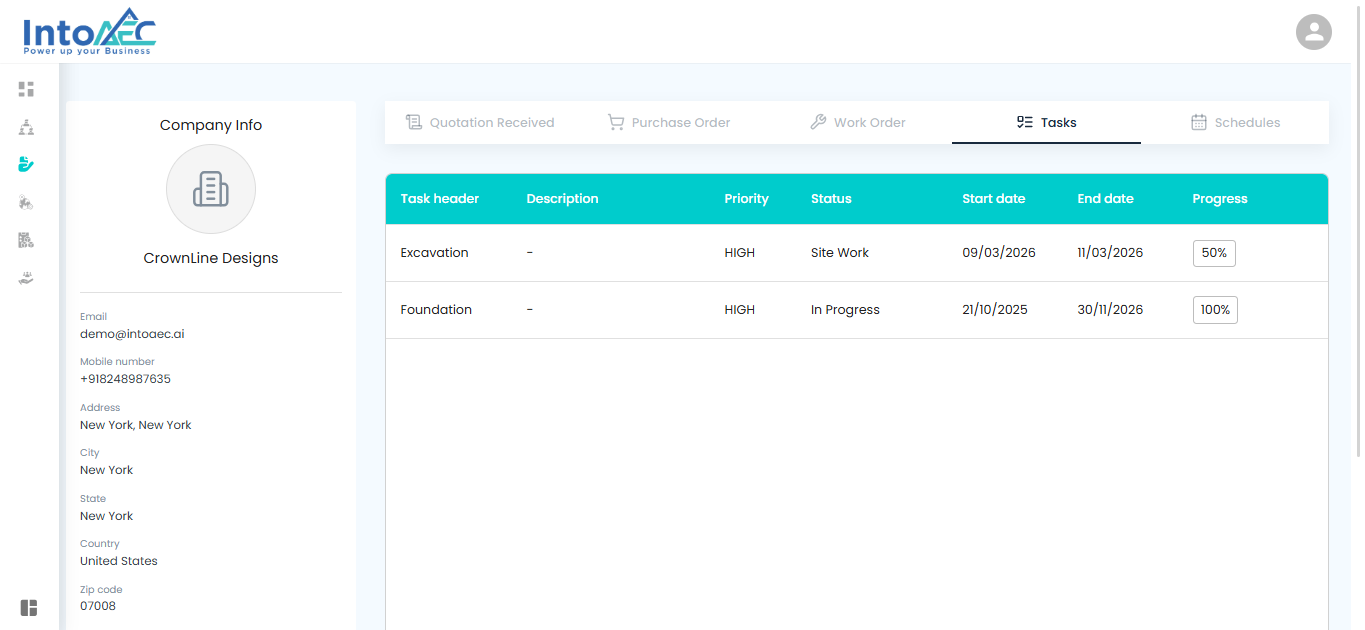
Collaborate with vendors more efficiently through the Vendor Portal. Assign tasks and project schedules to vendors, allow them to update completion percentages, and track vendor progress with better clarity.
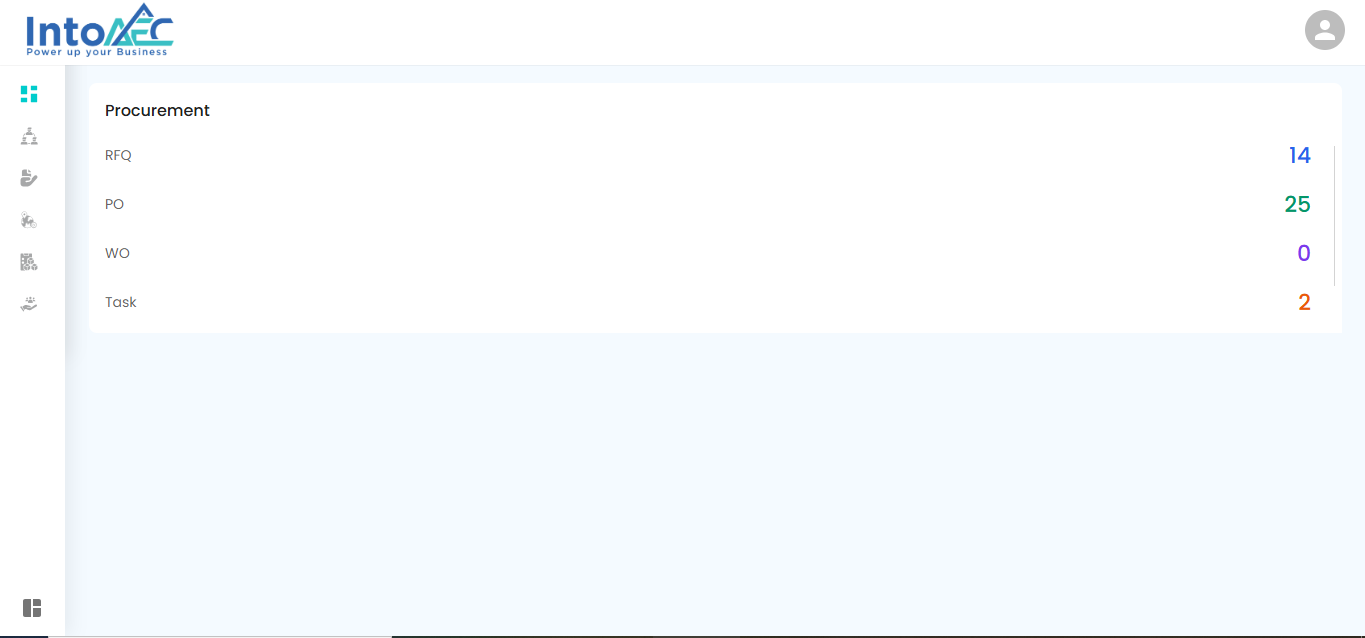
Schedule Checklist New(June 20th)
Manage schedule activities more clearly with checklist support, helping teams track task completion and execution progress with better visibility.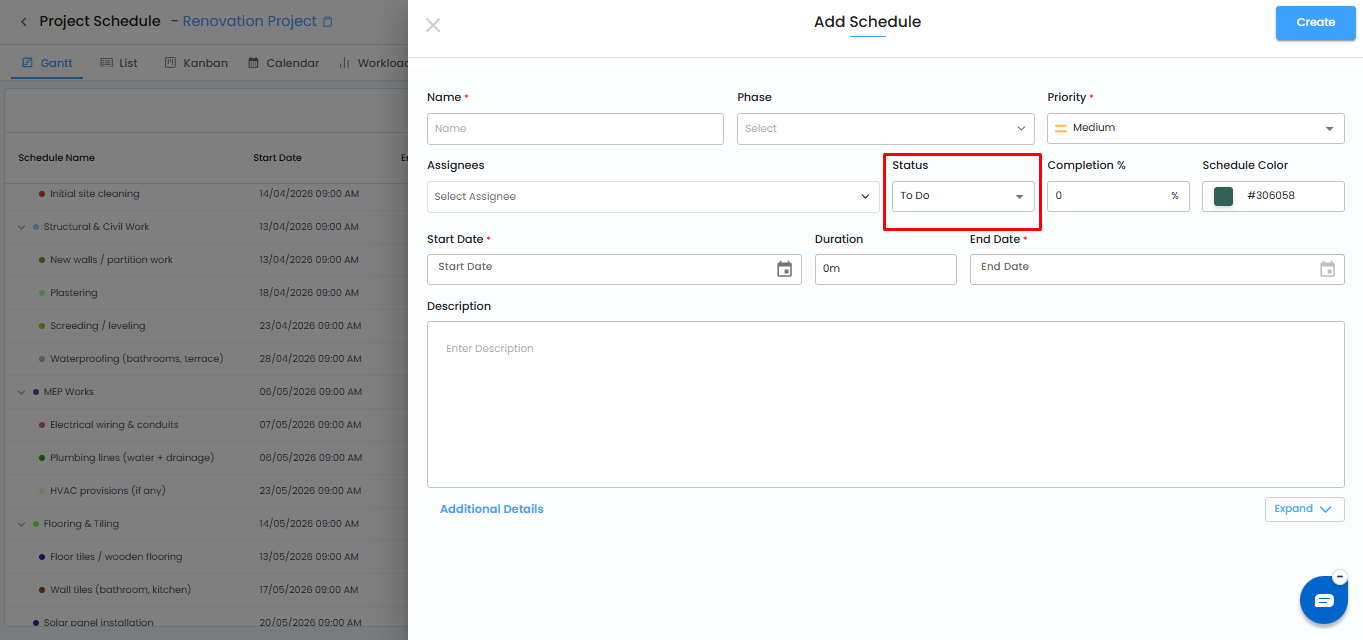
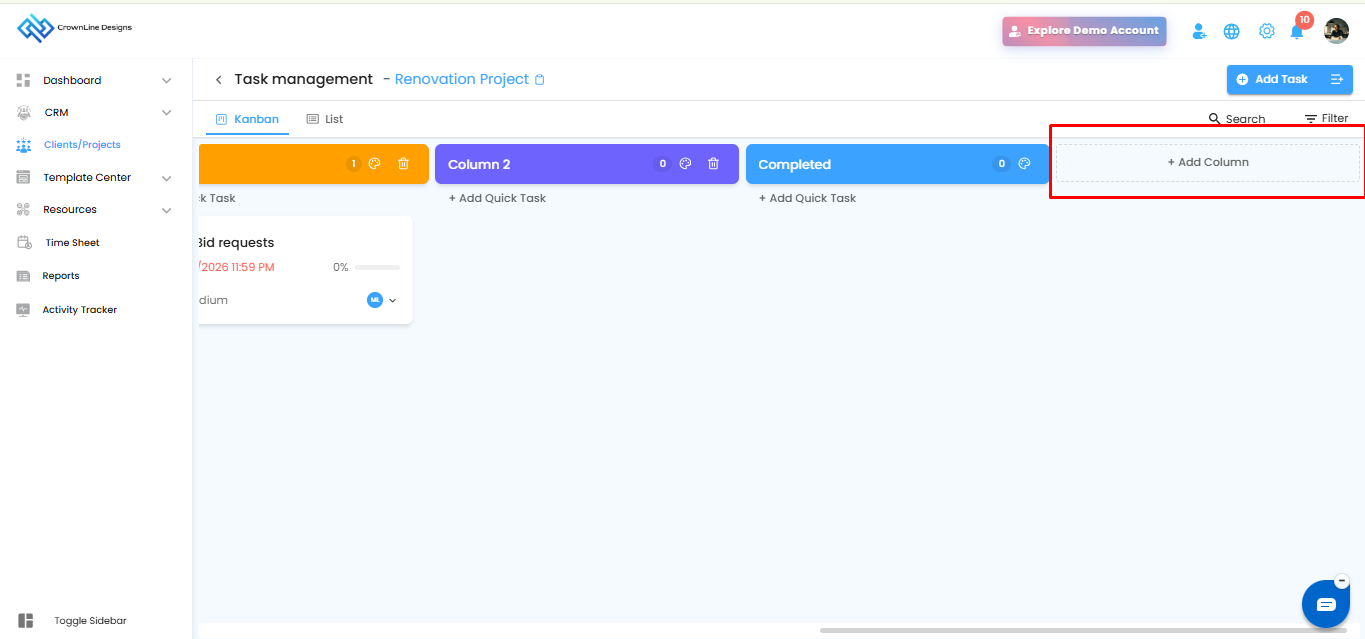
Kanban Board Enhancements (June 20th)
Improved Kanban board experience for better task organization, status tracking, and project activity management.
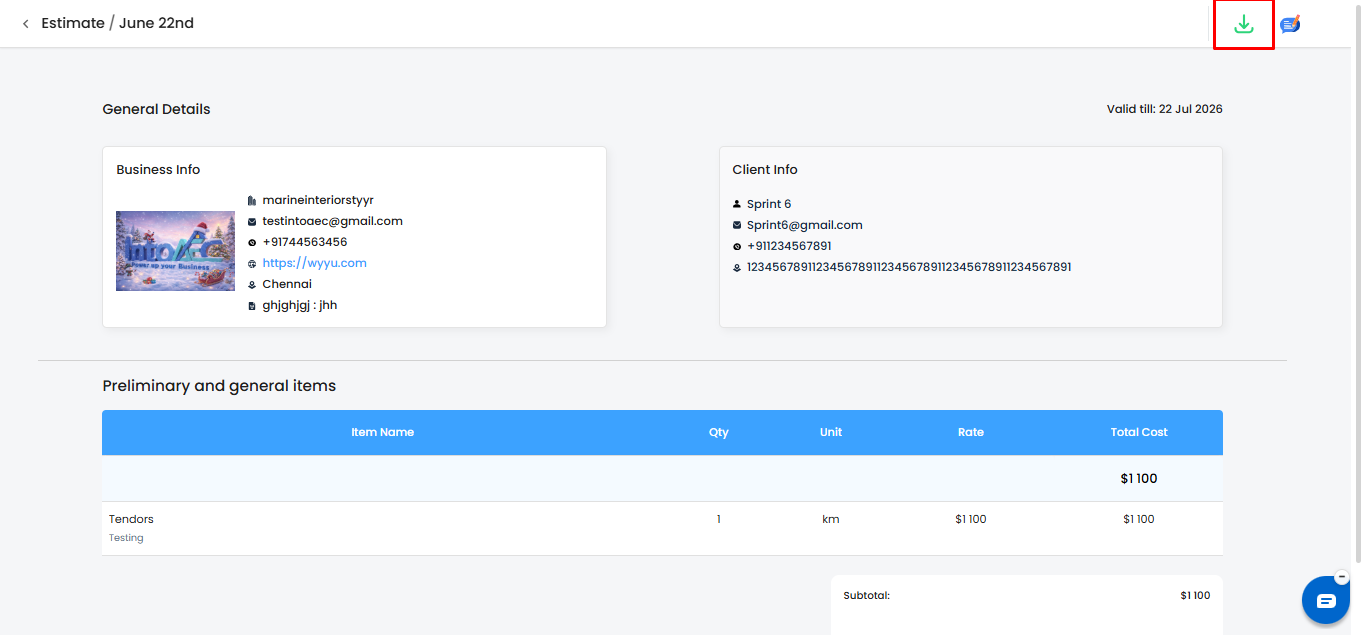
Estimate Preview & PDF Download Enhancements(June 20th)
Improved estimate preview and PDF download experience for more accurate, reliable, and professional estimate sharing.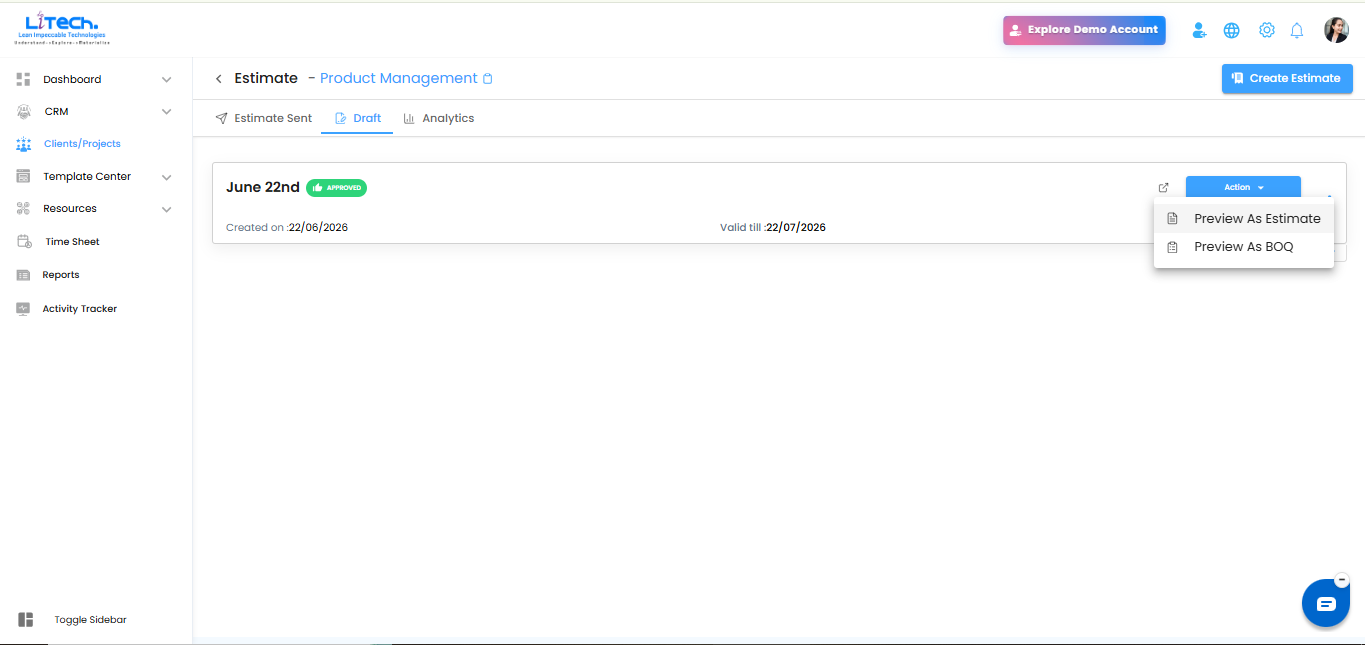
 Send as Estimate and BOQ(June 20th)
Users can now send project pricing either as an Estimate or as a BOQ, giving teams more flexibility based on client or project requirements.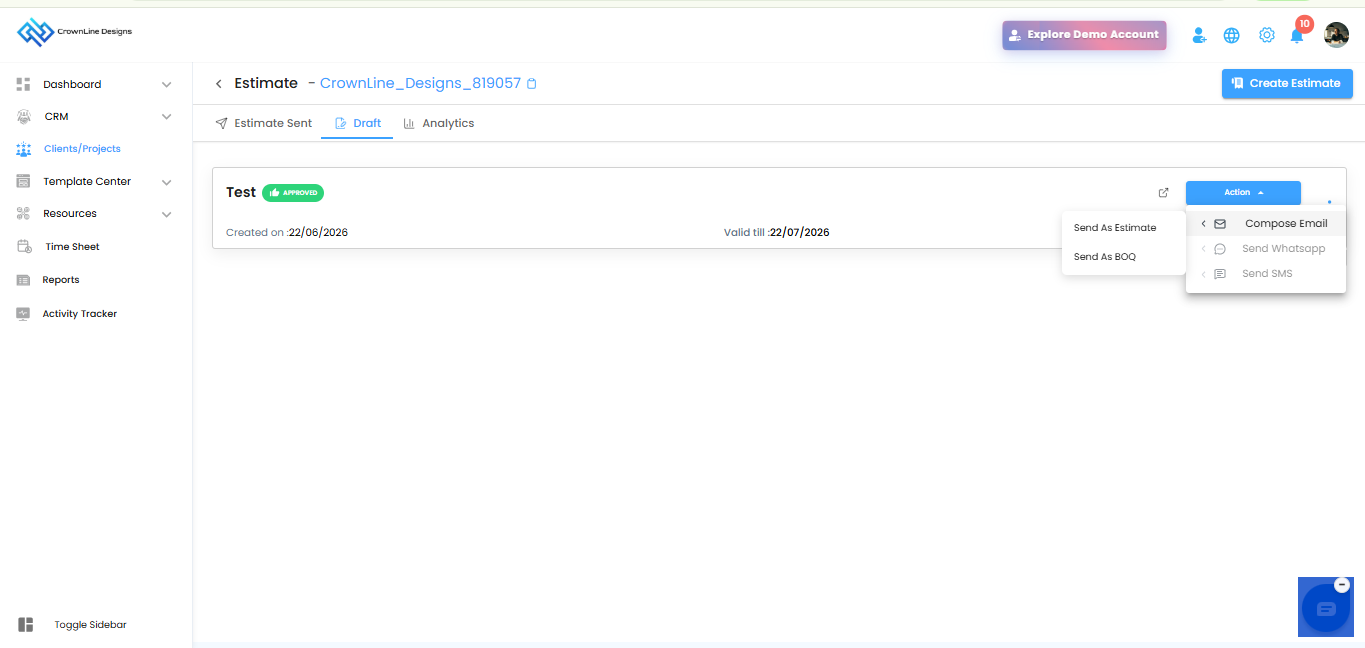
Convert Estimate to Schedule(June 20th)
Approved estimates can now be converted directly into project schedules, helping teams move from costing to execution without duplicate manual work.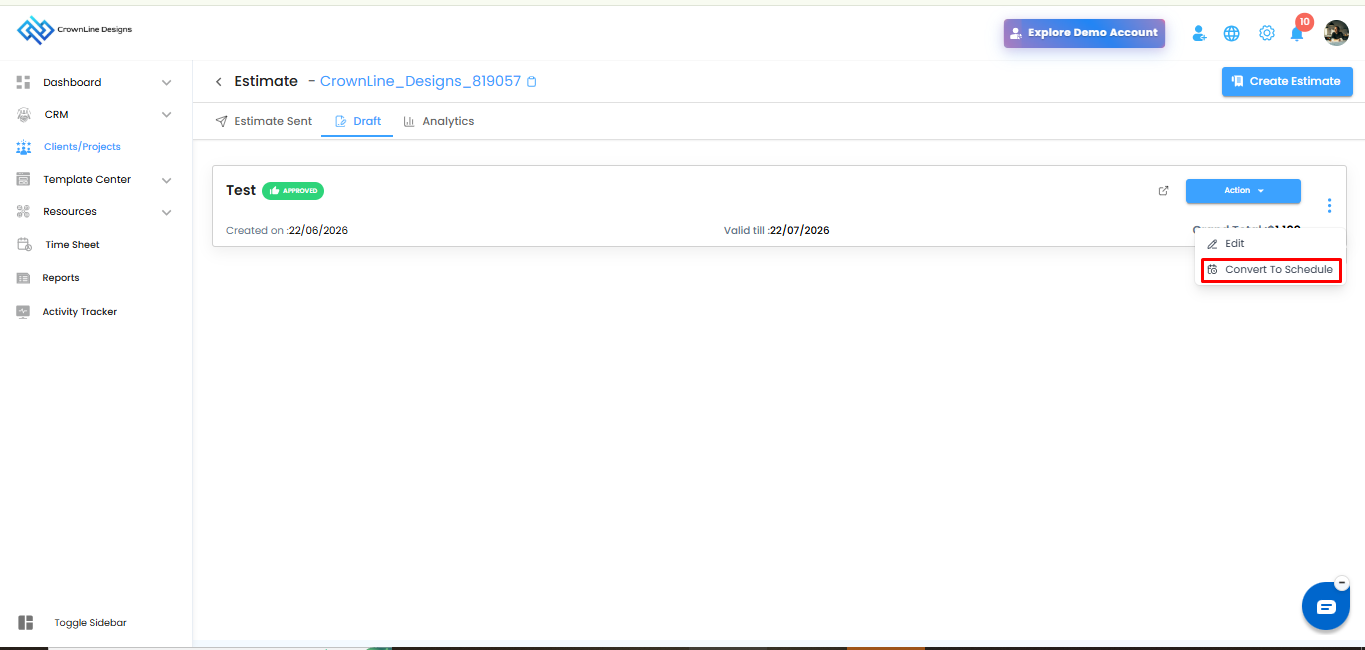
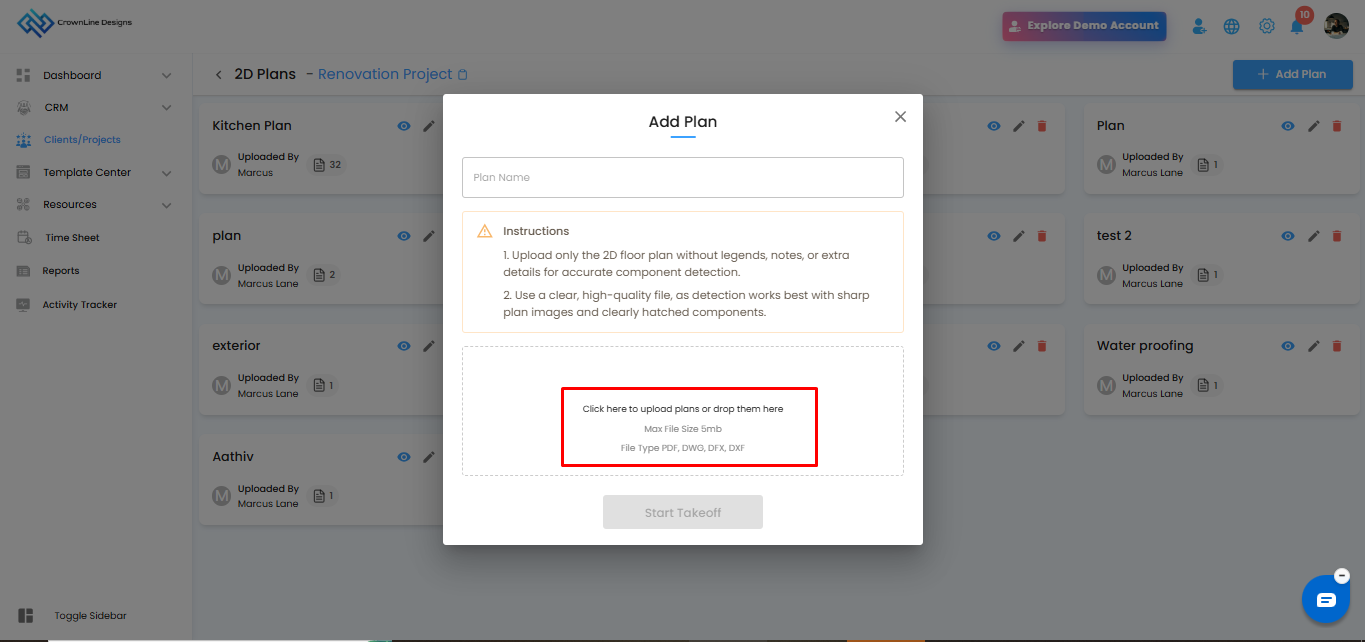
2D Takeoff Deduction Tool, Improvements & DWG Converter(June 20th)
New deduction tool support, improved 2D takeoff workflows, and enhanced DWG converter functionality for better measurement accuracy and smoother drawing-based estimation.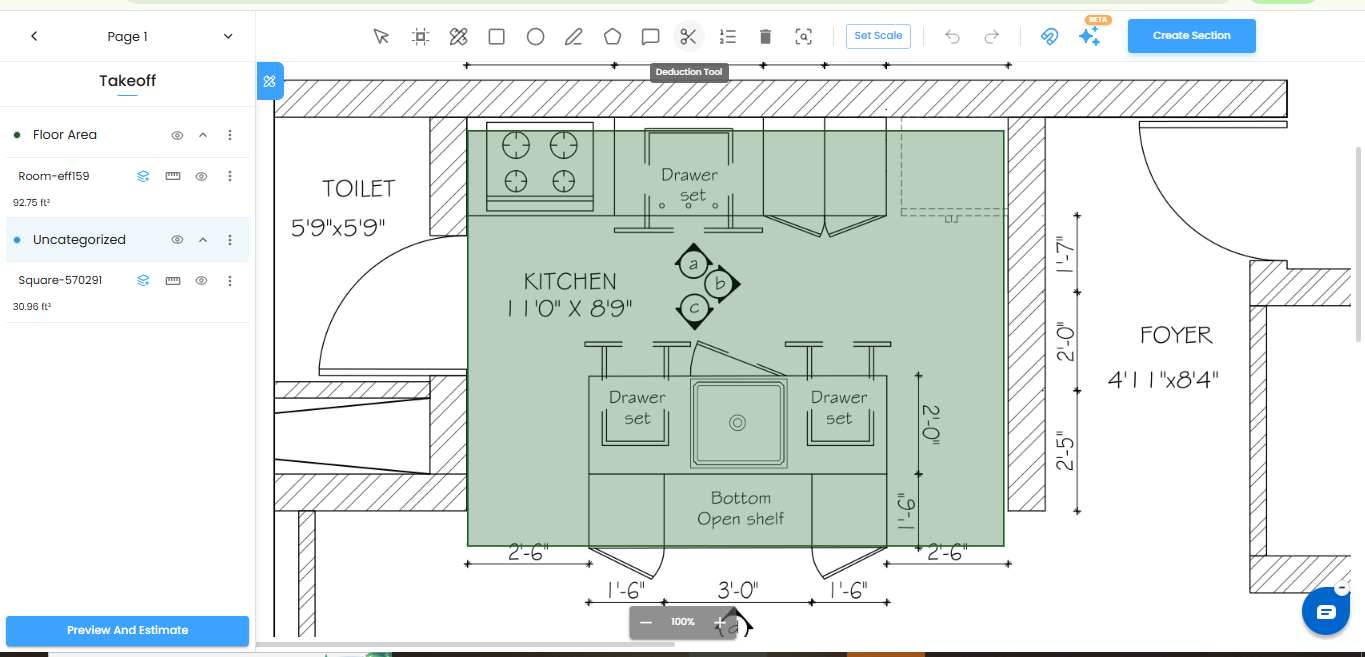
Move Items to Inventory(June 20th)
Manual items and Purchase Order items can now be moved into Inventory, making material tracking and stock management more efficient.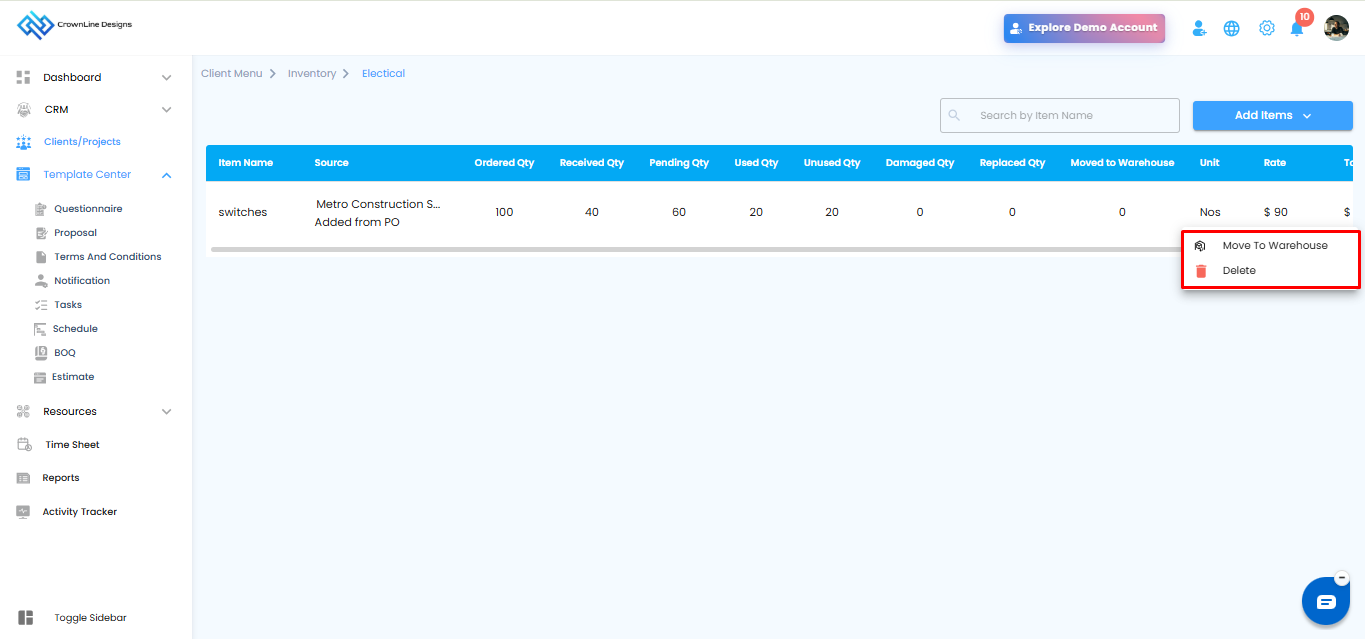
Global Timesheet & User Calendar(June 20th)
New global timesheet and user calendar improvements help teams manage time tracking, user schedules, and work visibility more effectively.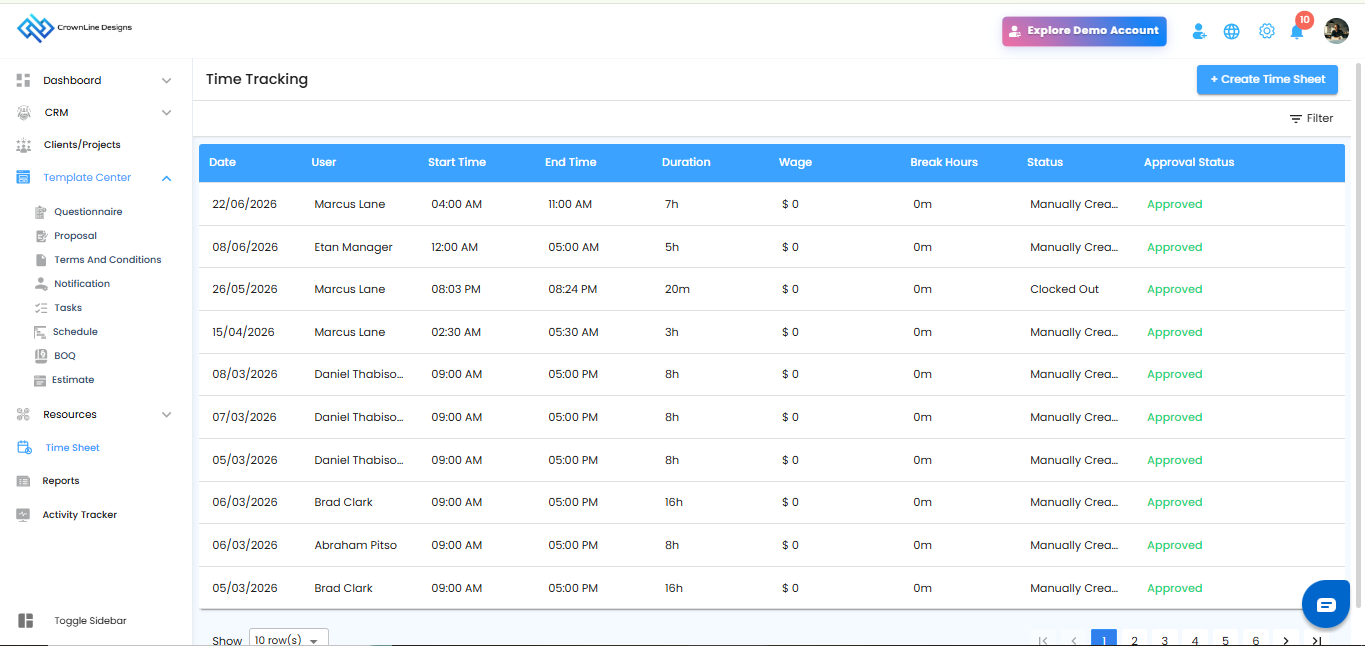
WhatsApp Integration Enhancements(June 20th)
WhatsApp integration is now available in Automation, Estimates, Proposals, and Questionnaires, making client communication faster and more convenient.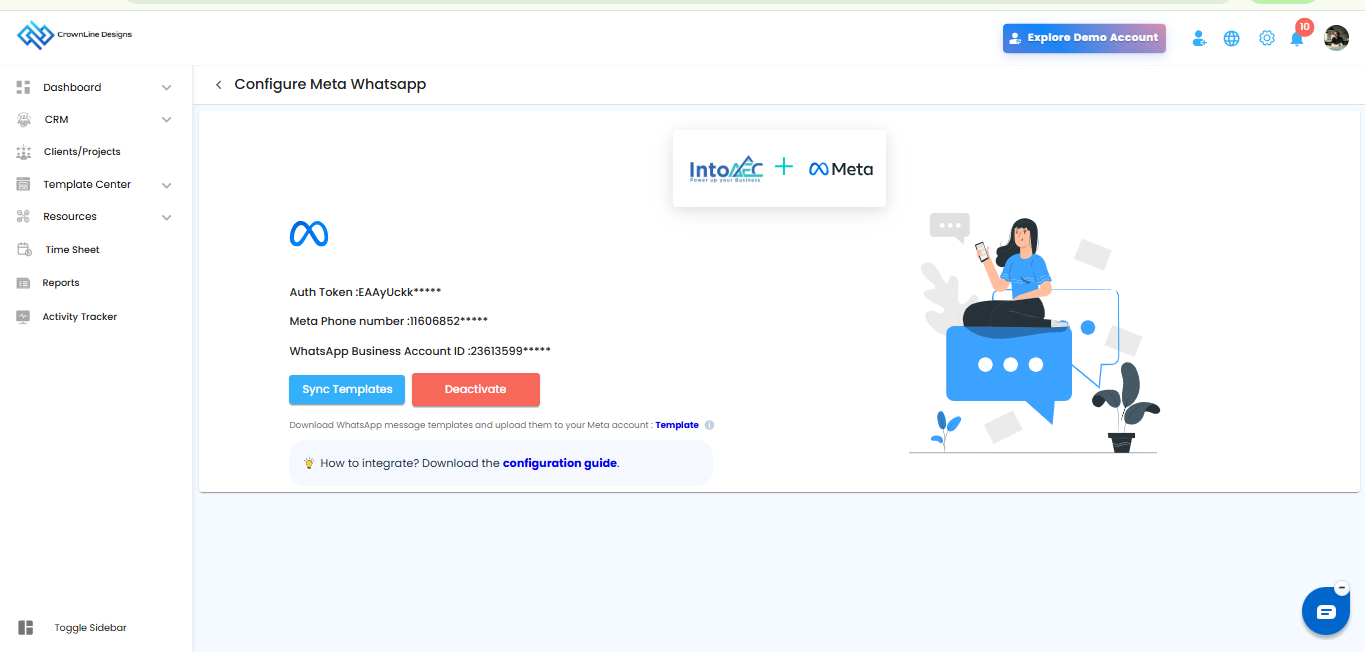
Was this article helpful?
That’s Great!
Thank you for your feedback
Sorry! We couldn't be helpful
Thank you for your feedback
Feedback sent
We appreciate your effort and will try to fix the article