The Cost Catalog helps you build and manage a centralized list of materials, services, equipment, and assemblies in one place. This allows your team to maintain consistent cost information and use the same cost items across different estimates and projects.
What is Cost Catalog?
Cost Catalog is a centralized library where you can store all commonly used cost items for your organization.
You can add and manage items such as:
Materials
Services
Equipment
Assemblies
Each cost item can be saved with a unique code, making it easier to identify, search, and reuse the item while preparing estimates.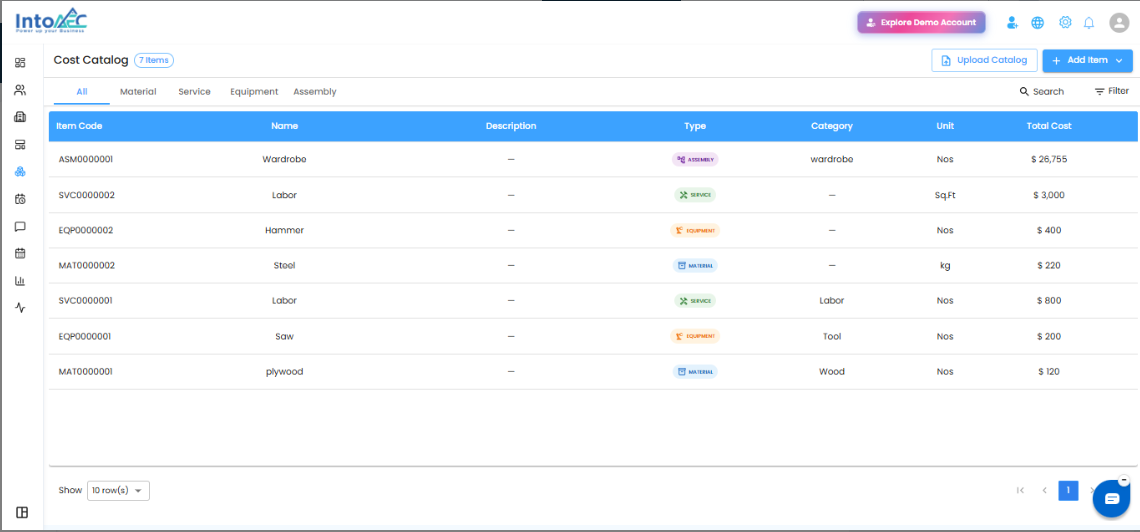
Why Use Cost Catalog?
The Cost Catalog helps reduce manual work during estimate creation. Instead of entering the same material, service, equipment, or assembly details again and again, users can select the required cost items from the catalog and add them directly to the estimate.
This helps teams create estimates faster while keeping item details and costs consistent across projects.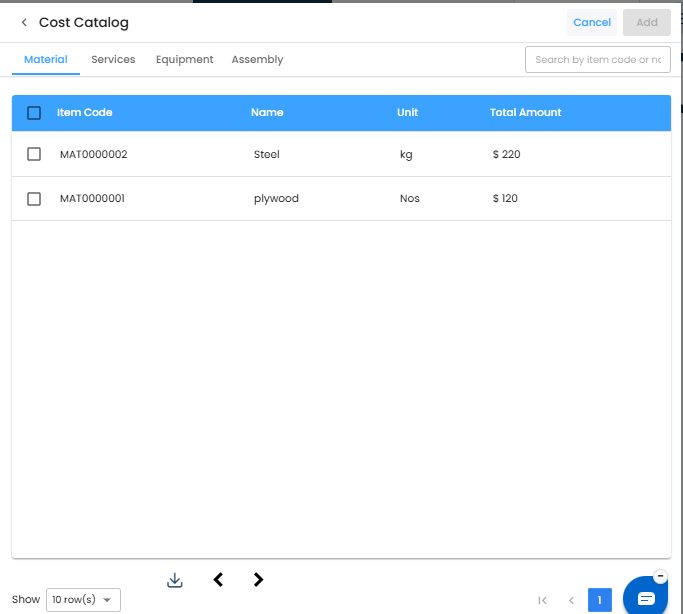
Key Benefits
Centralized Cost Management
Maintain all your cost items in one common catalog so your team can easily access and use standard materials, services, equipment, and assemblies.
Unique Codes for Cost Items
Assign unique codes to each cost item for easier identification and better organization.
Faster Estimate Creation
Use saved catalog items directly in estimates instead of manually entering the same details every time.
Consistent Costs Across Projects
Keep costs and item details consistent across multiple projects by using a single source of cost information.
Better Organization
Group and manage different types of cost items such as materials, services, equipment, and assemblies in one place.
How It Helps in Estimates
While creating an estimate, users can select items from the Cost Catalog and add them to the estimate. This makes the estimate creation process faster and helps avoid repeated data entry.
Since the item details come from the catalog, the same cost information can be reused across projects, improving accuracy and consistency.
Example Use Case
If your team frequently uses the same material, service, or equipment in multiple projects, you can add it once in the Cost Catalog with a unique code. Later, while creating an estimate, the same item can be selected from the catalog and added directly to the estimate.
Summary
The Cost Catalog acts as a centralized cost library for your organization. It helps you manage materials, services, equipment, and assemblies in one place, assign unique codes to each item, and reuse them in estimates for faster and more consistent project costing.
Was this article helpful?
That’s Great!
Thank you for your feedback
Sorry! We couldn't be helpful
Thank you for your feedback
Feedback sent
We appreciate your effort and will try to fix the article