The 2D Takeoff to Estimate Using Template feature in IntoAEC allows users to create estimates directly from their 2D Takeoff measurements using predefined estimate templates. Users can choose an existing template, apply it to their takeoff data, and create an estimate without starting from scratch.
This helps simplify the estimation process, reduce repetitive work, and maintain consistency when preparing estimates for construction projects.
1. Creating an Estimate from 2D Takeoff
To create an estimate using a template:
Open the required Project.
Navigate to Plan & Design → 2D Takeoff.
Open the required drawing containing the takeoff measurements.
Complete the required measurements and review the associated materials.
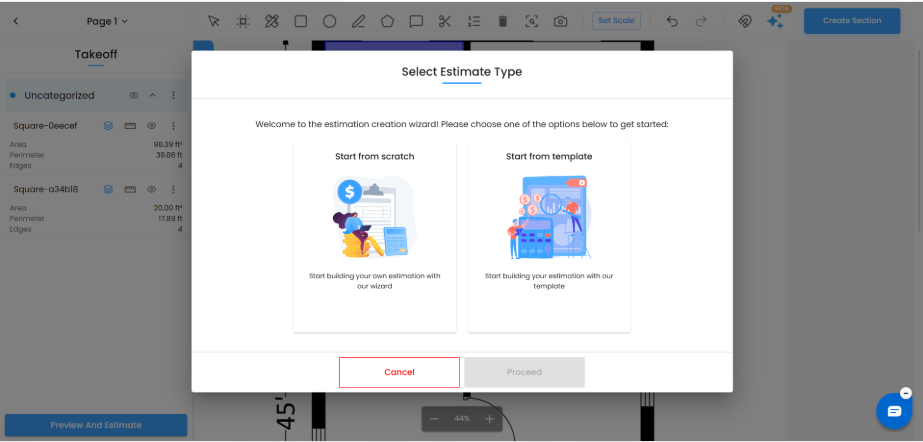
Click Preview And Estimate at the bottom of the takeoff screen.
The Select Estimate Type window will appear.
Select Start from template.
Click Proceed to continue.
Users can choose between two options:
Start from scratch: Create an estimate manually using the available takeoff data.
Start from template: Create an estimate using an existing template.
2. Selecting an Estimate Template
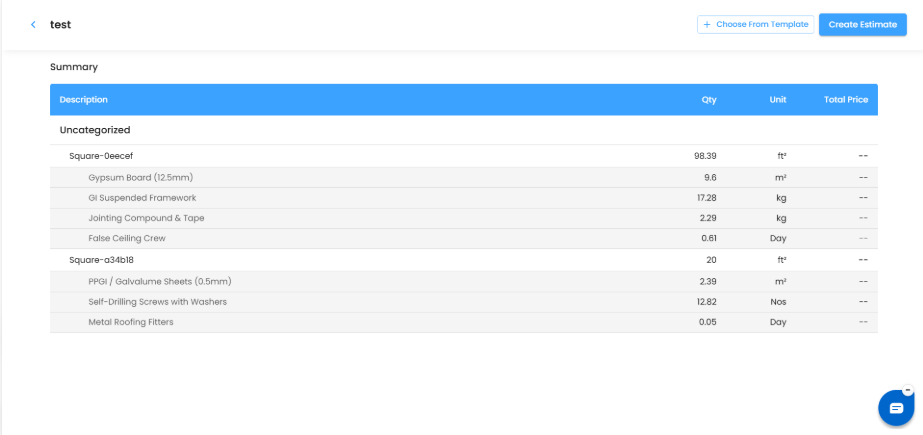
After selecting Start from template, the system displays the takeoff summary along with the Choose From Template option.
To apply a template:
Click Choose From Template in the top-right corner.
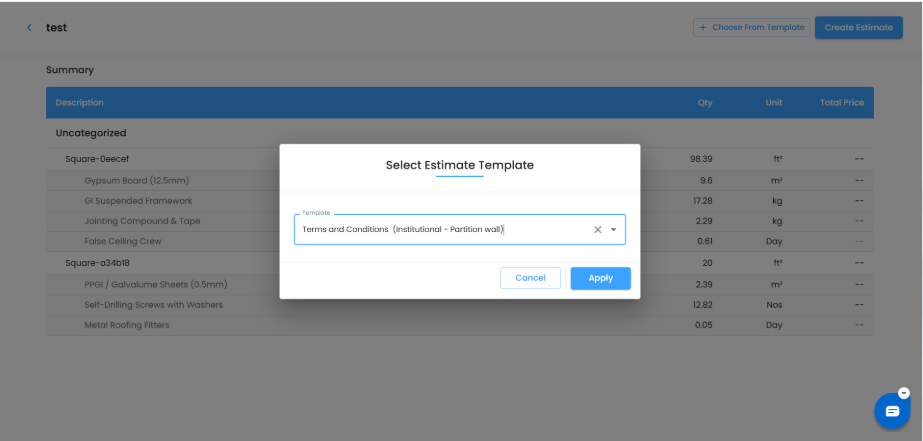
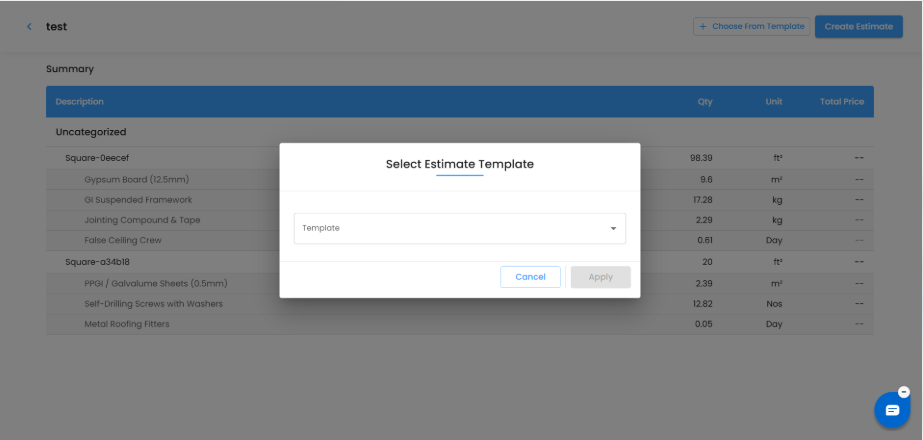
The Select Estimate Template popup will appear.
Click the Template dropdown.
Select the required estimate template from the available options.
Click Apply to use the selected template.
The Apply button becomes available once a template is selected.
.
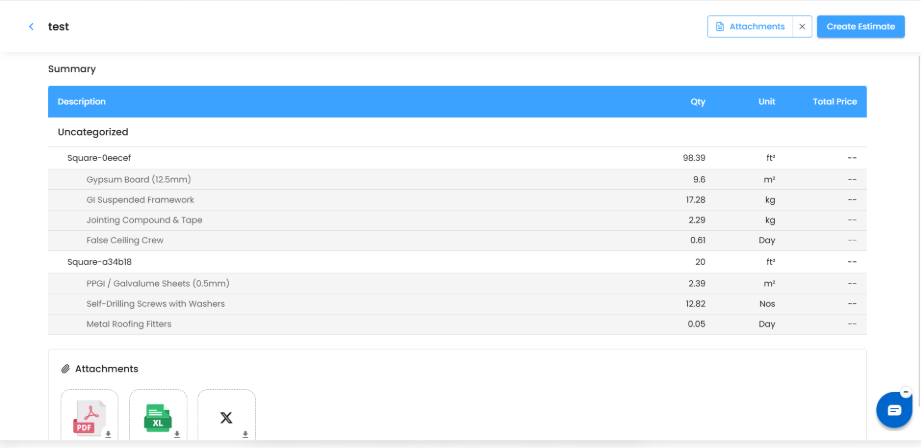
3. Reviewing the 2D Takeoff Summary
The Takeoff Summary displays the measurements and associated items captured from the drawing.
Users can review the following information:
Description: Displays the measured sections and associated material or resource names.
Qty: Shows the measured or calculated quantity.
Unit: Displays the applicable measurement unit, such as ft², m², kg, Nos, or Day.
Total Price: Displays the pricing information when available.
This allows users to review the takeoff quantities and associated items before creating the estimate.
4. Creating the Estimate with Attachments
Once the required template has been selected and the takeoff details have been reviewed, users can proceed with estimate creation.
To create the estimate:
Review the takeoff summary.
Verify the selected estimate template.
Review the Attachments section, where available.
Click Create Estimate in the top-right corner.
Proceed with the estimate creation workflow.
The Attachments section allows users to view the supporting documents associated with the takeoff, such as PDF and spreadsheet files.
Summary
The 2D Takeoff to Estimate Using Template feature allows users to create estimates using predefined templates and existing takeoff measurements. Users can select an estimate template, review the measured quantities and associated materials, and proceed with estimate creation.
This improves estimation efficiency, reduces manual effort, and provides a more organized workflow from 2D Takeoff to Estimate within IntoAEC.
Was this article helpful?
That’s Great!
Thank you for your feedback
Sorry! We couldn't be helpful
Thank you for your feedback
Feedback sent
We appreciate your effort and will try to fix the article