2D Takeoff — Overview
2D Takeoff is IntoAEC's built-in measurement and estimation module. Upload your architectural or construction PDF plans, calibrate the scale once, and immediately begin measuring areas, lengths, and element counts directly on the drawing — without switching to any external tool.
The module combines manual drawing tools with AI-powered detection, so you can measure spaces precisely by hand or let the system scan your plan, identify rooms and components automatically, and group the results intelligently. Every measurement links directly to IntoAEC's material takeoff engine, turning drawing measurements into material quantities and estimates in a few clicks.
2D Takeoff Dashboard
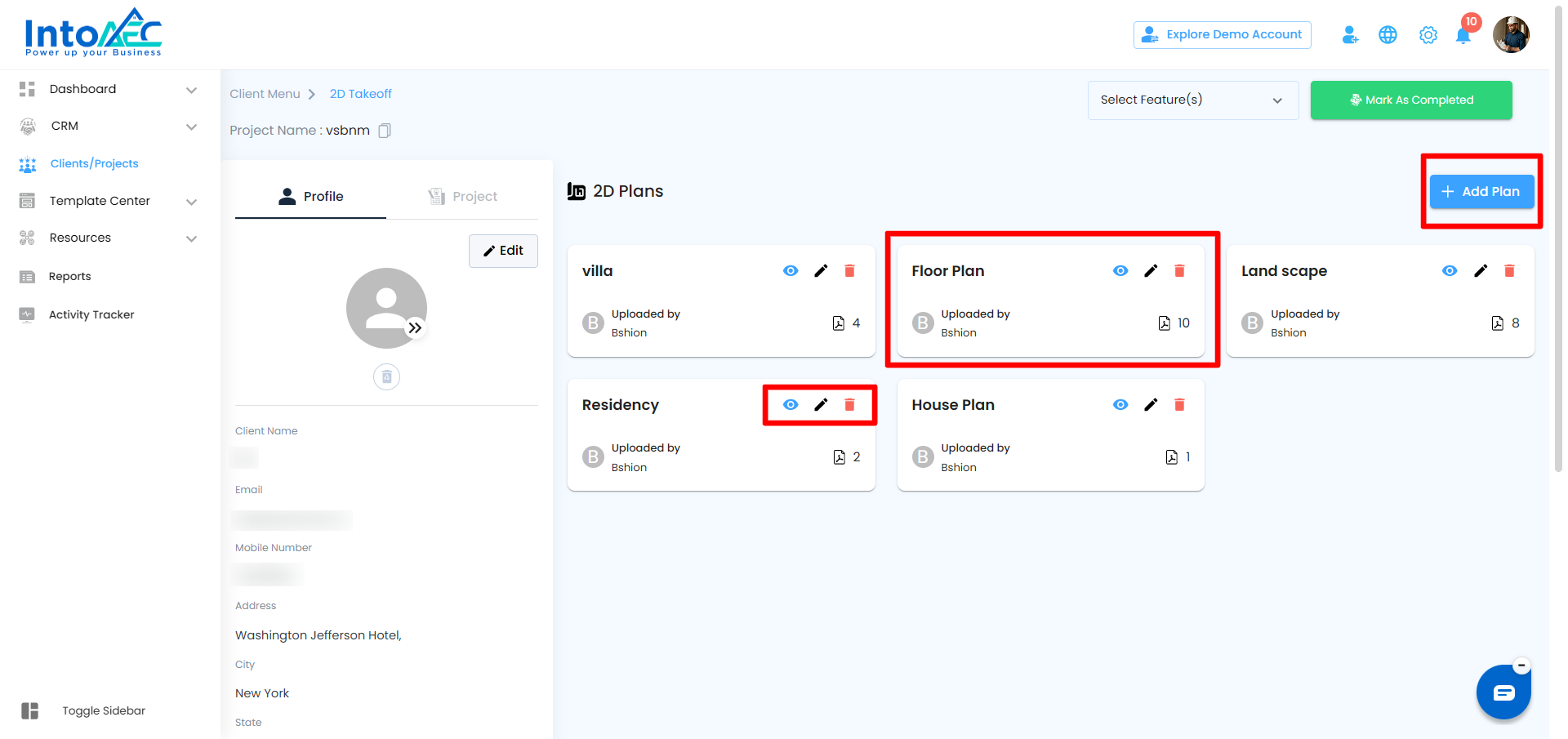
The 2D Takeoff dashboard is your central hub for managing all plans uploaded to a project. From here you can:
- See all plans already uploaded to the current project
- Upload a new plan PDF using the + Add Plan button
- Open an existing plan to Edit the measurements.
- Preview or Delete an existing Plan
- View All profile and Project details and also edit it.
What You Can Do with 2D Takeoff
Plan management
- Upload one or multiple 2D PDF floor plans to a project
- Each PDF can contain multiple pages (sheets), and you can navigate between them inside the takeoff canvas
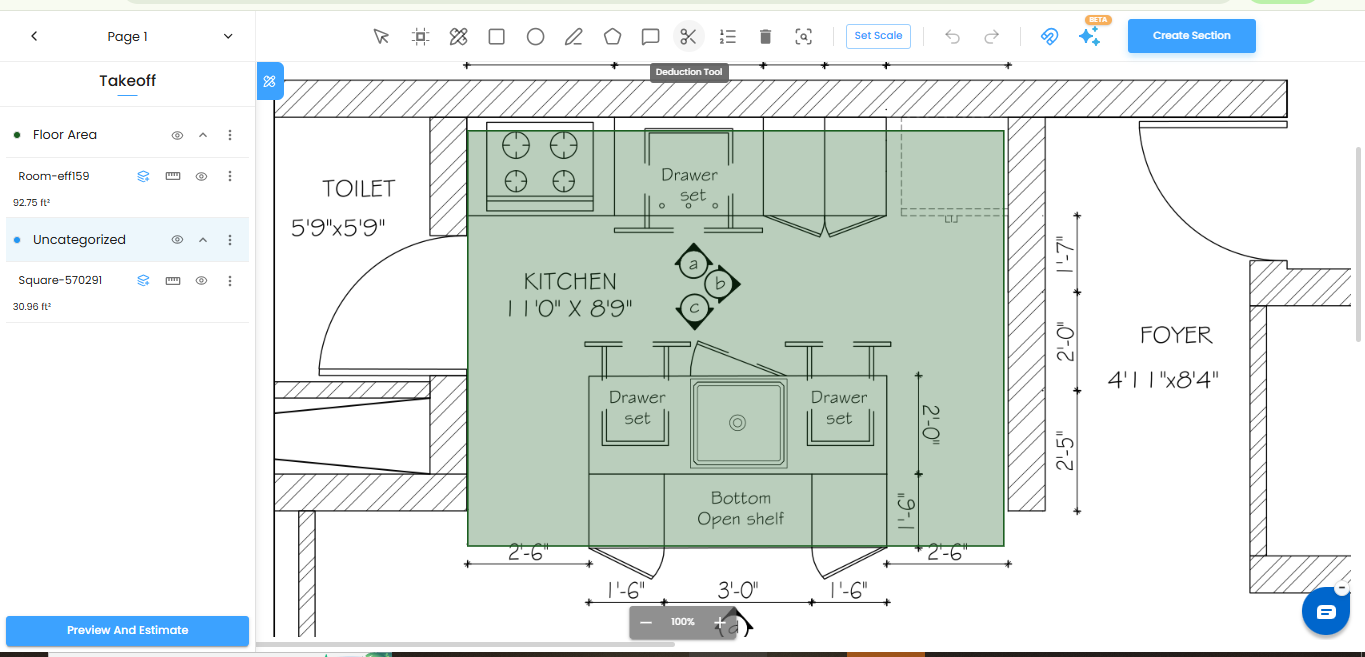
- Set the drawing scale once by clicking two points of known distance on the plan — all measurement tools use this scale automatically from that point forward
AI-powered detection
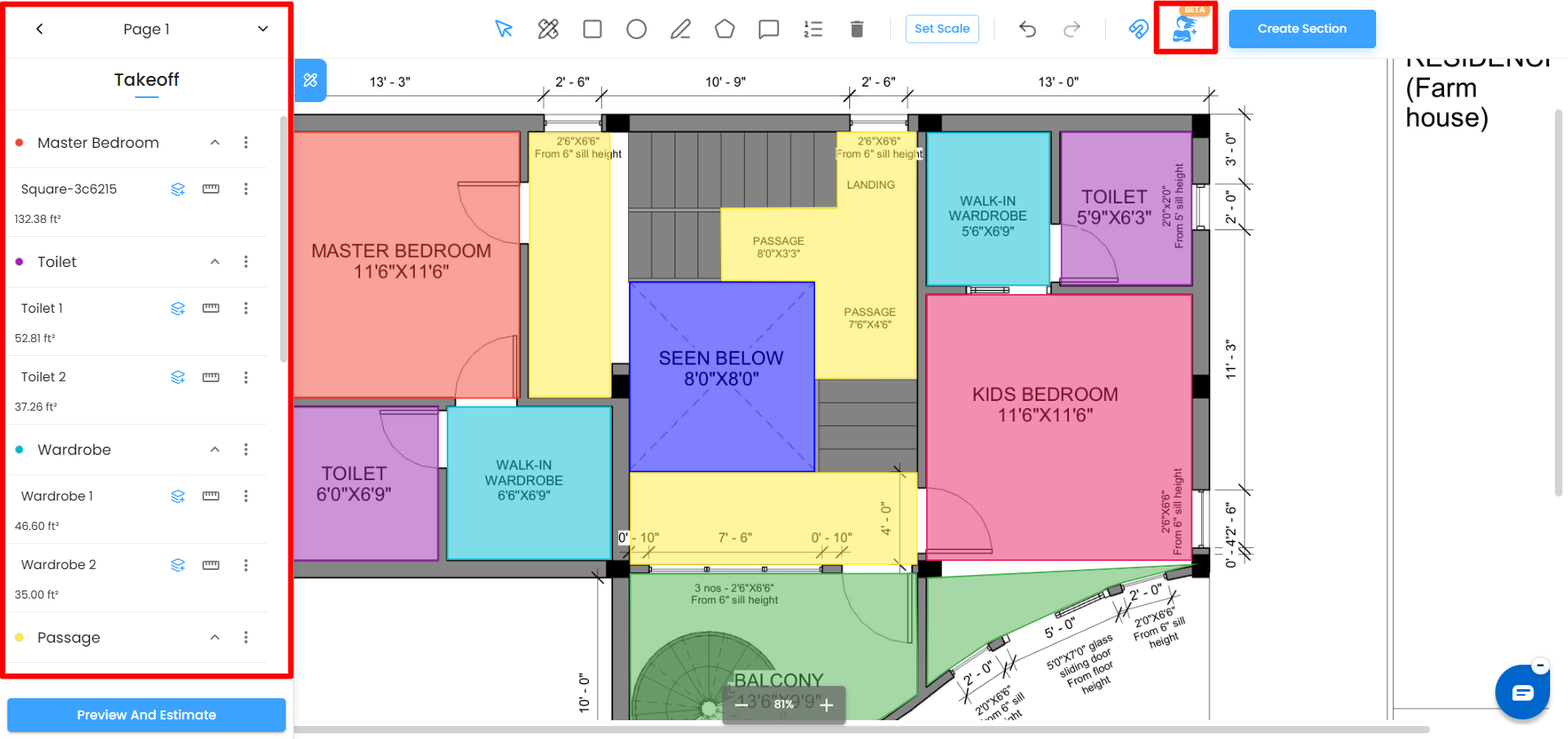
- Let the AI scan the plan and automatically identify and outline individual rooms and spaces, saving you from tracing each one manually
- The system recognizes common building elements such as doors, windows, columns, and fixtures and logs them as counts automatically
- Text labels detected in the drawing — such as room names printed on the plan — are used to automatically name and group measurement sections
- Detected measurements are grouped logically by space or element type, so your Takeoff panel is organised from the moment AI detection finishes
Annotations and organisation
- Add text comments directly on the plan canvas to flag notes, queries, or instructions against specific areas
- Select any measurement shape and adjust it — move it, resize it to fit the boundary more precisely, or delete it
- Change the highlight colour of any shape to visually distinguish rooms, trades, floors, or priority zones
- Organise measured items into named sections such as Ground Floor, Electrical, or Tiling using the Create Section tool
Material takeoff and estimation
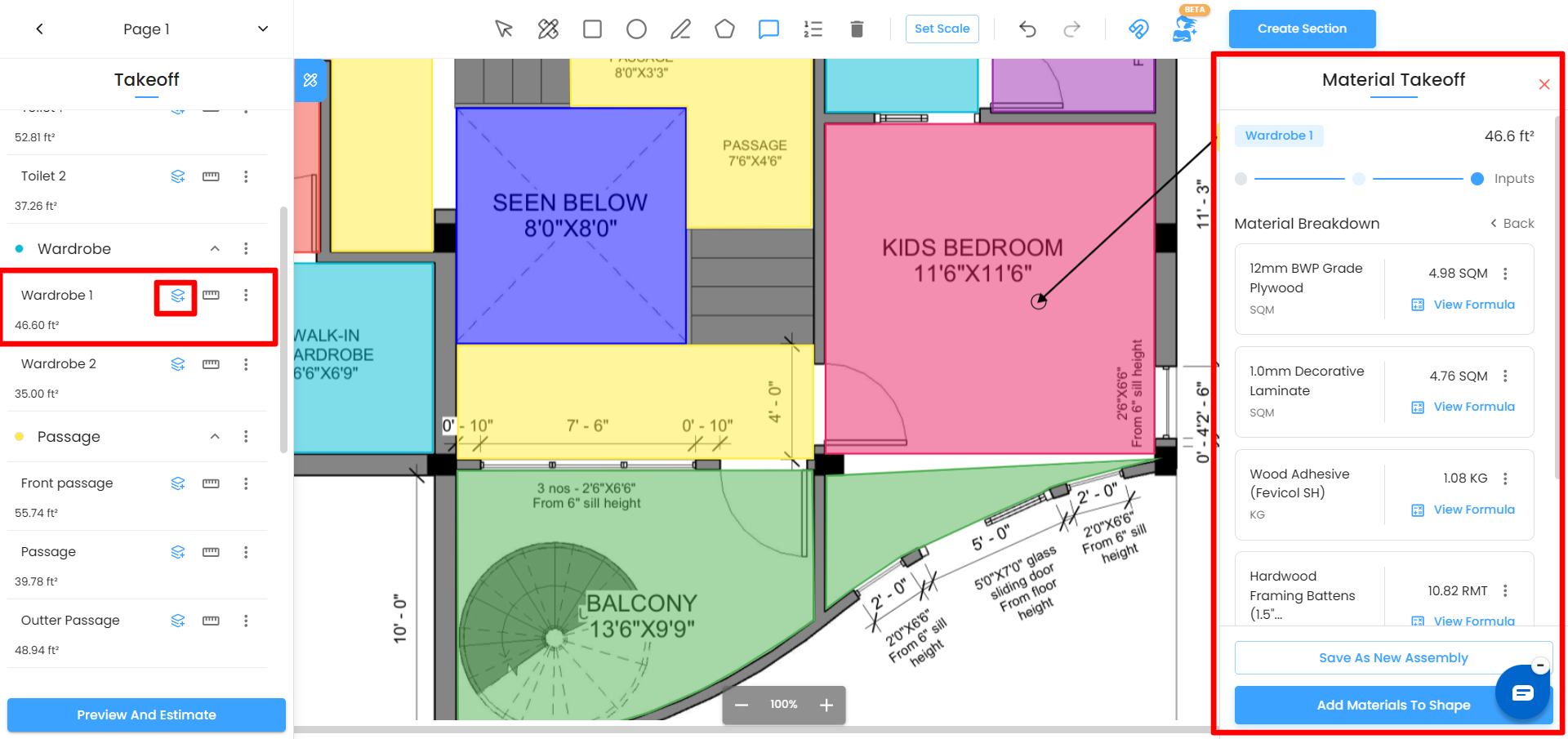
- Select any measured area, open the Material Takeoff panel, choose a trade and assembly, and generate a full material quantity list
- Assemblies come with built-in calculation formulas for each material and labour item — these apply automatically against your measured area with no manual calculation needed
- Build your own assemblies with custom materials, user-defined inputs, and bespoke formulas when predefined options do not match your project specification
- Material quantities calculated in the takeoff feed directly into IntoAEC's estimation workflow, letting you produce cost estimates without re-entering any data
Why 2D Takeoff Matters
- AI-Driven Accuracy
- Faster Estimation
- Single Source of Truth
- Effortless Material Takeoff
- Clear Collaboration
Related articles in this series:
- Uploading a Plan
- Setting the Scale
- Drawing Measurement Areas
- Running a Material Takeoff
- Creating Custom Assemblies and Formulas
2D Takeoff Improvements
The 2D Takeoff module has been improved to make estimating faster, more flexible, and easier to manage while working directly on drawings. Users can now manually update product prices and add products from the Cost Catalog inside the 2D Takeoff workflow.
Manual Price Updates in 2D Takeoff
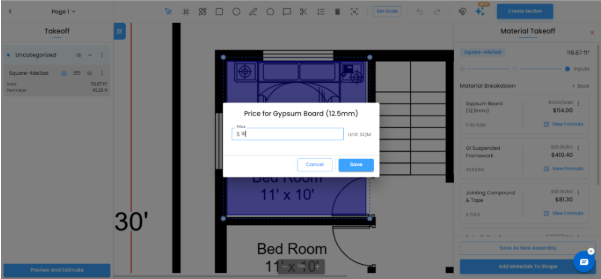
Users can now manually update product prices directly from the 2D Takeoff screen. This gives more control when product rates need to be adjusted during the takeoff and estimation process.
When working on a selected area or measured item, users can open the product price field, enter the updated price, and save the changes. The revised price will be reflected in the material breakdown and estimate calculations.
This is useful when:
Product rates need to be adjusted for a specific project
The default catalog price needs to be changed temporarily
The team wants to update pricing without leaving the 2D Takeoff screen
Estimation needs to remain flexible during quantity takeoff
Add from Cost Catalog in 2D Takeoff
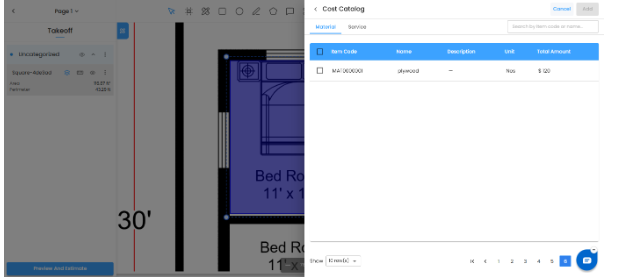
Users can now add products directly from the Cost Catalog while working in 2D Takeoff. This allows predefined materials, services, equipment, and assemblies to be selected and added to the takeoff without manual re-entry.
The Cost Catalog panel helps users search and select the required items, then add them to the takeoff workflow. This makes it easier to use standardized cost items while preparing takeoff-based estimates.
This is useful when:
Users want to quickly add predefined catalog items
Materials or services are already available in the Cost Catalog
The team wants to maintain consistent costing across projects
Users want to reduce manual item entry during takeoff
These improvements help users:
Update product pricing directly in 2D Takeoff
Add catalog items without leaving the takeoff screen
Save time during estimate preparation
Keep takeoff and estimation workflows connected
Improve costing accuracy and flexibility
Use predefined materials, services, equipment, and assemblies more efficiently
Summary
With manual price updates and Cost Catalog support in 2D Takeoff, users can manage product pricing and add predefined cost items directly while working on drawings. This makes the takeoff and estimation process faster, more flexible, and more accurate.
Was this article helpful?
That’s Great!
Thank you for your feedback
Sorry! We couldn't be helpful
Thank you for your feedback
Feedback sent
We appreciate your effort and will try to fix the article