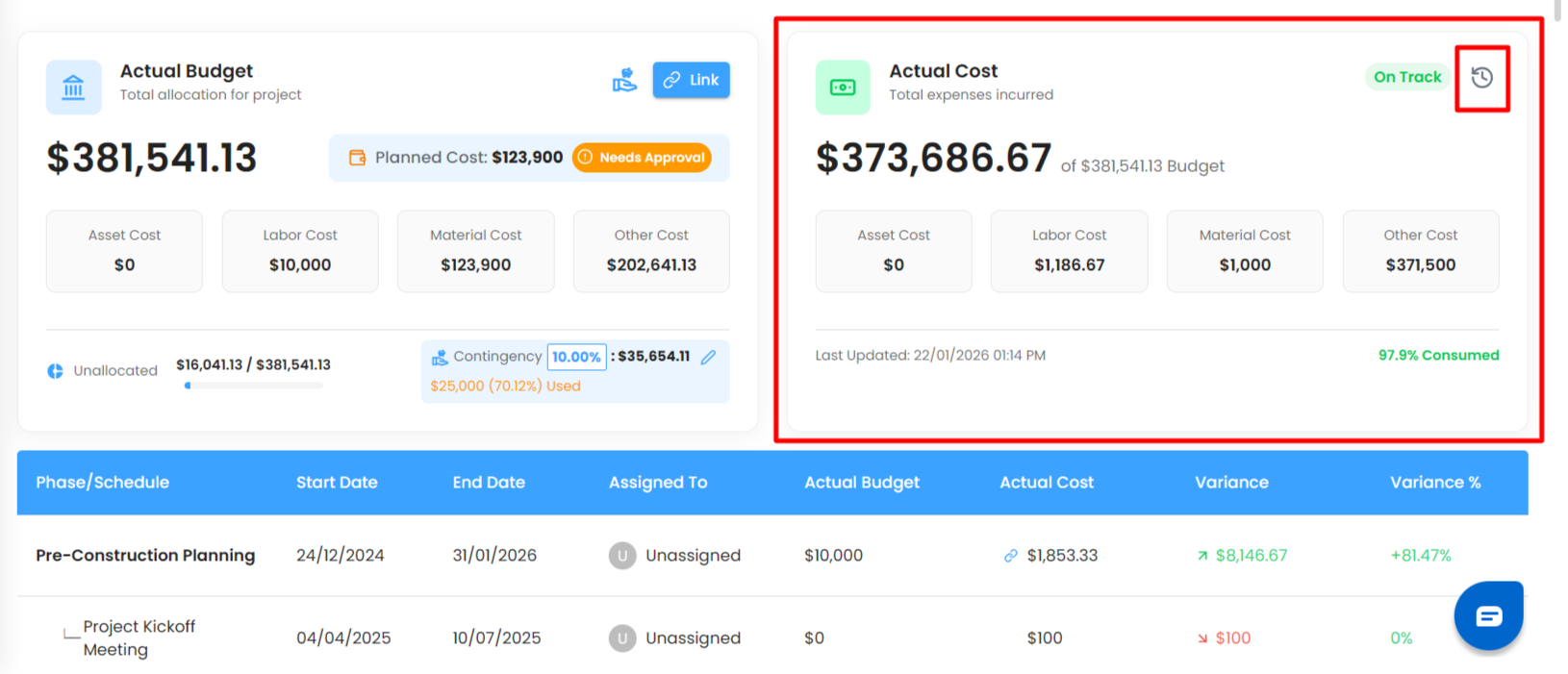
The Actual Cost card shows the total expenses incurred for the project.
What You Can Do Here
View Total Expenses – Track how much has been spent from the allocated budget.
Category-Wise Cost View – See expenses split across:
Asset
Labor
Material
Others
Consumption – Shows how much percentage of the Actual budget is consumed.
Last Updated Date & Time – Know when costs were last updated.
Budget Activity Log – View detailed activity logs for all budget actions.
Pro Tip: Use budget logs to audit who added or modified budget and cost entries.
Schedule / Phase Table
The Schedule/Phase table breaks down budget and cost tracking by execution phases.
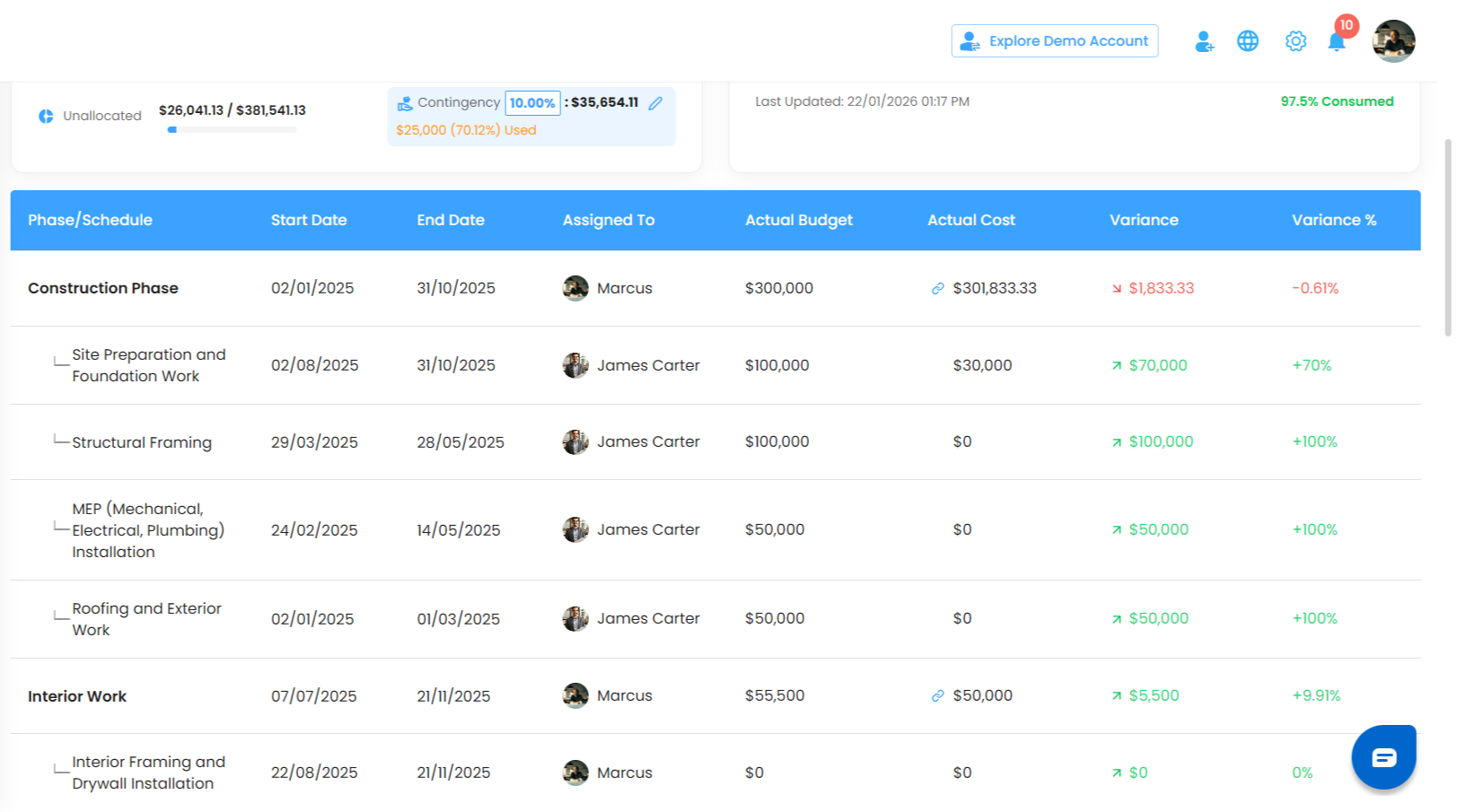
Table Columns
Schedule / Phase
Start Date
End Date
Assigned To
Actual Budget
Actual Cost
Variance
Variance %
Key Behaviors
Actual Budget
Editable for both parent and child phases
Parent phase budget can be split across child phases
Actual Cost
Parent phase: Link only
Child phase: Add/edit expenses directly
Variance & Variance %
Green: Budget on track
Red: Cost exceeds budget
Pro Tip: Split parent budgets carefully across child phases to maintain accurate cost control.
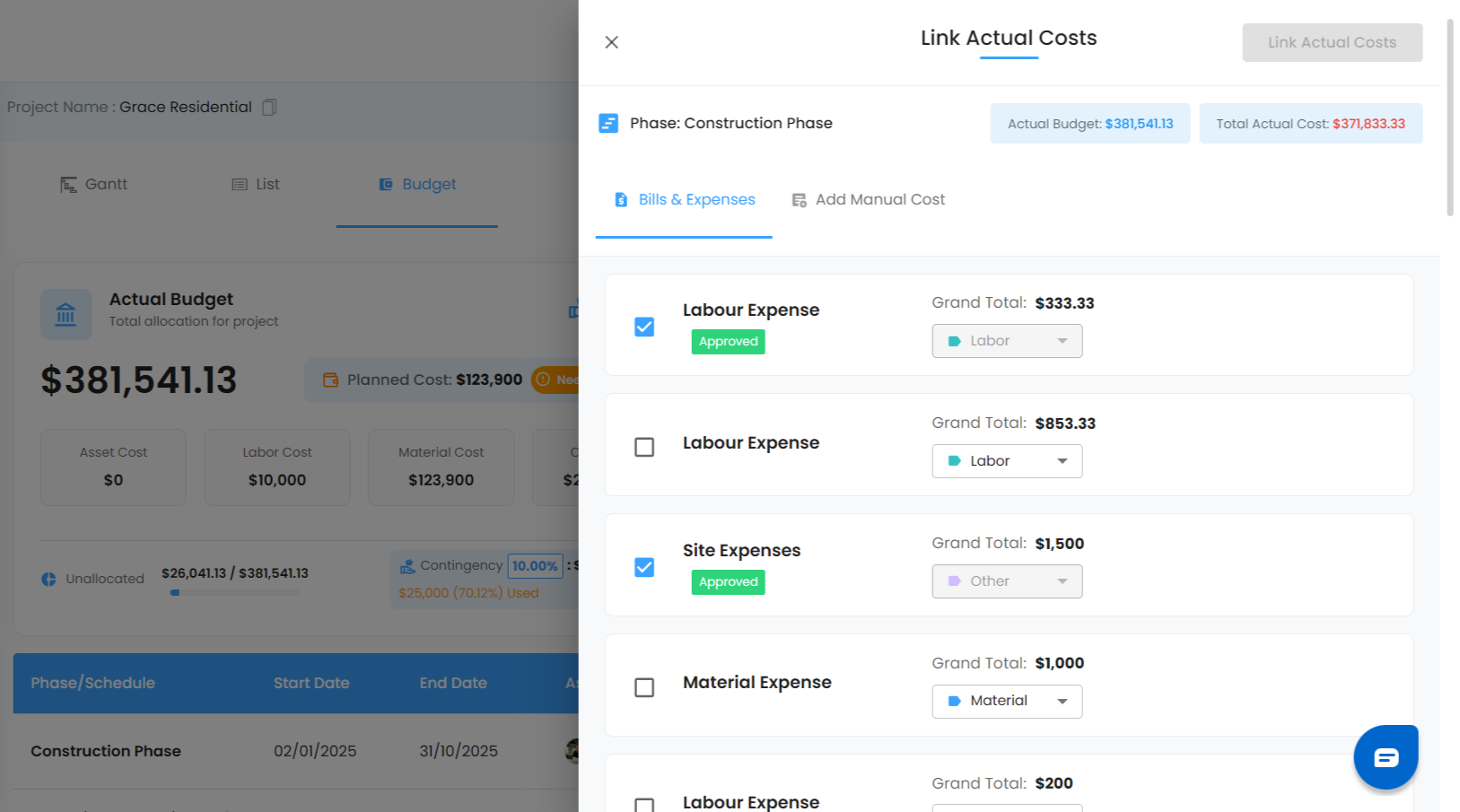
Linking Actual CostActual costs can be linked directly to schedules.
What You Can Do Here:
Link costs using:
Existing Bills & Expenses
Manual Cost Entry
Select category type:
Asset
Labor
Material
Others
Total linked cost automatically updates:
Actual Cost card
Schedule table
Variance calculations
Pro Tip: Linking costs from bills and expenses ensures financial traceability.
Was this article helpful?
That’s Great!
Thank you for your feedback
Sorry! We couldn't be helpful
Thank you for your feedback
Feedback sent
We appreciate your effort and will try to fix the article