The Budgeting module helps you plan, monitor, and control project finances by tracking allocated budgets, actual costs, variance and contingency usage.
It gives real-time visibility into how much budget is in hand, how much has been spent, and whether the project is on track.
Budgeting
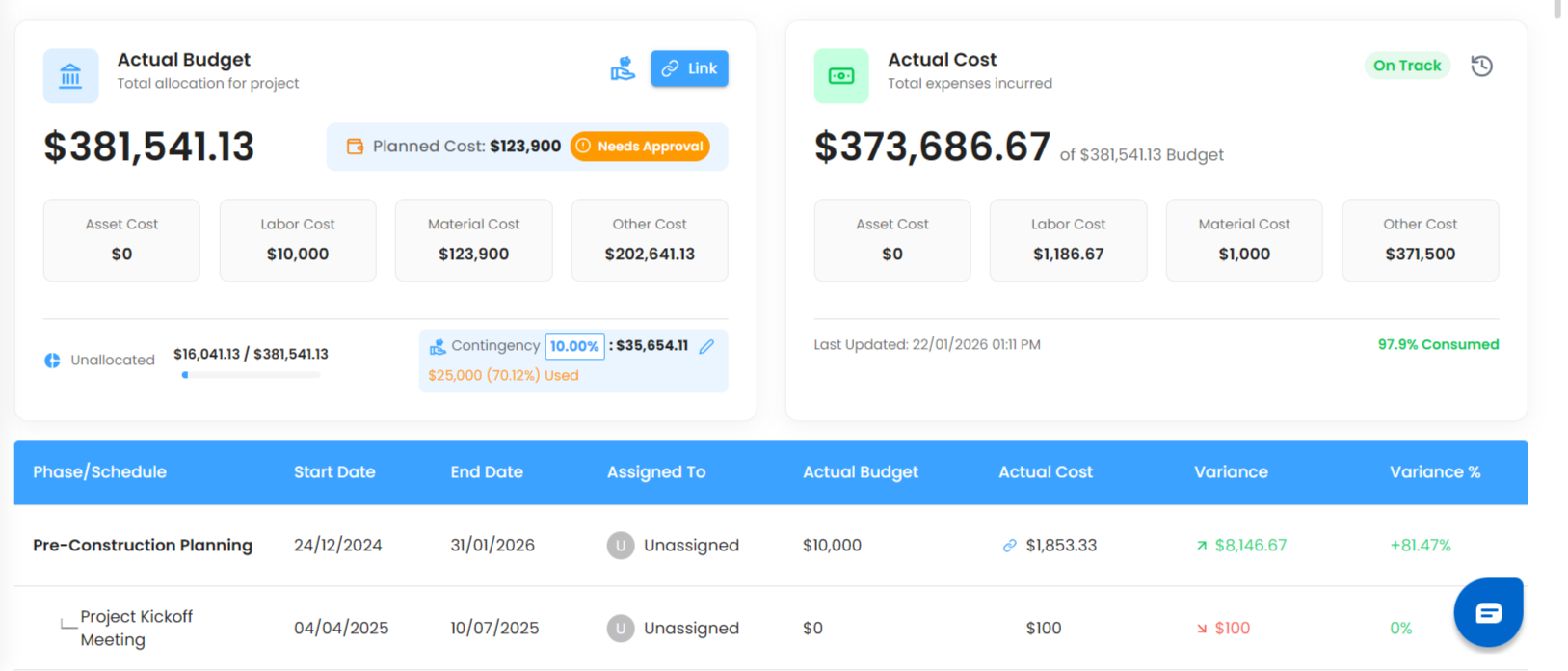
The Budgeting page provides a high-level and detailed view of project finances, combining budget allocation, actual expenses, scheduling breakdowns, and approval workflows in one place.
What You Can Do Here
Track total project budget and expenses
Monitor budget vs cost performance
Allocate budgets across phases and categories
Manage contingency reserves
Control approvals based on user roles
View organization-level budget analytics
Pro Tip: Use the Budgeting page regularly to avoid cost overruns and maintain financial discipline throughout the project lifecycle.
Was this article helpful?
That’s Great!
Thank you for your feedback
Sorry! We couldn't be helpful
Thank you for your feedback
Feedback sent
We appreciate your effort and will try to fix the article