Digital Signature - Your Personal Stamp of Approval
Overview
Think of your digital signature as your handshake in the digital world - the mark that says "I've reviewed this, and I approve." Once it's set up, it gets applied wherever your sign-off is needed on estimates, change orders, and sales orders - no printing, signing, scanning, or re-uploading required.
Enter Your Signature Zone
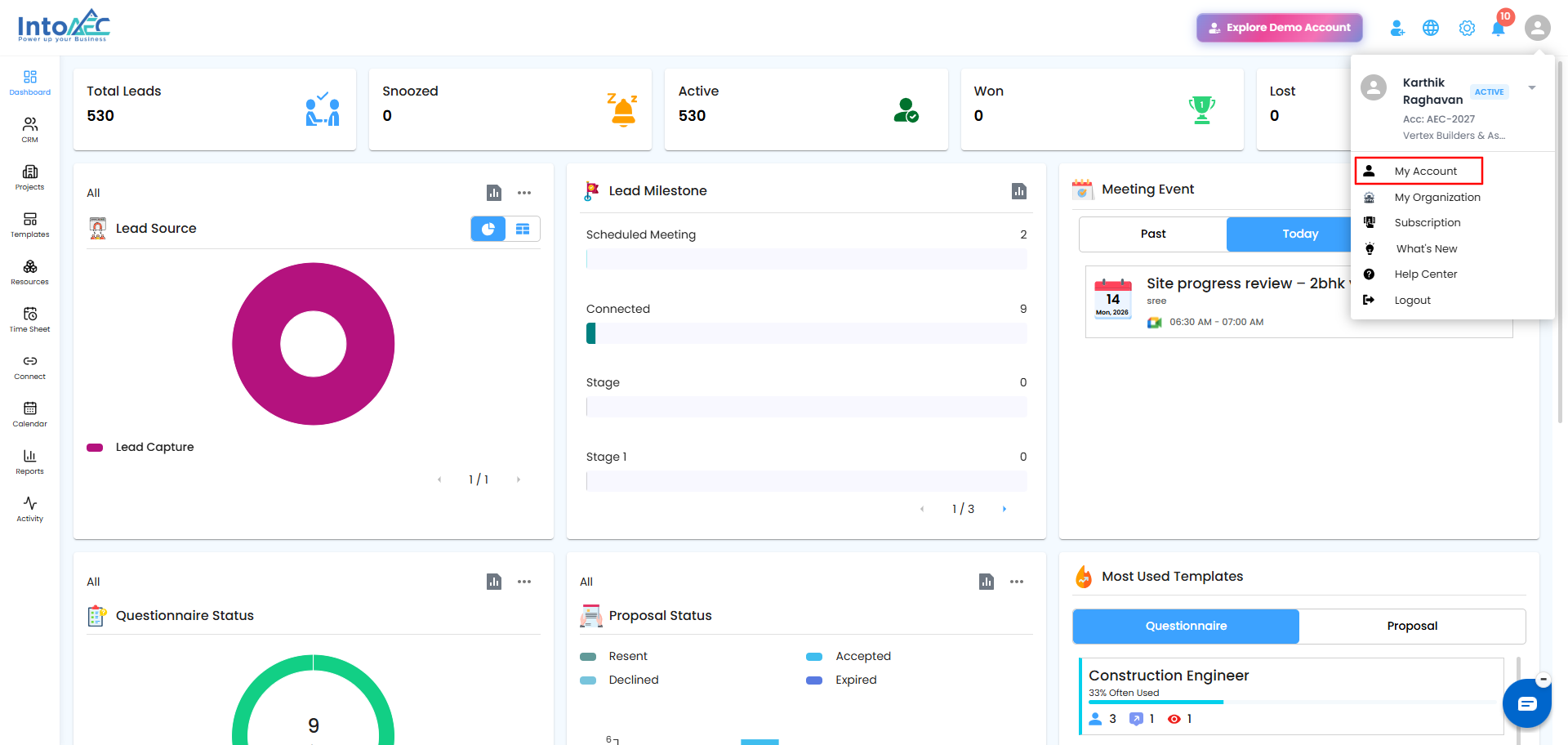
- Click your Profile Icon (top-right corner).
- Choose My Account, then head into the Signature tab.
 Create Your Mark
Under Create New Signature, pick how you want to sign:
- Draw Signature - sketch your signature using your mouse or trackpad, right in the box provided.
- Upload Signature - already have a signature image? Upload it instead.
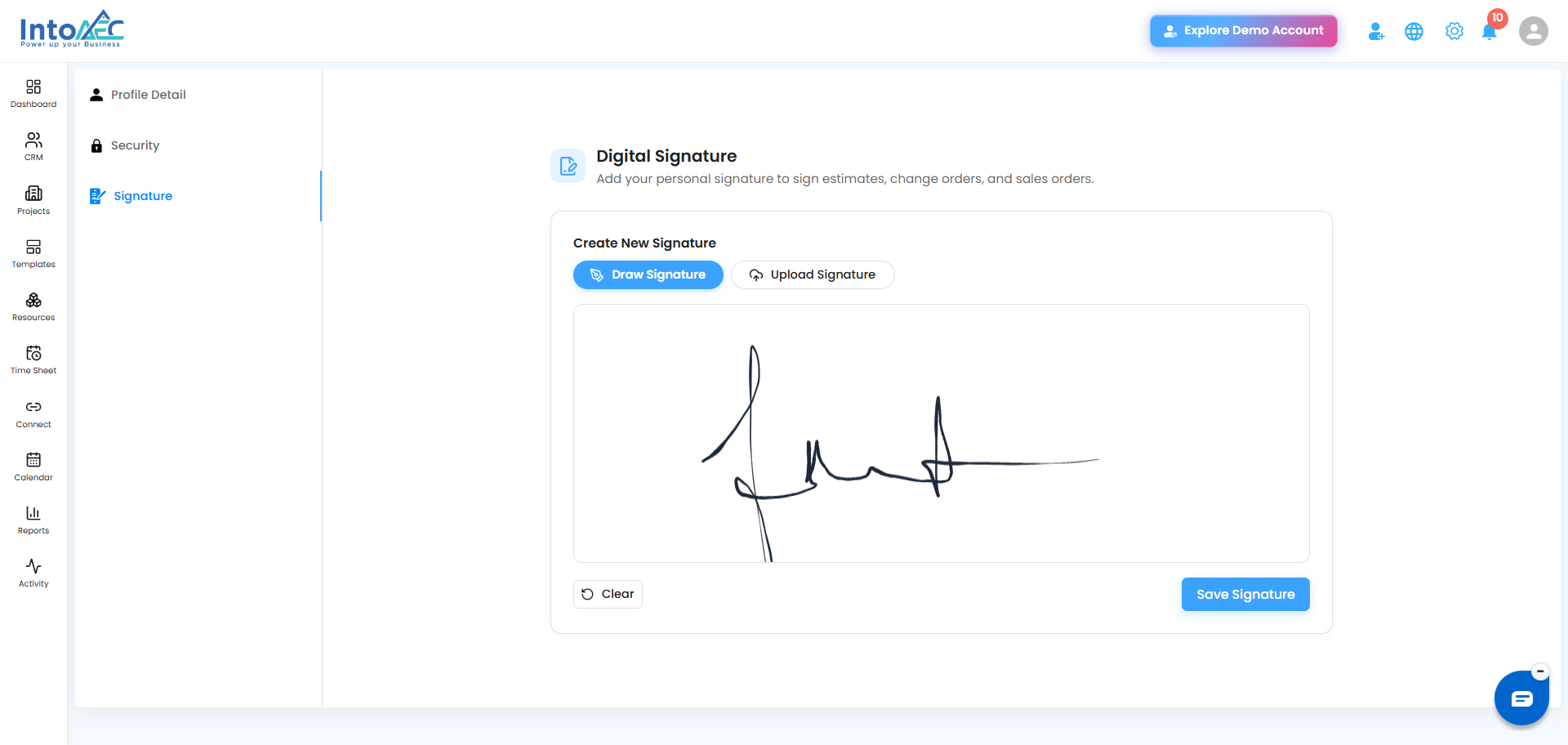
Not quite right? Hit Clear and give it another shot - no harm in a few practice swipes before you lock it in.
Lock It In
Once you're happy with it, click Save Signature. From this point on, it's your go-to seal of approval - ready to be stamped on documents the moment they need your sign-off.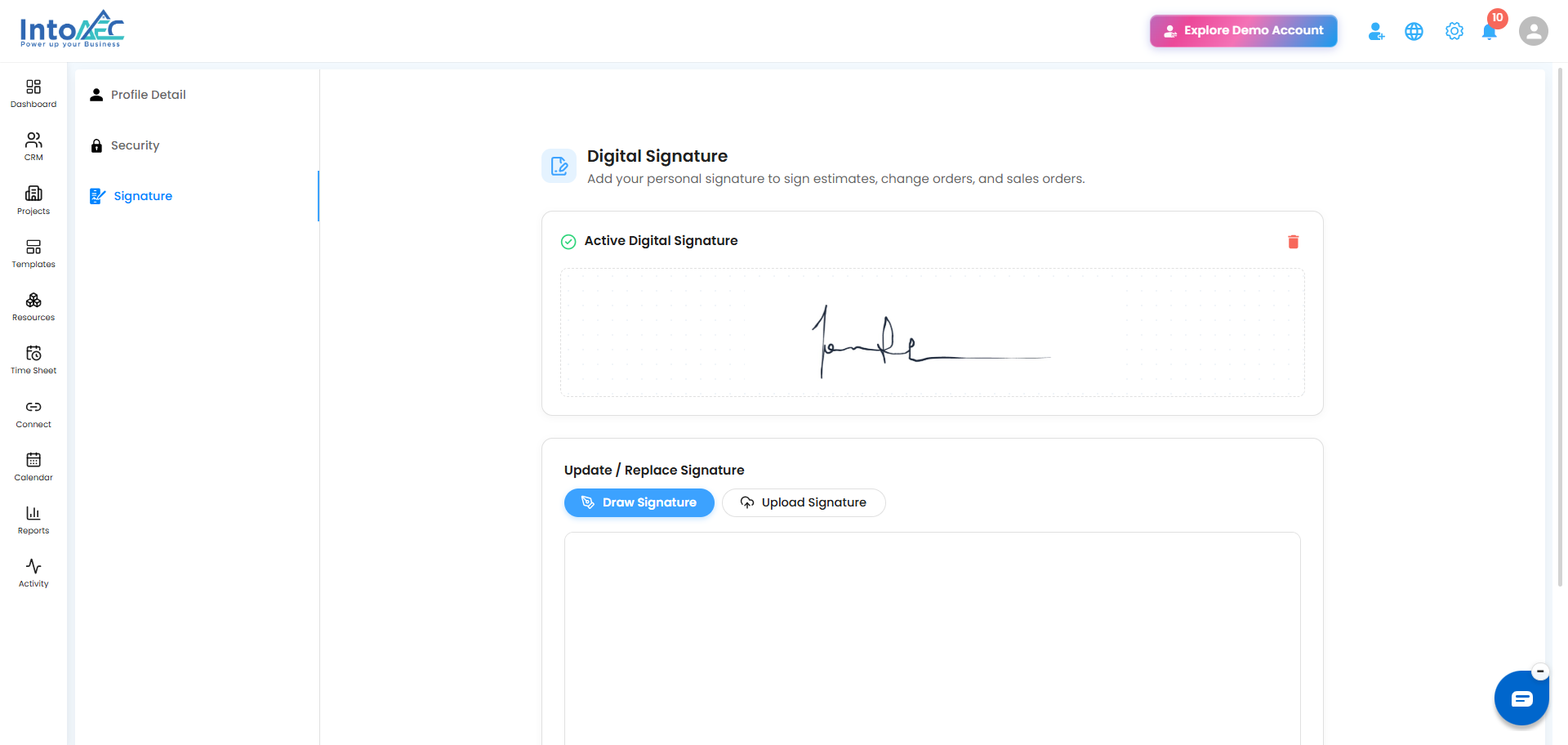
Was this article helpful?
That’s Great!
Thank you for your feedback
Sorry! We couldn't be helpful
Thank you for your feedback
Feedback sent
We appreciate your effort and will try to fix the article