Updating Your Profile Details
Overview
Your profile holds the basic details that identify you across the platform - your name, contact info, and organization details. Keeping this accurate matters more than it might seem: it's what shows up on documents, what your team sees when they look you up, and how the system reaches you for notifications.
Updating Your Details
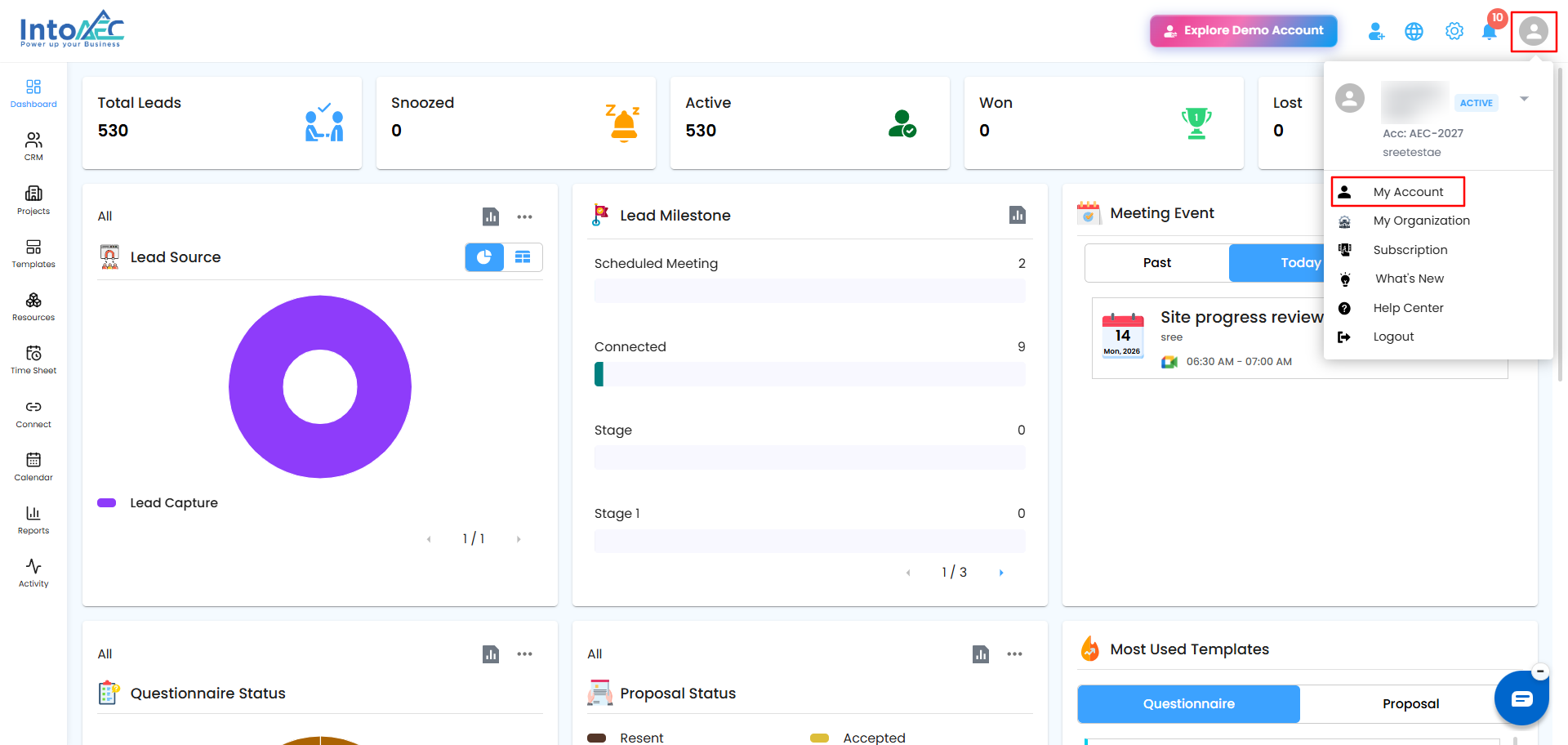
Step 1. Click your profile icon in the top right corner, then select My Account.
 Step 2. You'll land on the Profile Detail tab. Here's what each field is for:
- First Name - your given name, shown across the platform wherever your name appears (notes, call logs, meetings, etc.)
- Last Name - your surname or family name
- Email - your login and contact email. If you change this, you'll need to verify the new address with an OTP before it takes effect
- Mobile Number - your contact number, also used for 2FA codes if you have that enabled
- Organization Name - the name of the company or business you're part of on this account
- Job Title - your role or designation within the organization (e.g., Admin, Site Engineer, Project Manager)
- Address Line 1 / Address Line 2 - your office or mailing address
- City / State / Country / Zip Code - the rest of your address details
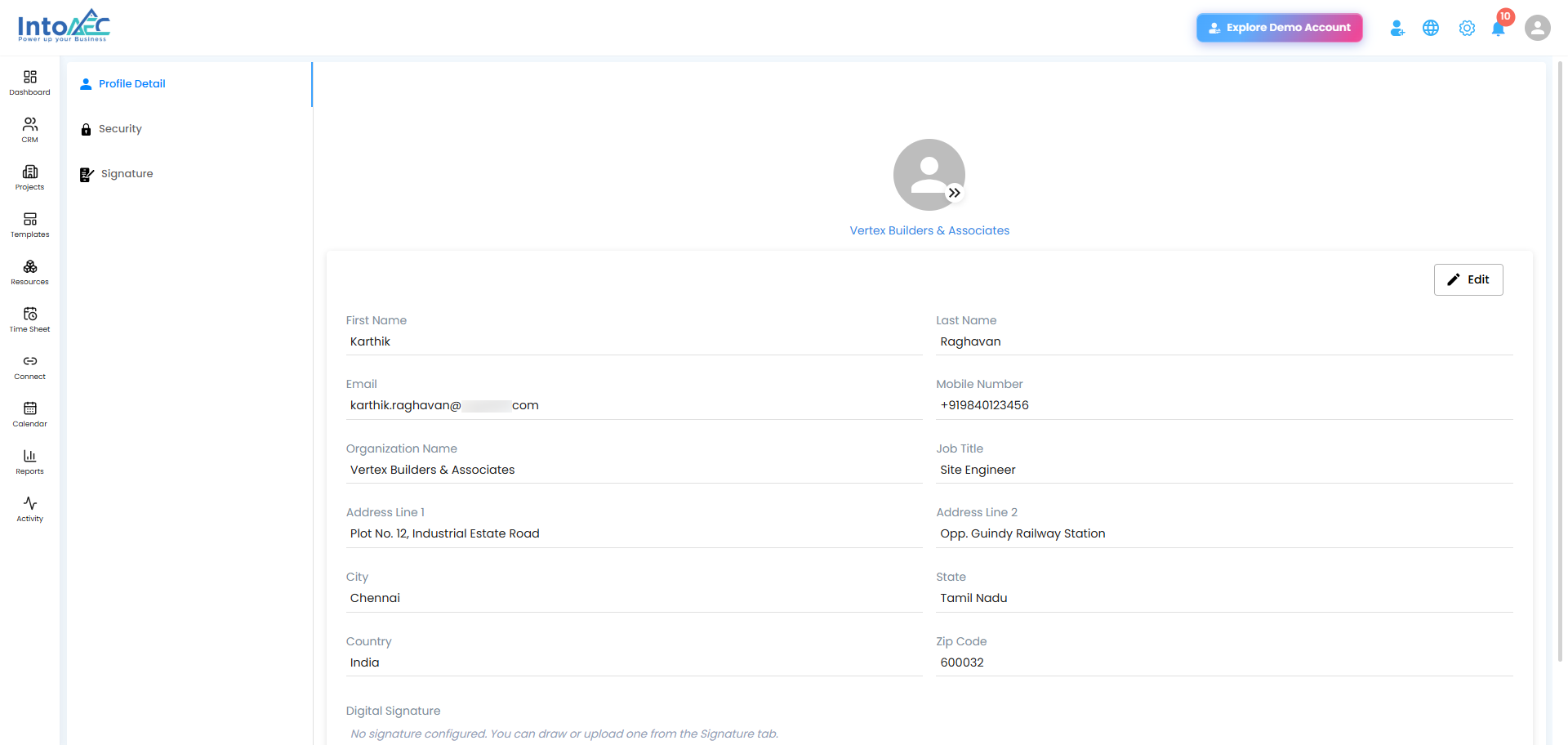
Step 3. To change your profile picture, click the small icon on your avatar and upload a new photo.
Step 4. Click Save to confirm your changes.
Was this article helpful?
That’s Great!
Thank you for your feedback
Sorry! We couldn't be helpful
Thank you for your feedback
Feedback sent
We appreciate your effort and will try to fix the article