The Material Grouping feature helps users organize estimate materials and line items into groups. These groups can then be converted into procurement documents such as Indent, RFQ, Purchase Order, or Work Order.
This is useful when an estimate has multiple materials, services, or line items that need to be grouped and processed together.
Opening Material Groups
To open Material Groups:
Open the required project.
Go to Estimate.
Click the action menu for the required estimate.
Select Group Materials.
The Material Groups popup will open.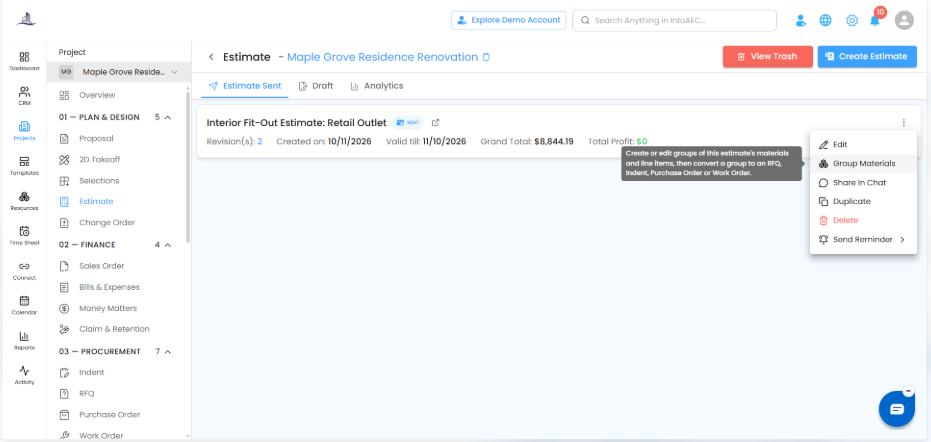
Automatic Grouping
The system automatically groups materials and line items based on their type.
Users can view:
Resource name
Parent BOQ item
Quantity
Unit
Rate
Total
Status
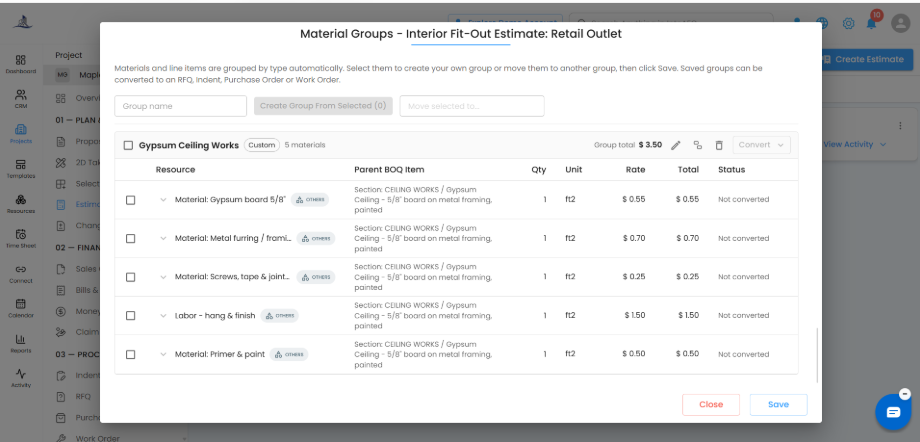
This helps users clearly understand which materials belong to which estimate section or BOQ item.
Creating a Custom Group
Users can create their own custom group by selecting the required materials or line items.
To create a group:
Select the required materials or line items.
Enter the group name.
Click Create Group From Selected.
Save the group.
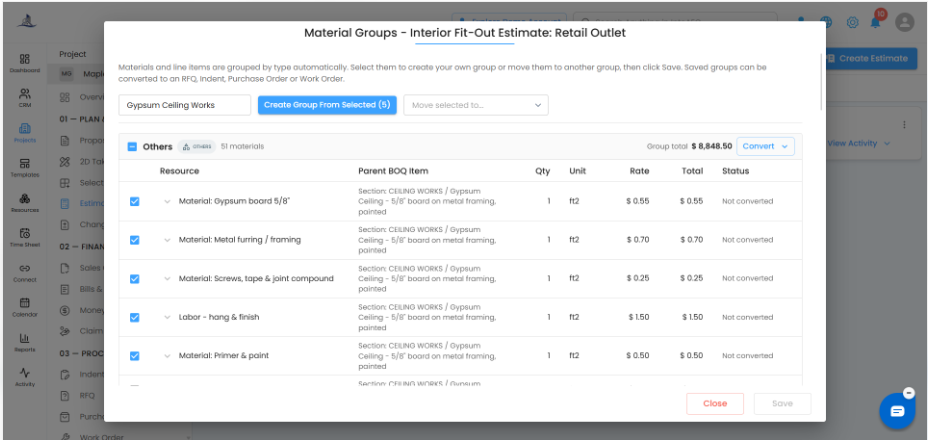
The selected items will be grouped under the custom group name.
Managing Groups
After creating a group, users can:
Edit the group name
Move selected items to another group
Delete a group
Review group total
Check conversion status
Each group shows the total value of the grouped items.
Convert Group to Procurement Documents
Saved groups can be converted into:
Indent
RFQ
Purchase Order
Work Order
To convert a group:
Open the group.
Click Convert.
Select the required document type.
Confirm the conversion.
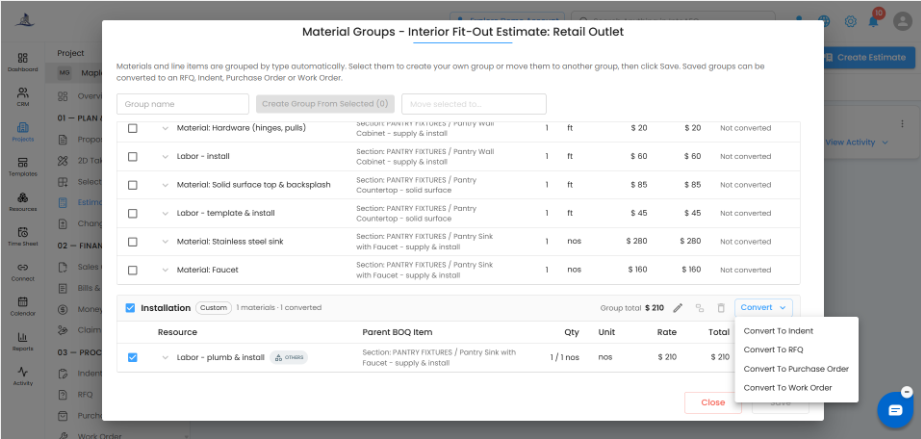
Once converted, the system shows the created document reference and status.
Conversion Status
The status column shows whether a material or line item has been converted or not.
This helps users avoid duplicate conversions and clearly track which grouped items have already been processed.
Benefits
Material Grouping helps users:
Organize large estimates more clearly
Group related materials and line items
Create custom groups based on procurement needs
Convert grouped items into Indent, RFQ, Purchase Order, or Work Order
Reduce manual re-entry
Improve procurement workflow from estimates
Summary
Material Grouping in Estimates helps users organize estimate items and convert them into procurement documents more efficiently. It improves clarity, saves time, and keeps estimation and procurement workflows connected.
Was this article helpful?
That’s Great!
Thank you for your feedback
Sorry! We couldn't be helpful
Thank you for your feedback
Feedback sent
We appreciate your effort and will try to fix the article