Adding a Plan
Adding a plan is the starting point of your 2D Takeoff workflow. Every measurement, material takeoff, and estimate begins with uploading a 2D PDF, DXF, or DFX floor plan to the project.
Steps to add a plan
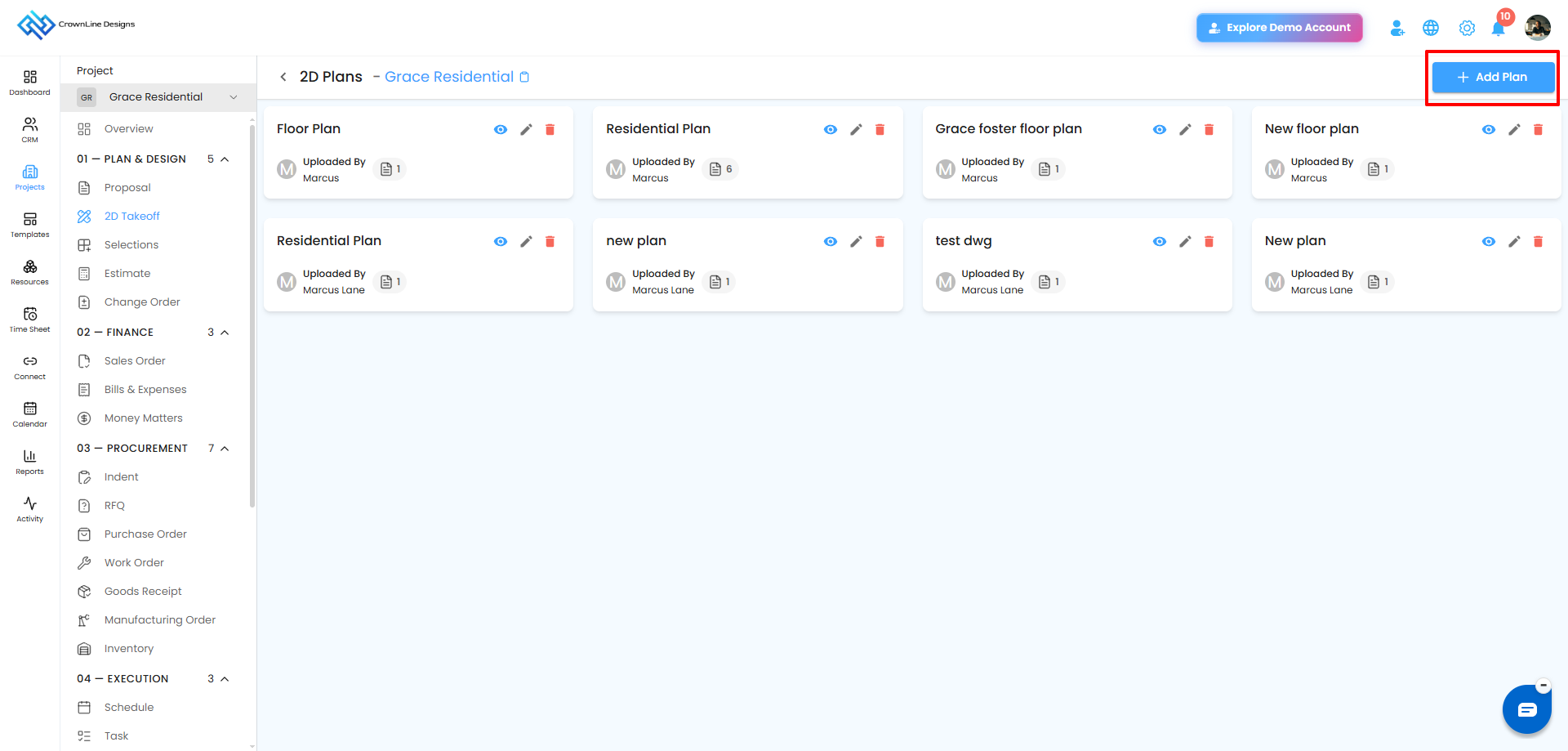
- Click on Client /Projects and choose the project you want to work on.
- Navigate to 2D Takeoff under Designs and Estimates inside your project.
- Click the + Add Plan button in the top-right of the dashboard.
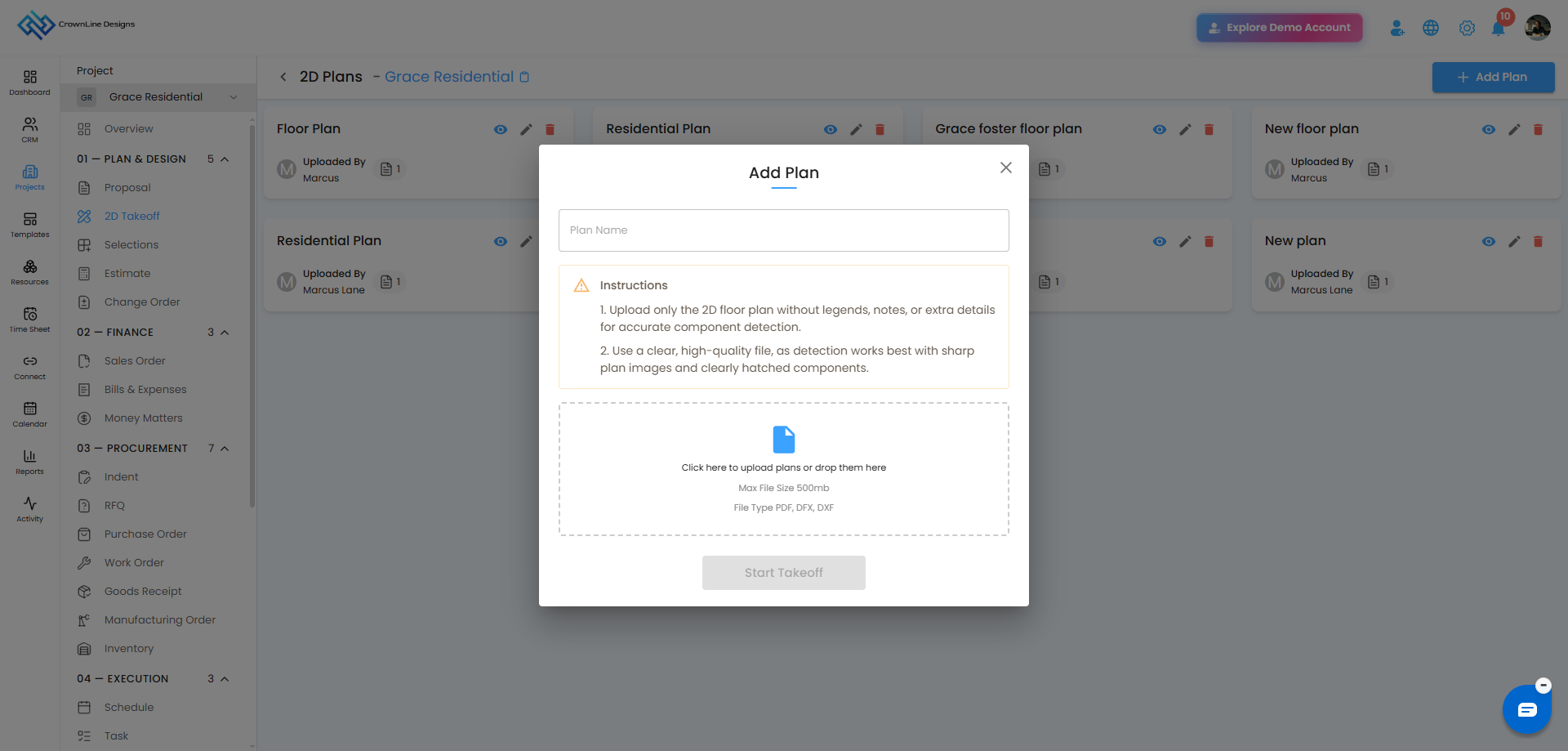
- Enter a Plan Name in the text field — use a clear, descriptive name such as Ground Floor, Site Plan, or Level 01 so it is easy to identify later.
- Click inside the upload area or drag and drop your DF, DXF, and DFX file into it. You can upload up to 3 files at a time, with a maximum size of 500 MB per file. Supported formats are PDF, DXF, and DFX.
- Your uploaded file appears listed below the upload area showing the file name and size. If you uploaded the wrong file, click the delete icon next to it to remove it and upload the correct one before proceeding.
- Once your file is ready, click Start Takeoff.
The system processes your PDF and redirects you automatically to the Edit Plan screen, where you can set the scale and begin drawing your measurements.
Things to keep in mind
- Supported file types are PDF, DXF, and DFX. Other file formats are not supported.
- Each file must be 500 MB or under. Files larger than this will not upload.
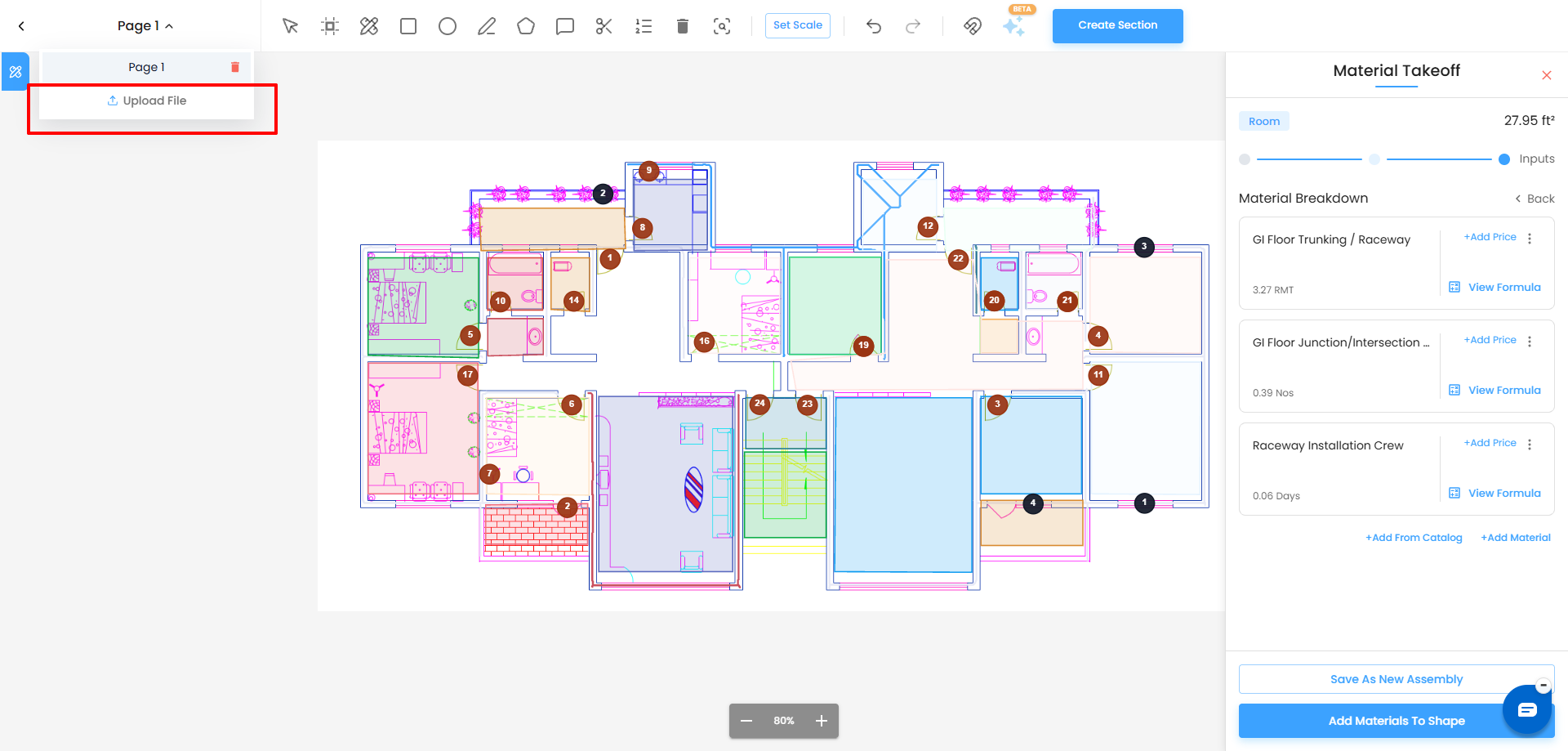
- You can upload up to 3 plans in a single Add Plan session. If you need to add more plans, open the View Plan page, click the Page option, and select Upload File from the dropdown. You can then upload additional plans as needed.
- For best results, ensure the uploaded plan is high quality and has clear, well-defined lines for accurate AI-based area detection.
- Plan names can be edited later from the dashboard if needed.
- If your uploaded PDF, DXF, or DFX plan contains multiple pages or sheets, they are available inside the Edit Plan screen. You can navigate between them using the Page selector on the top left of the screen.
Was this article helpful?
That’s Great!
Thank you for your feedback
Sorry! We couldn't be helpful
Thank you for your feedback
Feedback sent
We appreciate your effort and will try to fix the article