Setting the Scale
Before you draw any measurements or run an AI scan, you must set the scale. The scale tells IntoAEC how to convert pixel distances on your uploaded PDF into real-world units — without it, every area, length, and count will be meaningless numbers.
Setting the scale takes less than a minute and only needs to be done once per plan page. The system remembers it for all future measurements on that plan.
How Scale Works
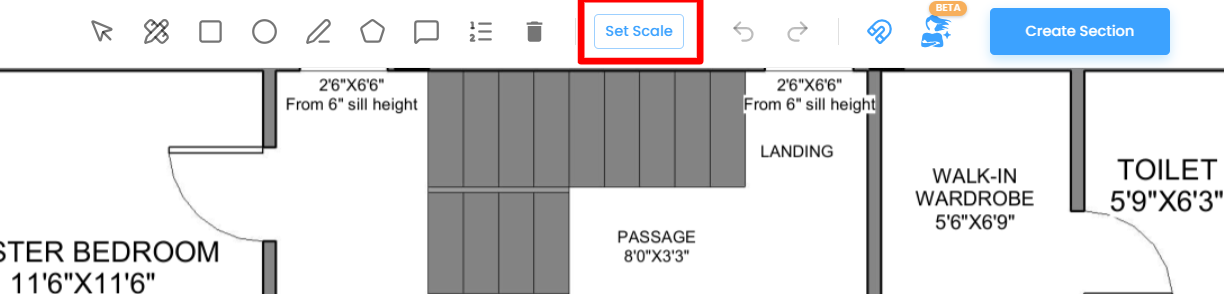
When you click the Set Scale button in the toolbar — or trigger the AI button (Ask Zyra) for the first time — IntoAEC will prompt you to set the scale before anything else can proceed.
You set the scale by pointing to a known distance on the drawing itself — for example, a dimensioned wall, a grid line, or any element where the real-world length is already printed on the plan. IntoAEC uses the two points you click to work out the ratio between screen pixels and real-world units, and applies that ratio to every measurement taken from that point forward.
Once the scale is set:
- The system stores it automatically for the current plan page
- You will not be prompted to set it again unless you choose to reset it manually
- Every measurement you draw, every AI-detected shape, and every area, length, and count will be calculated using this scale
Step-by-Step: Setting the Scale
Step 1 — Start the scale tool
Click the Set Scale button in the toolbar. A prompt appears explaining what to do next. Read it before clicking — you are about to place two points on the drawing.
Step 2 — Click two reference points
Click the first point on the plan at one end of a known dimension — for example, the start of a wall whose length is printed on the drawing. Then click the second point at the other end of that same dimension.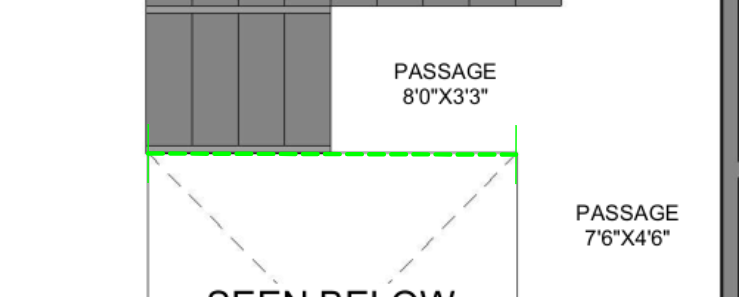
- Use the longest available reference line you can find on the plan. A longer reference gives a more accurate calibration than a short one.
- Zoom in to 80–100% before placing your points. The more precisely you can click the exact endpoints, the more accurate your scale will be.
- Press Enter or double-click to confirm your two-point selection and move to the next step.
Step 3 — Choose your measurement system
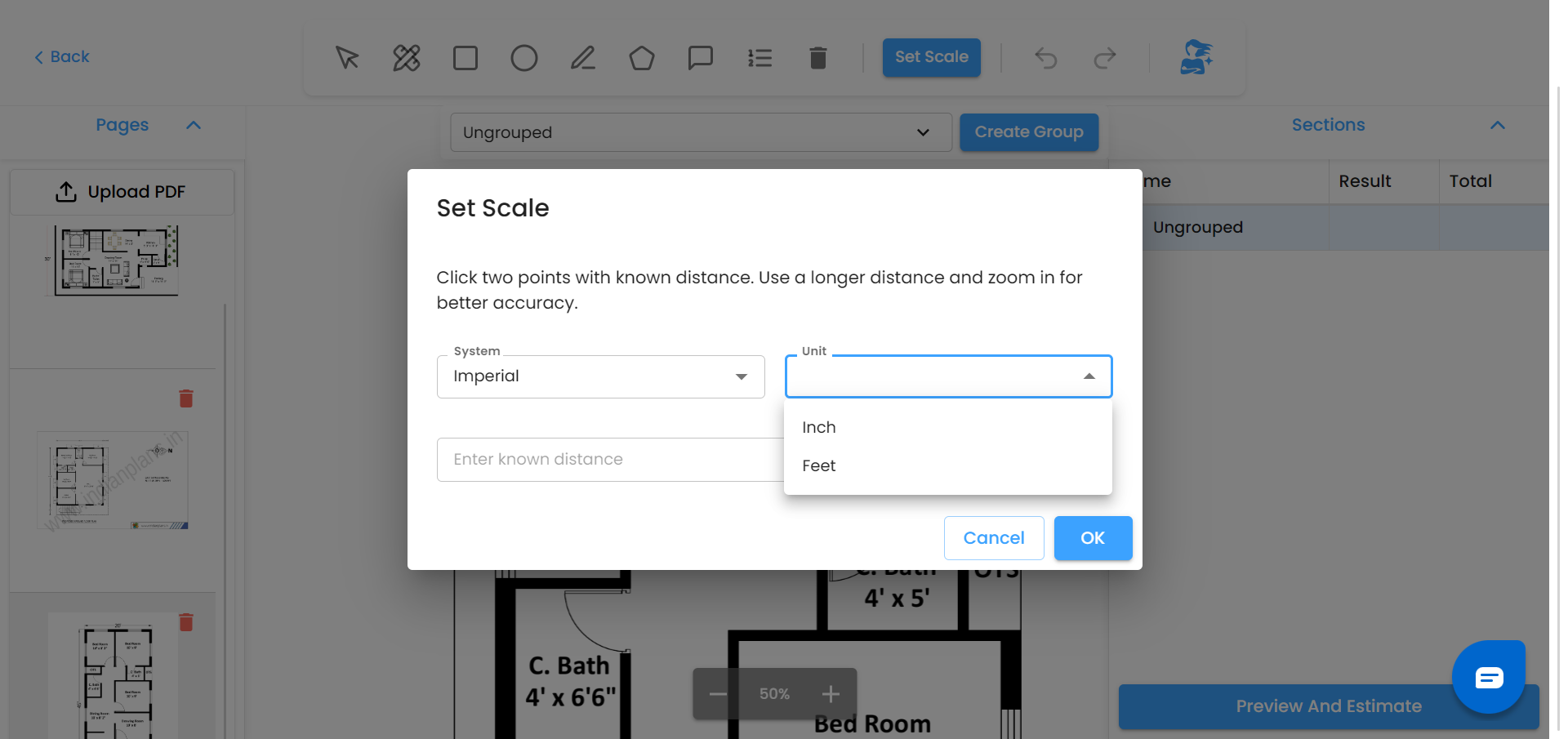
A dialog appears with two dropdowns.
In the System dropdown, select your measurement system:
- Metric — for plans using millimetres, centimetres, or metres
- Imperial — for plans using inches or feet
Step 4 — Select the unit
In the Unit dropdown, select the unit that matches the dimension printed on your plan:
- Millimeter (mm) — most architectural and structural drawings in metric
- Centimeter (cm) — plans with centimetre-based dimensions
- Meter (m) — site plans or large-scale drawings where dimensions are in metres
Choose the unit that matches exactly what is written on the plan next to your reference dimension.
Step 5 — Enter the known distance
In the Enter known distance field, type the actual real-world value of the distance between your two points — exactly as it appears on the drawing. Do not convert it — just type the number as printed.
Step 6 — Confirm
Click OK. The scale is now set. All measurements on this plan page — whether drawn manually or detected by AI — will use this scale from this point forward.
Resetting the Scale
If you realize the scale was set incorrectly — for example, you used the wrong reference line or typed the wrong distance — you can reset it at any time by clicking Set Scale again and repeating the process.
When you reset the scale, all existing measurements on the plan page update automatically to reflect the corrected values. You do not need to redraw anything.
Tips for Accurate Scale Setting
- Use a long reference line. The longer the line, the smaller the margin of error from pixel-level imprecision in your clicks.
- Zoom in before clicking. At 50% zoom a single pixel represents a large real-world distance. At 100% zoom your clicks are far more precise.
- Use printed dimension lines. Pick a dimension that is already clearly marked on the drawing — a full wall length, a grid spacing, or a boundary line — rather than estimating a distance.
- Check the unit before confirming. A common mistake is setting the system to Metric but selecting the wrong unit — for example entering 7162 when the unit is set to metres instead of millimetres. Always match the unit to how the number appears on the plan.
Related articles
- Drawing Measurement Areas
- Running a Material Takeoff
- Ask Zyra — AI-Powered Takeoff
Was this article helpful?
That’s Great!
Thank you for your feedback
Sorry! We couldn't be helpful
Thank you for your feedback
Feedback sent
We appreciate your effort and will try to fix the article