New Chat System
The new Chat System helps users communicate and collaborate with internal team members, project groups, customers, and vendors from one place. Users can send messages, share files, tag people, create tasks, and manage project-related communication directly inside IntoAEC.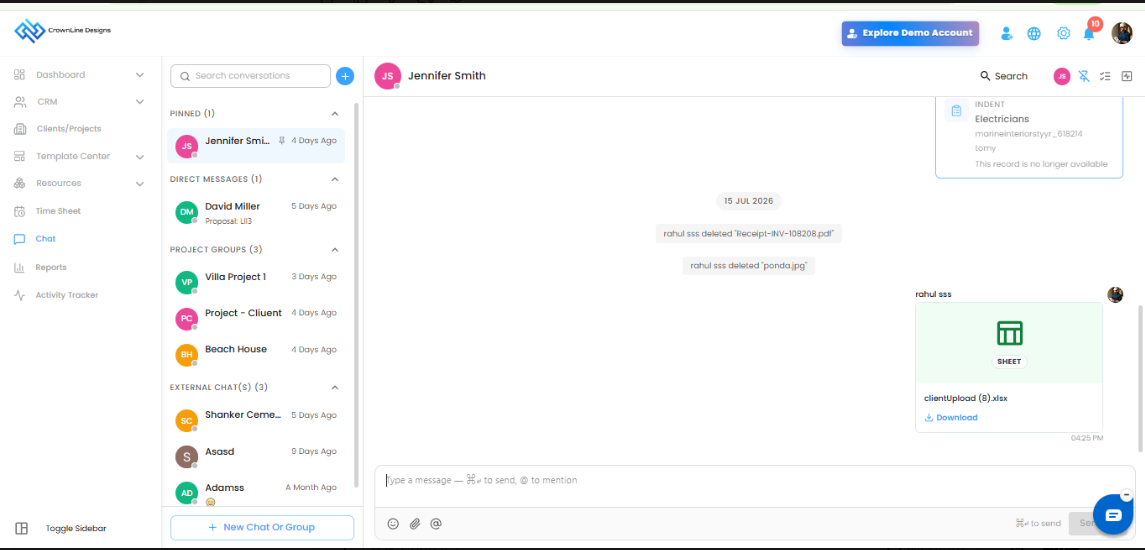
Chat Categories
The chat panel is organized into different sections for easier communication.
Pinned Chats
Important chats can be pinned so users can quickly access frequently used conversations.
Direct Messages
Users can send one-to-one messages to other users within the organization.
Project Groups
Project-related group chats can be created to collaborate with team members connected to a specific project.
External Chats
Users can communicate with vendors, clients, and external contacts from the same chat system.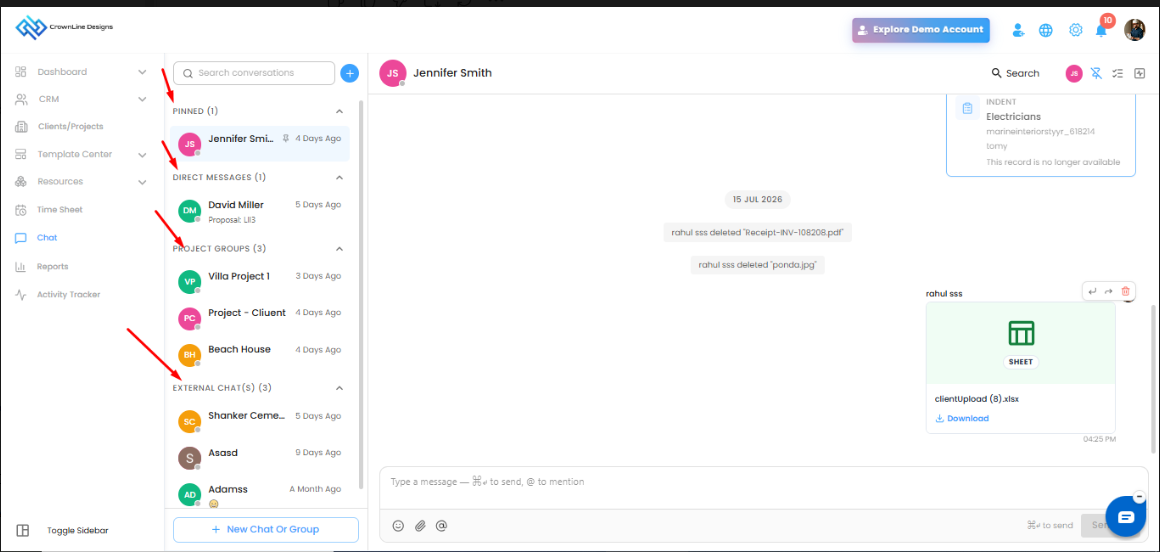
Create Tasks from Chat
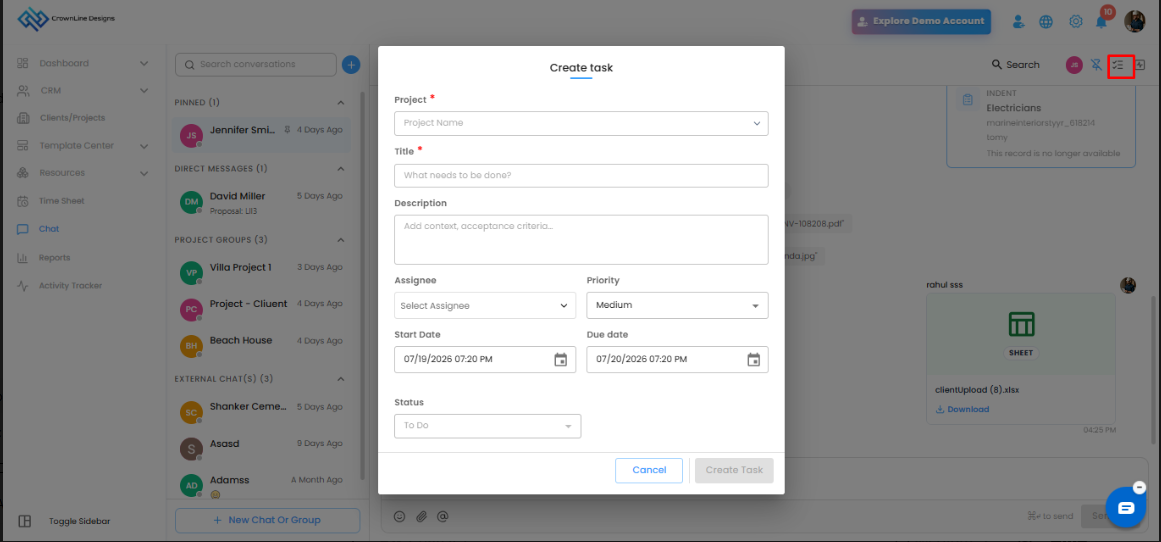
Users can create tasks directly from the chat screen. While creating a task, users can select the project, enter the task title and description, assign the task to a user, set priority, start date, due date, and status.
Once created, the task will also be synced with the Task Management module, helping teams convert chat discussions into trackable work items.
Send Emojis, Files, and Mentions
The chat composer allows users to send messages with emojis, upload files, and tag people using mentions. This makes communication more interactive and helps notify the right people in the conversation.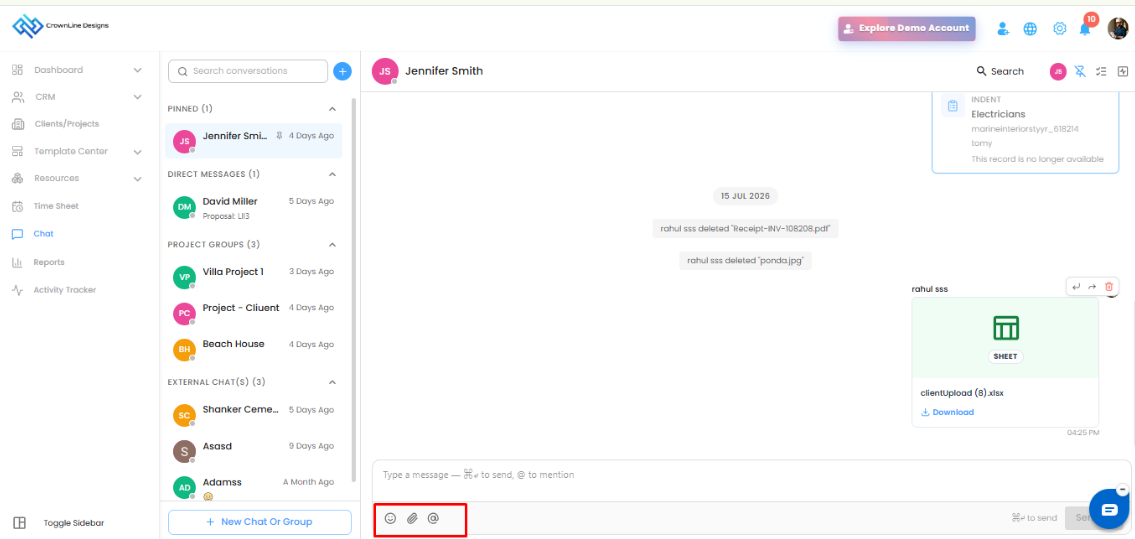
Create New Chat or Group
Users can click New Chat or Group to start a new conversation. From there, they can create a direct message or a group chat with users, vendors, or leads/clients.
This helps users start communication with the required person or group without leaving the chat module.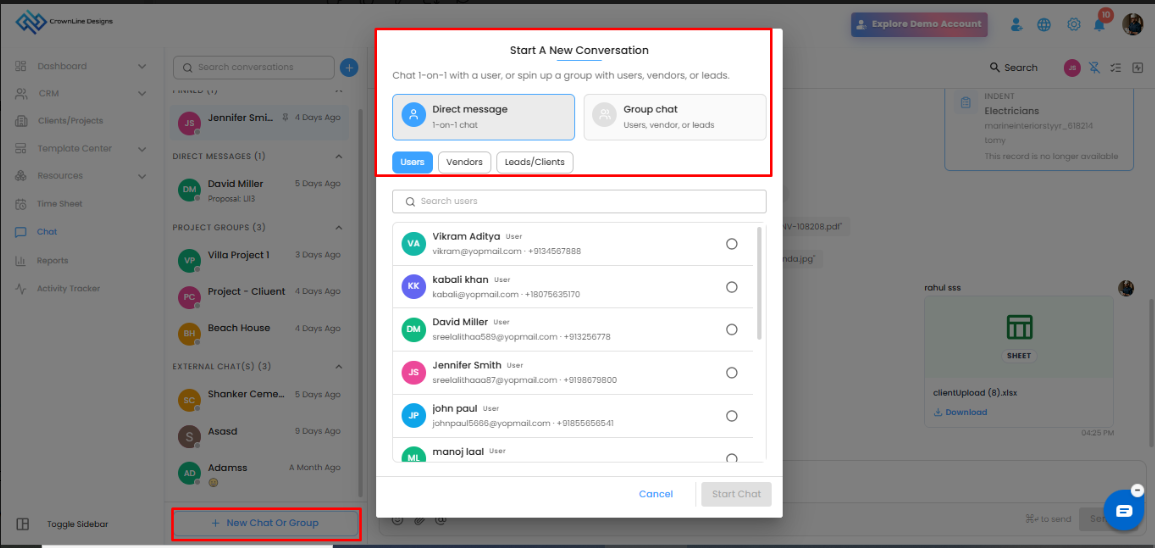
Search Conversations and Messages
Users can search for conversations from the chat list and also search messages inside individual chats or group chats. This helps quickly find previous discussions, shared files, or important updates.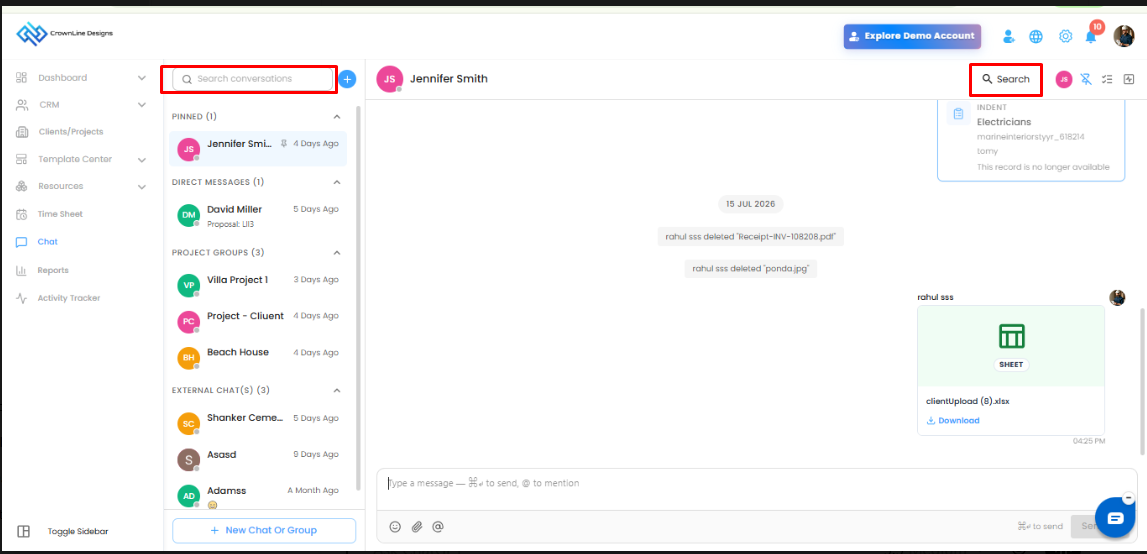
Chat Details Panel
The chat details panel provides more information about the selected conversation. In group chats, users can view group members, shared files, and tasks created from the chat.
This helps users easily track what has been shared, who is part of the group, and what action items are linked to the conversation.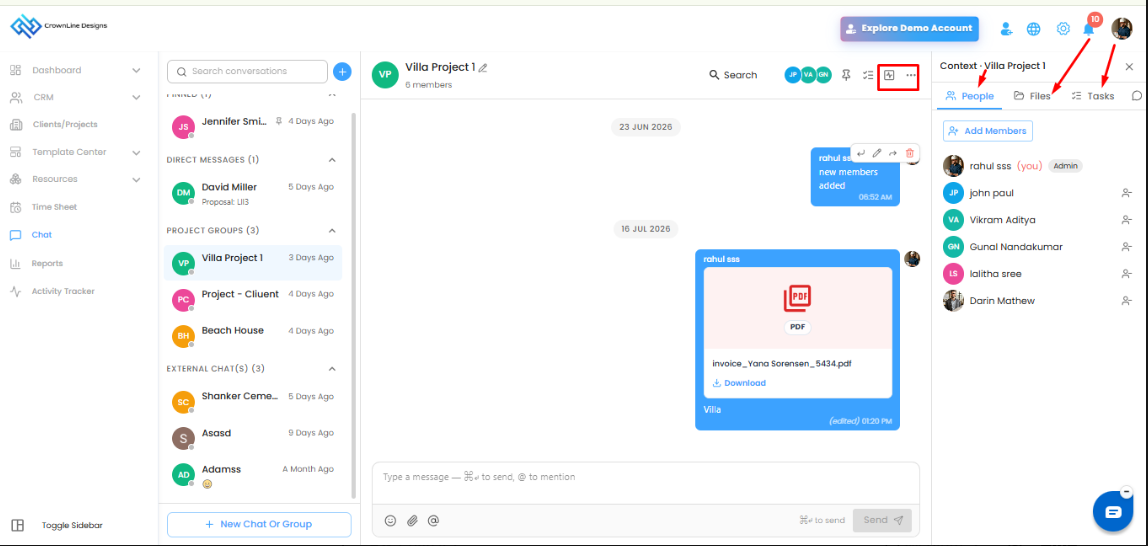
WhatsApp Communication
The chat system also supports WhatsApp communication, allowing users to send WhatsApp messages to clients and vendors directly from the application for faster communication.
Was this article helpful?
That’s Great!
Thank you for your feedback
Sorry! We couldn't be helpful
Thank you for your feedback
Feedback sent
We appreciate your effort and will try to fix the article