Accepted Means Agreed — So Stop Typing It Twice
When a client accepts your proposal, every number in it has already been agreed. Rebuilding those same line items by hand in an invoice is wasted work, and every re-entry is a chance for a figure to drift. Converting the proposal carries the detail straight across, so the invoice you issue matches the proposal they signed.
What You Can Do Here
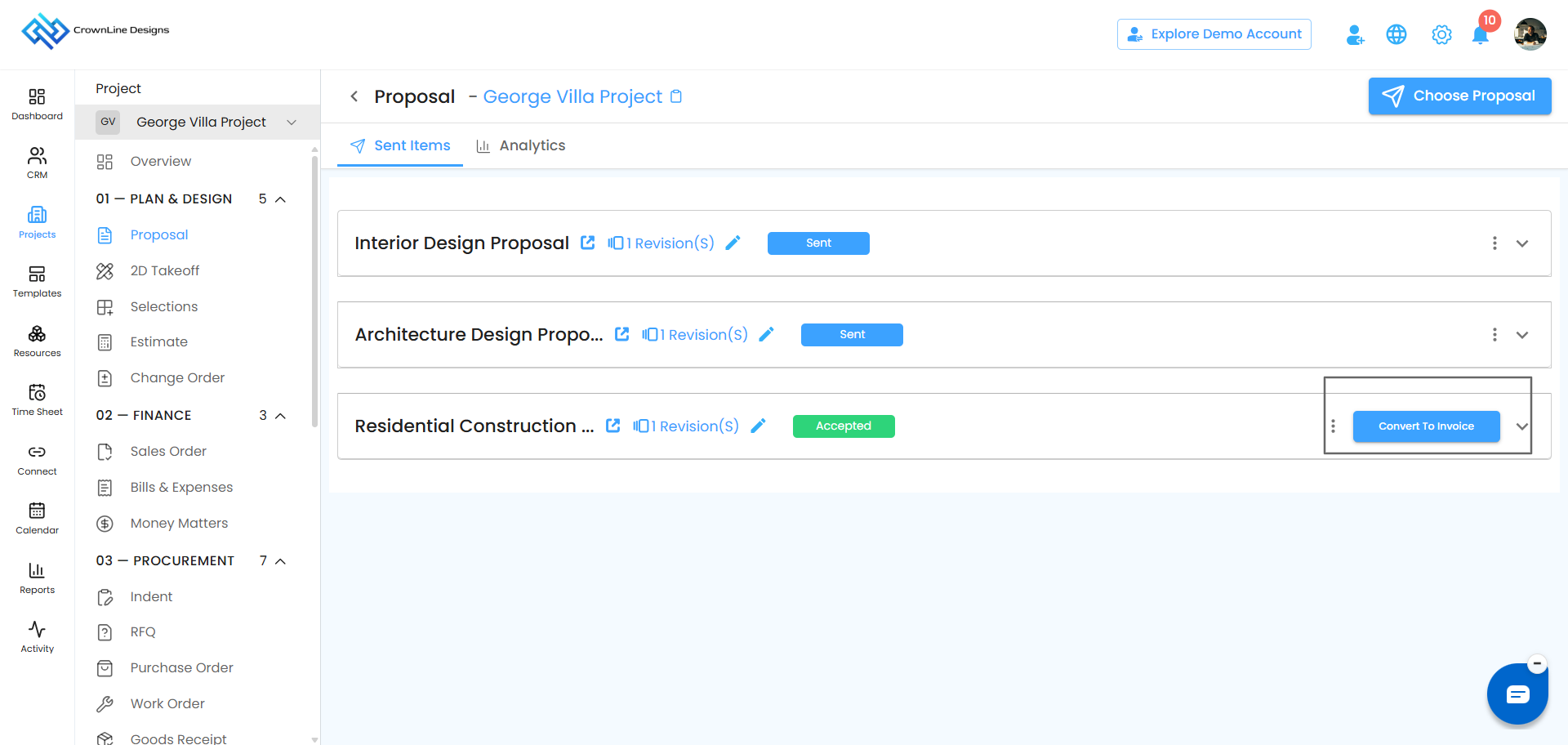
Create an Invoice in One Click – Turn an accepted proposal directly into an invoice.
Carry the Details Across – Line items, quantities and pricing come with it.
Review Before Issuing – Nothing is sent automatically — you check it first.
Keep the Link – The invoice stays connected to the proposal it came from.
Before You Start
The Create Invoice option only appears once a proposal has been accepted by the client. If you can’t see it, check the proposal’s status:
Accepted – You’re ready to convert.
Sent, Viewed or Pending Approval – The client hasn’t accepted yet. Wait, or send a reminder from Proposal Tracking.
Declined or Expired – This proposal can’t be converted. Revise and resend it first.
How to Get There
Open Lead Manager or Clients – Depending on whether the proposal was raised against a lead or an existing client.
Select the lead or client – Choose whoever accepted the proposal.
Open the Proposal tab – Your proposals are listed under Sent Items.
Find the accepted proposal – Its status will show as Accepted.
Creating the Invoice
Click Create Invoice – The option appears on the accepted proposal.
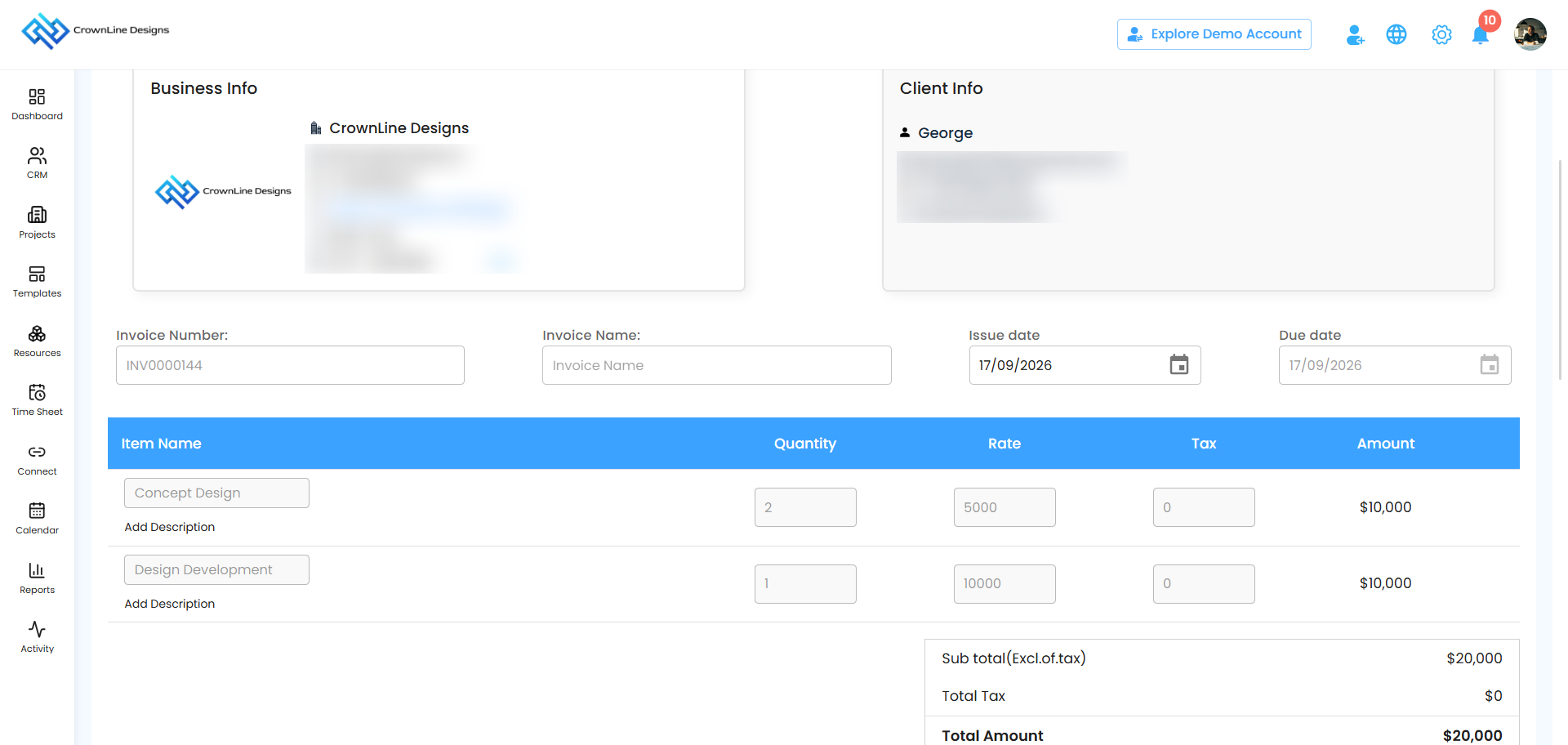
You’re taken to invoice creation – The invoice page opens with the proposal’s details already carried across.
Review everything – Check the line items, quantities and totals against what the client accepted. This is your chance to catch anything before it goes out.
Add what the invoice needs – Payment terms, due date, and anything else specific to billing rather than the proposal.
Create the invoice – Once you’re happy, issue it.
 What Carries Across — and What Doesn’t
The conversion brings the commercial content with it. It doesn’t assume your billing terms.
Carried across – Client details, line items, quantities, rates and totals from the accepted proposal.
You add – Payment terms, due date, and any invoice-specific notes.
Note: Always review before issuing. The conversion is a head start, not a rubber stamp — an invoice is a payment demand, and it should be right the first time.
If Something Changed After Acceptance
An accepted proposal locks, and that’s deliberate — the version the client signed shouldn’t move underneath them. If the scope or pricing has genuinely changed since acceptance, don’t edit the invoice into something that no longer matches the proposal behind it. Create a new proposal, have the client accept it, and convert that one instead.
This keeps your paper trail honest: every invoice traces back to a proposal the client actually agreed to.
Pro Tip: Convert the proposal the same day it’s accepted. The details are fresh, the client is still engaged, and an invoice that arrives while the yes is still warm gets paid faster than one that turns up three weeks later.
Was this article helpful?
That’s Great!
Thank you for your feedback
Sorry! We couldn't be helpful
Thank you for your feedback
Feedback sent
We appreciate your effort and will try to fix the article