Analytics – Your Proposal’s Crystal Ball
Think of the Analytics section as your proposal’s secret storyteller. It whispers exactly how your lead interacted with your document—Did they open it? How long did they linger? Did they come back for another peek? No more guessing games—now you know.
Every view, every download, every page scroll is captured here, giving you the power to tweak, improve, and close deals with confidence.
How to Get There
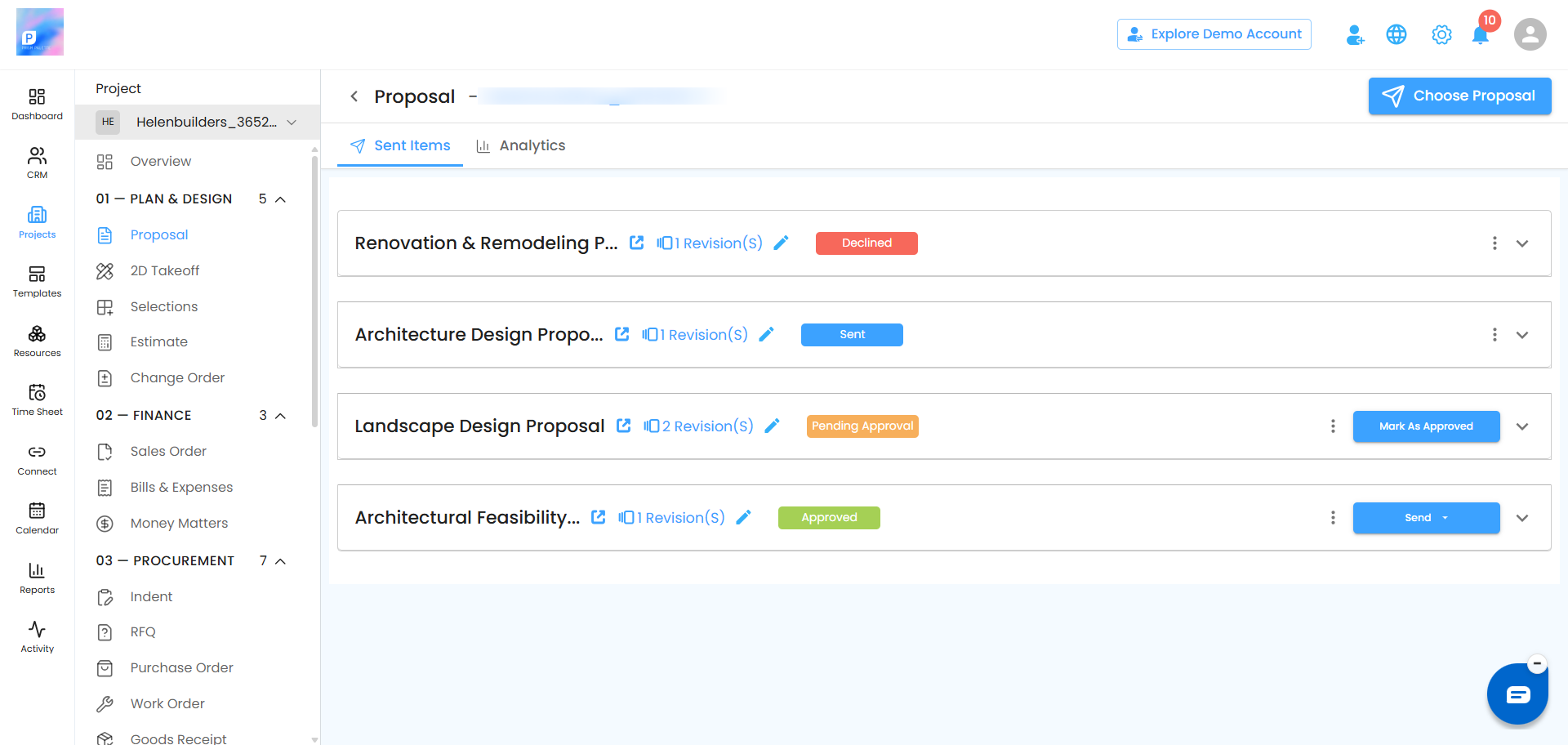
Open Lead Manager From the sidebar, click Lead Manager.Pick Your Lead Select the specific lead whose proposal analytics you want to check.Click Proposal Choose the proposal linked to that lead.Hit Analytics Boom—you’re inside the dashboard of insights.
What You Can Do Here
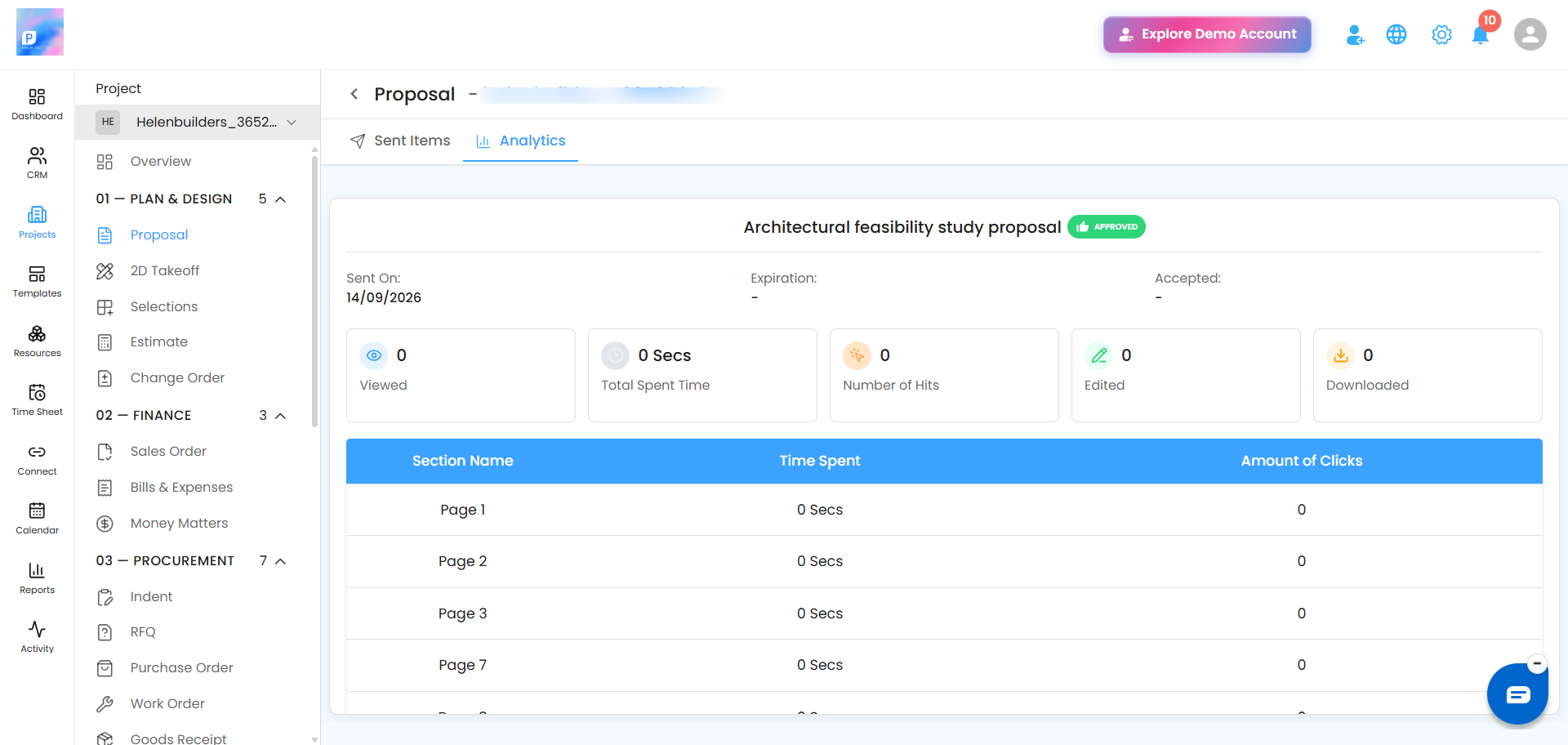
See Proposal StatusIs it accepted, declined, resent, or expired? Get the real-time status without sending awkward follow-up emails.Track EngagementFind out when your proposal was last viewed, how many times it was opened, and how long your lead actually spent reading it.Monitor DownloadsIf your lead downloads the PDF (when enabled), you’ll know—because sometimes “downloaded” means “seriously interested.”Spot Edits & HitsSee if you’ve made edits and track how many times the proposal link was clicked. Engagement patterns = smarter strategy.
Inside the Analytics Page
Status – Accepted, Declined, Sent Reminder, Resent, or Expired.Last Viewed – The exact time your proposal was last opened.Viewed Count – Total number of times the proposal was opened.Total Time Spent – How long your lead engaged with it.PDF Downloads – Number of times your document was downloaded.Edited – Number of edits you made to the proposal.Hits – How many times the proposal link was clicked.
Status – Accepted, Declined, Sent Reminder, Resent, or Expired.
Last Viewed – The exact time your proposal was last opened.
Viewed Count – Total number of times the proposal was opened.
Total Time Spent – How long your lead engaged with it.
PDF Downloads – Number of times your document was downloaded.
Edited – Number of edits you made to the proposal.
Hits – How many times the proposal link was clicked.
Pro Tip: Think of Analytics as your proposal’s feedback loop—the more you study it, the better you can tailor your next move. Use it to follow up at the right time, with the right words, and turn that “maybe” into a big “YES.”
Was this article helpful?
That’s Great!
Thank you for your feedback
Sorry! We couldn't be helpful
Thank you for your feedback
Feedback sent
We appreciate your effort and will try to fix the article