Overview
A Feedback Form helps you gather input from customers after a project wraps up, a meeting happens, or a service is delivered giving you a structured way to measure satisfaction and catch issues early.
Getting Started
From the Forms dashboard, click Create, then select Feedback Form.
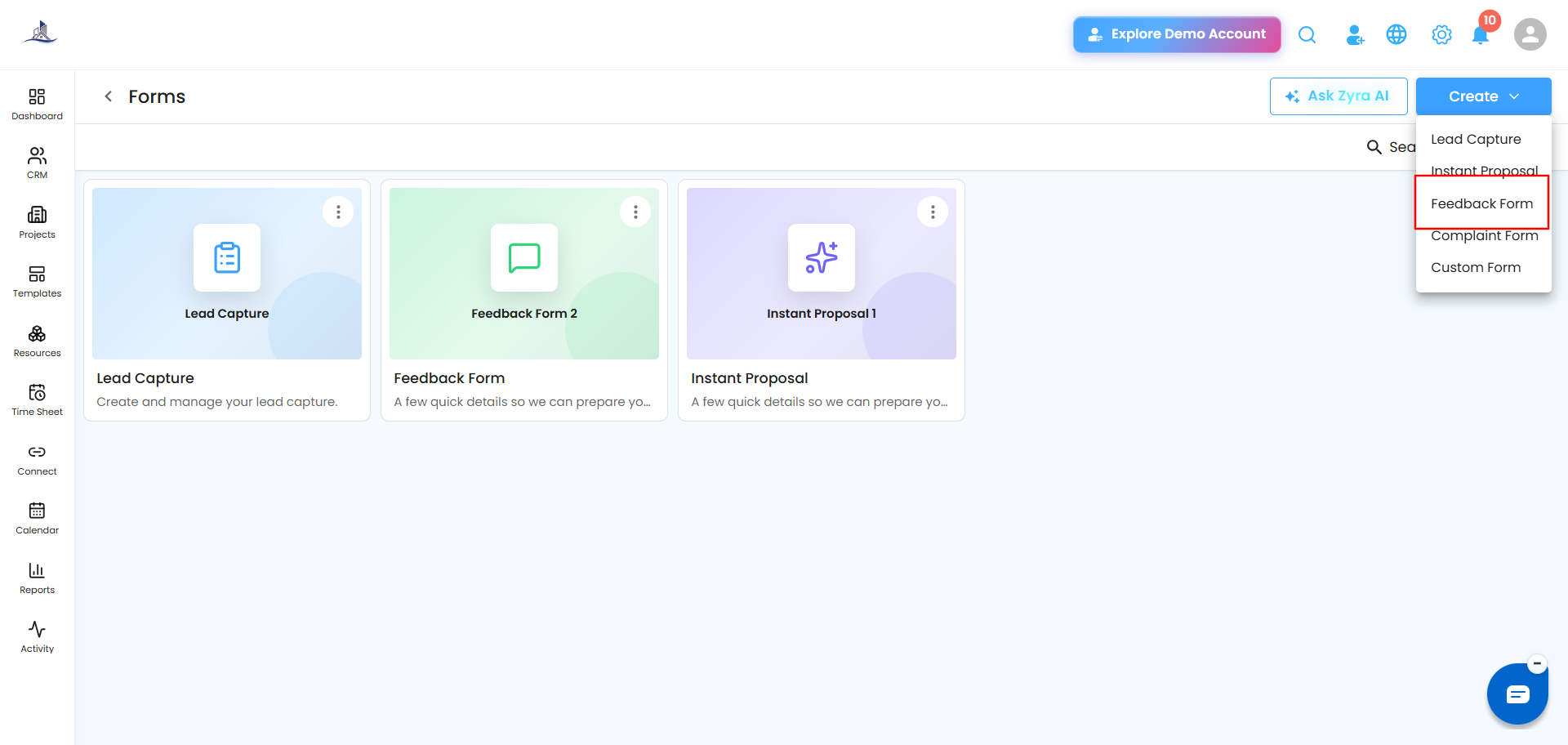
Step 1: Welcome
Set the Form Name, Form Title, and Form Description.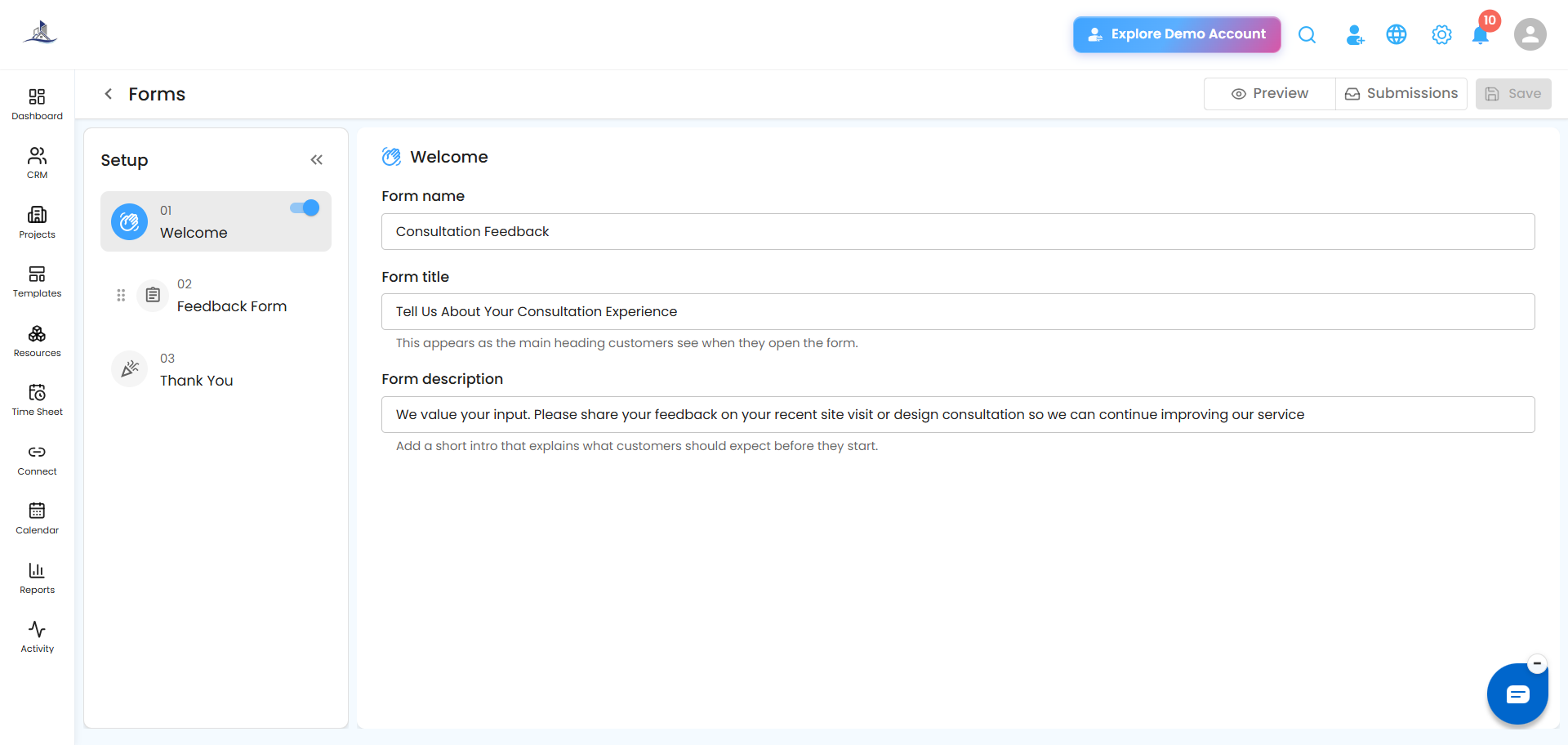
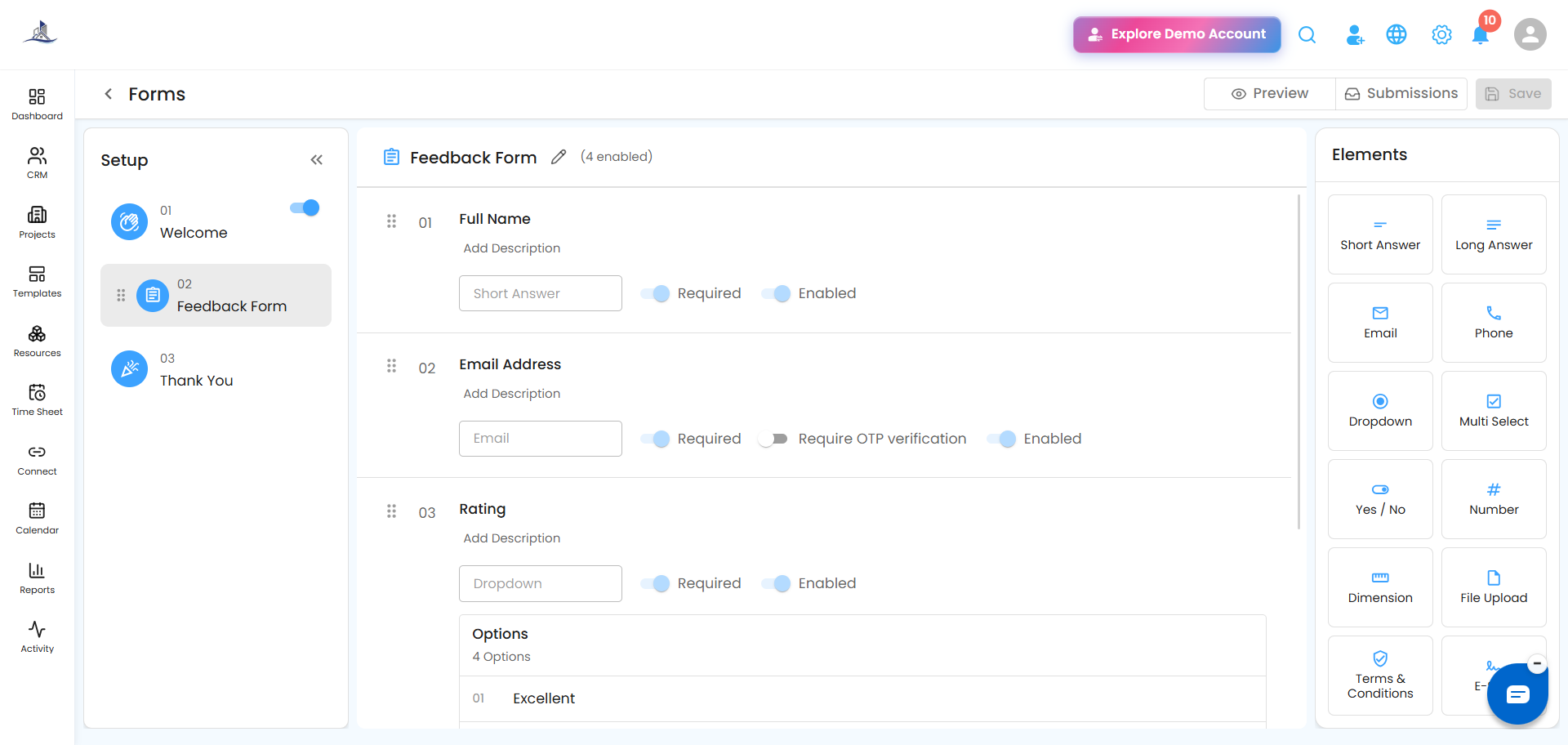
Step 2: Feedback Questions
Add whichever question types fit what you're trying to learn:
- Rating Scales
- Multiple Choice Questions
- Yes/No Questions
- Text Feedback Fields
 Step 3: Thank You
Write a personalized acknowledgement message shown after submission.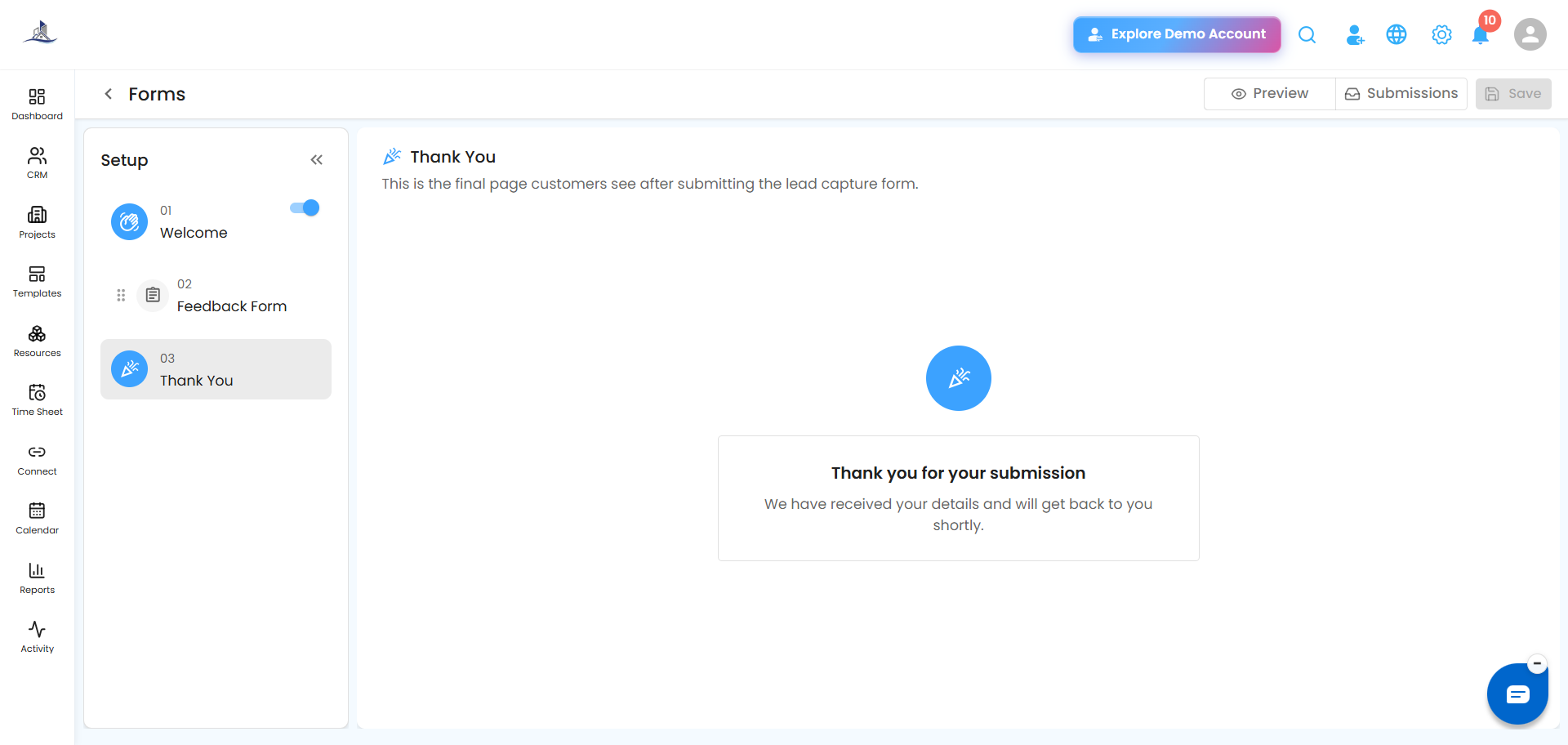
Why it's worth using: Regular feedback tells you where you're doing well and where to improve — and it signals to customers that their opinion actually matters, which helps build the relationship.
Was this article helpful?
That’s Great!
Thank you for your feedback
Sorry! We couldn't be helpful
Thank you for your feedback
Feedback sent
We appreciate your effort and will try to fix the article