Overview
Every Indent needs to be approved before it can move forward - that's what keeps procurement in check. Who can do what depends on their permission level: Creator or Approver.
Creator Permission
- Users with Creator permission can create an Indent.
- Creators cannot approve their own Indents - someone else with approver permission has to do that.
- A Creator can only convert an Indent (to RFQ, PO, or Work Order) after it's been approved.
Choosing an Approver at Creation
- If you select an approver while creating the Indent, it's created with Pending status, and that approver needs to review and approve it.
- If you don't select an approver, the Indent still starts as Pending - any authorized approver can pick it up and approve it.
Note: Either way, the Indent starts as Pending. The only difference is whether a specific approver is assigned, or it's left open for any approver.
Approving an Indent
Users with approver permission will see a Mark as Approved option directly on the Indent card. Once they use it, the status changes from Pending to Approved.
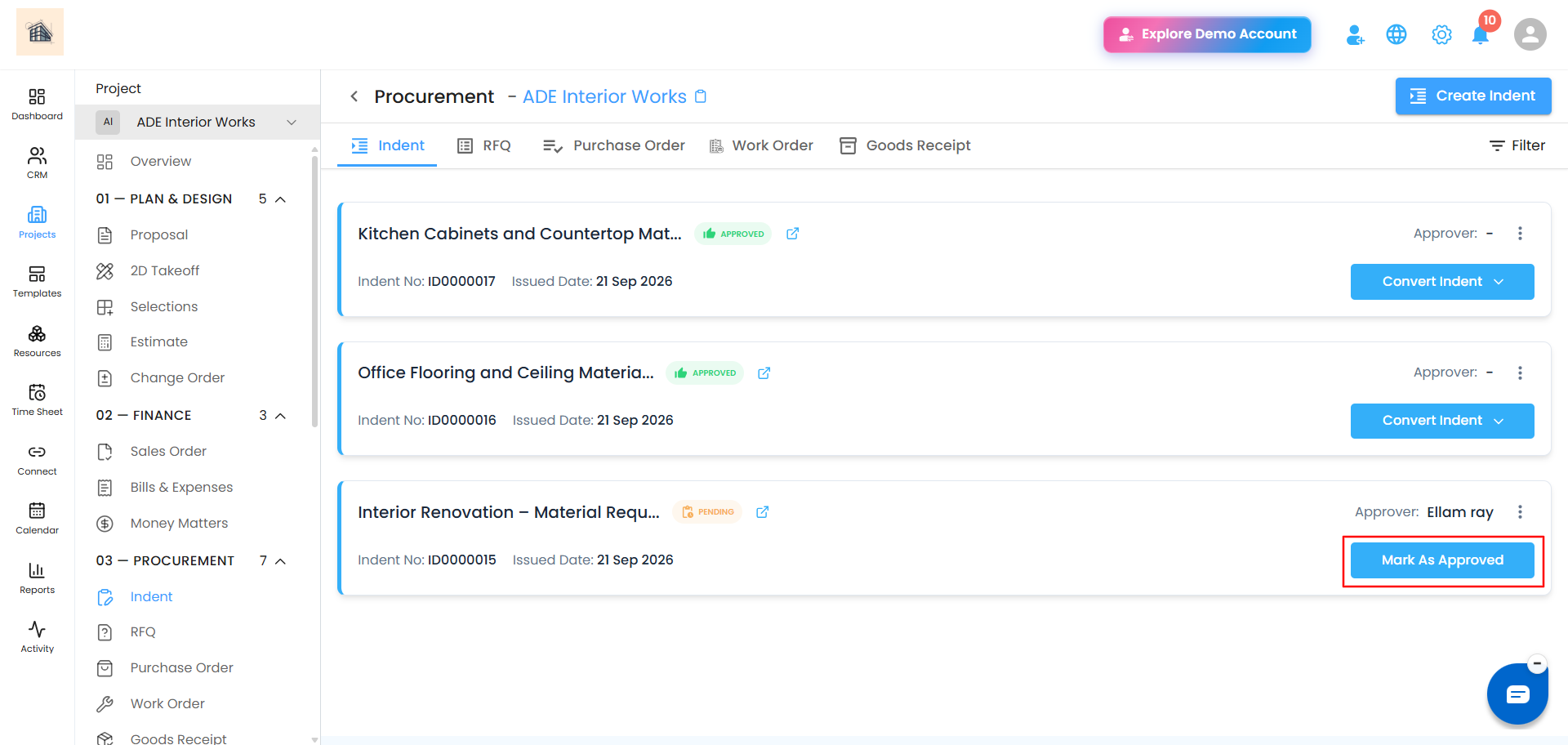 Why Approval Matters for Conversion
An Indent can only be converted into an RFQ, PO, or Work Order once it's Approved. Conversion options aren't available while the Indent is still Pending.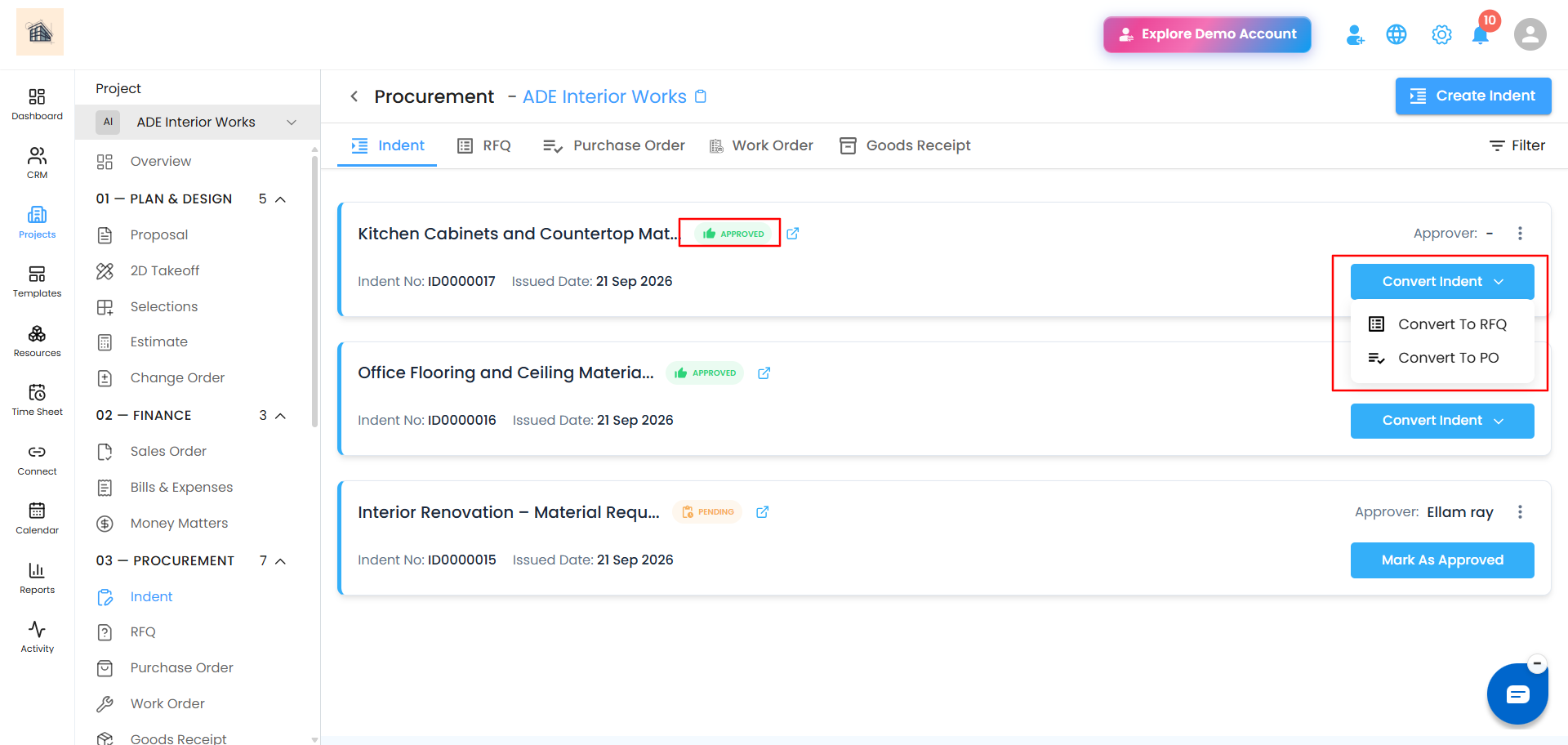
Was this article helpful?
That’s Great!
Thank you for your feedback
Sorry! We couldn't be helpful
Thank you for your feedback
Feedback sent
We appreciate your effort and will try to fix the article