Overview
Goods Receipt Notes (GRN) track what actually arrives at your project site, and make sure it matches what was approved on the Purchase Order. It's the link between Procurement and Inventory - once materials are received and logged here, your stock and cost records stay accurate without extra manual reconciliation.
Getting There
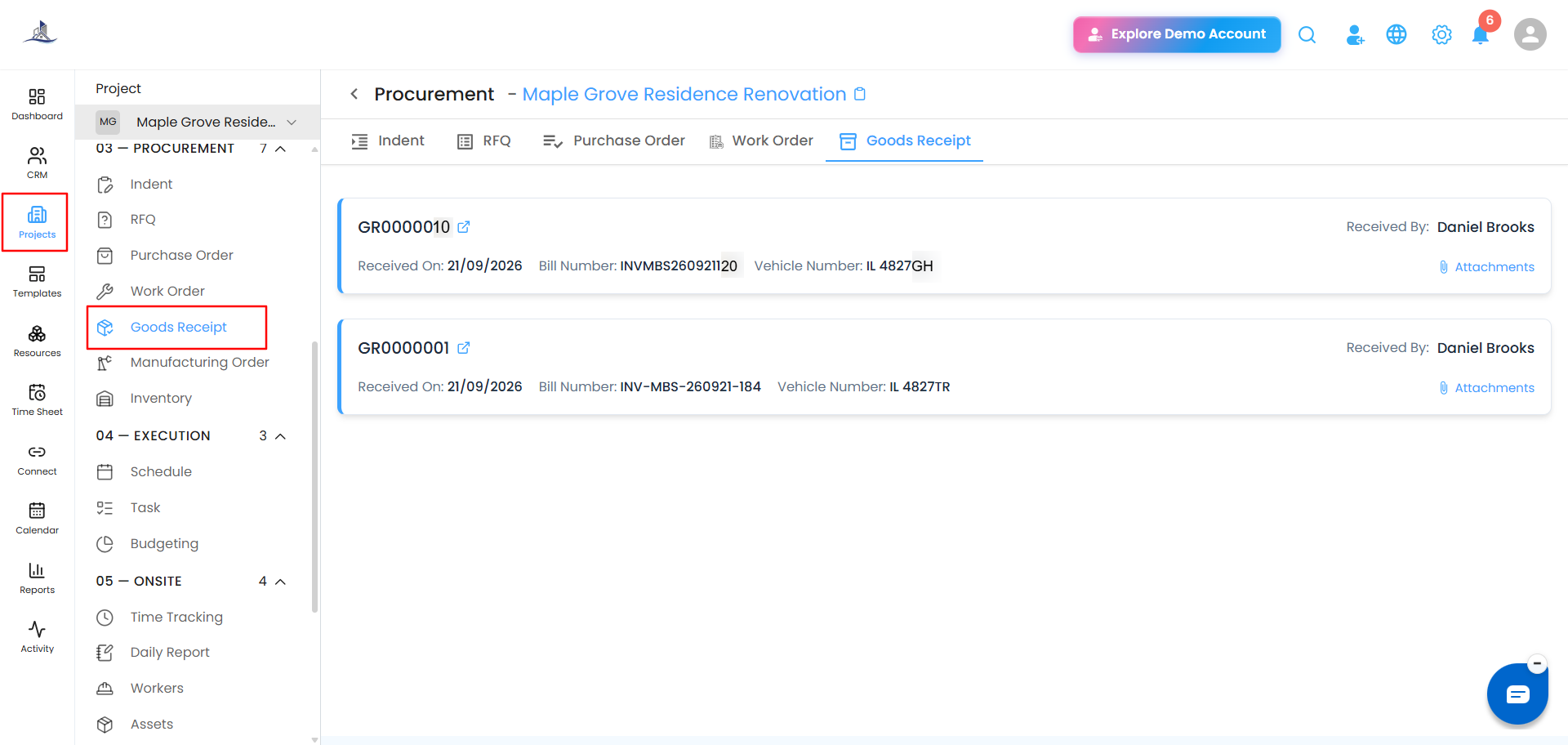
- Go to Clients/Projects from the sidebar.
- Select the relevant project.
- Click Procurement.
- Select Goods Receipt to open the GRN dashboard.
How Materials End Up in GRN
Materials reach the Goods Received section in one of two ways:
1. Add from PO
Once a Purchase Order is approved, select Add from PO. The approved items are queued for receiving, and once received, they show up automatically in the Goods Received tab.
2. Inventory Requests
When materials are requested from existing stock rather than a new order, that request is converted into a GRN - this tracks the internal movement of materials to the project site.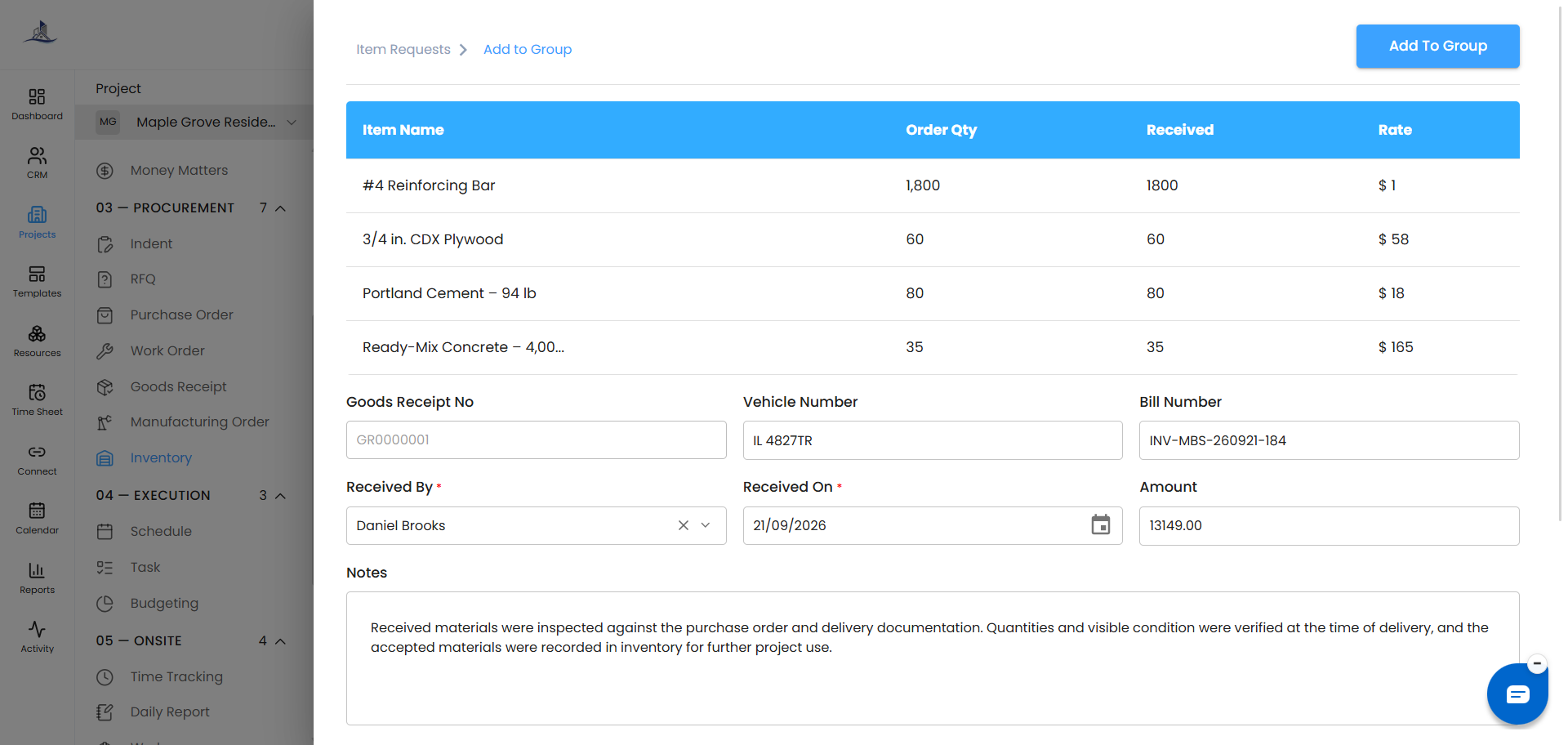
Goods Received Dashboard
The dashboard lists every GRN along with:
- Received By
- Received On
- Bill Number
- Vehicle Number
- An Attachments option
- A Preview button
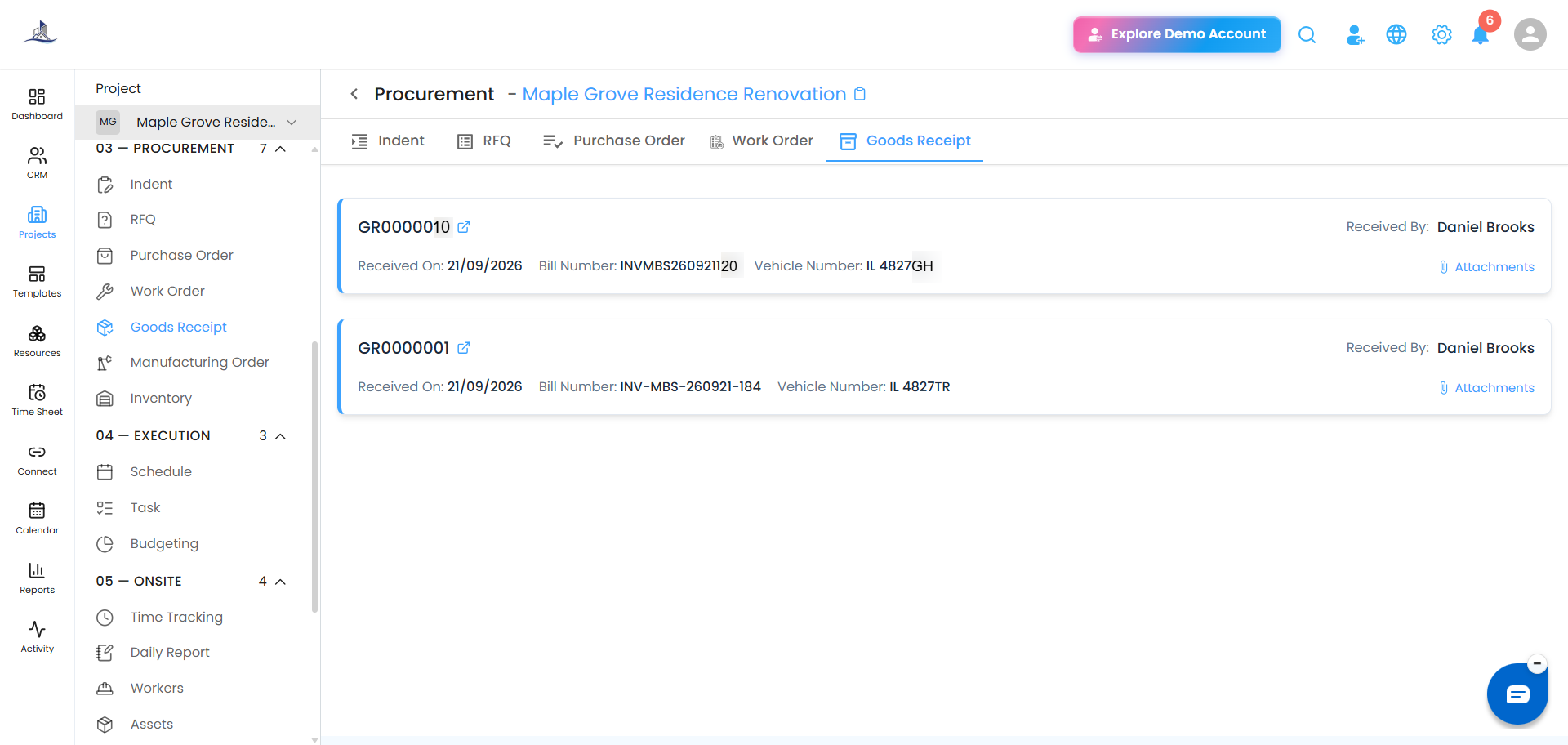 Click Preview on any GRN to open its detailed view.
GRN Detail View
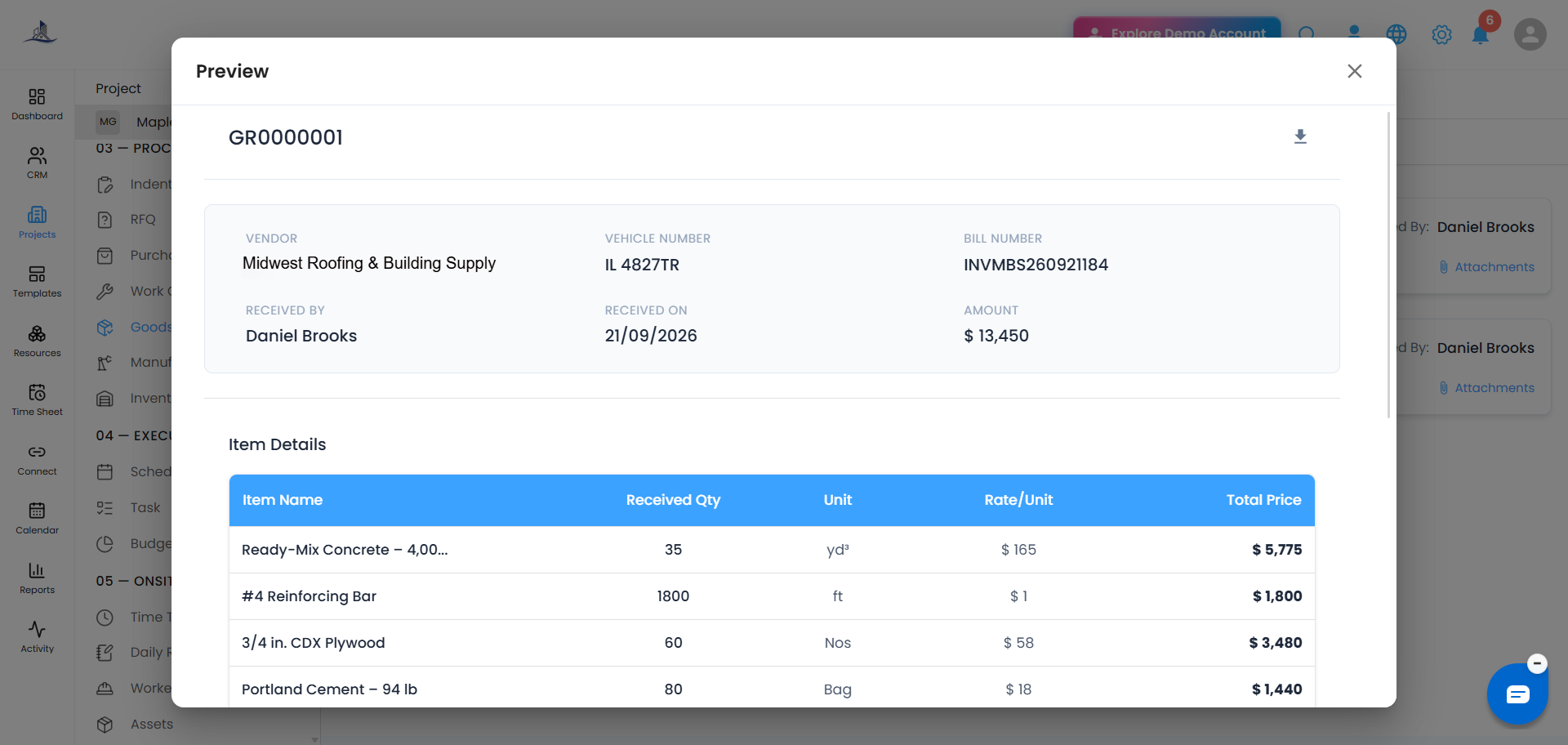
GRN Number
Every GRN has a unique, system-generated serial number for tracking, auditing, and documentation across projects. A Download icon next to it lets you download or print the record.
Vendor Details
- Vendor - the supplier who delivered the materials
- Vehicle Number - the delivery vehicle, useful for site logistics and verification
- Bill Number - the supplier's invoice reference, for reconciliation
- Received By - the site engineer, store manager, or authorized person who verified and accepted the delivery
- Received On - the date materials were physically received and logged
- Amount - the total monetary value of the GRN
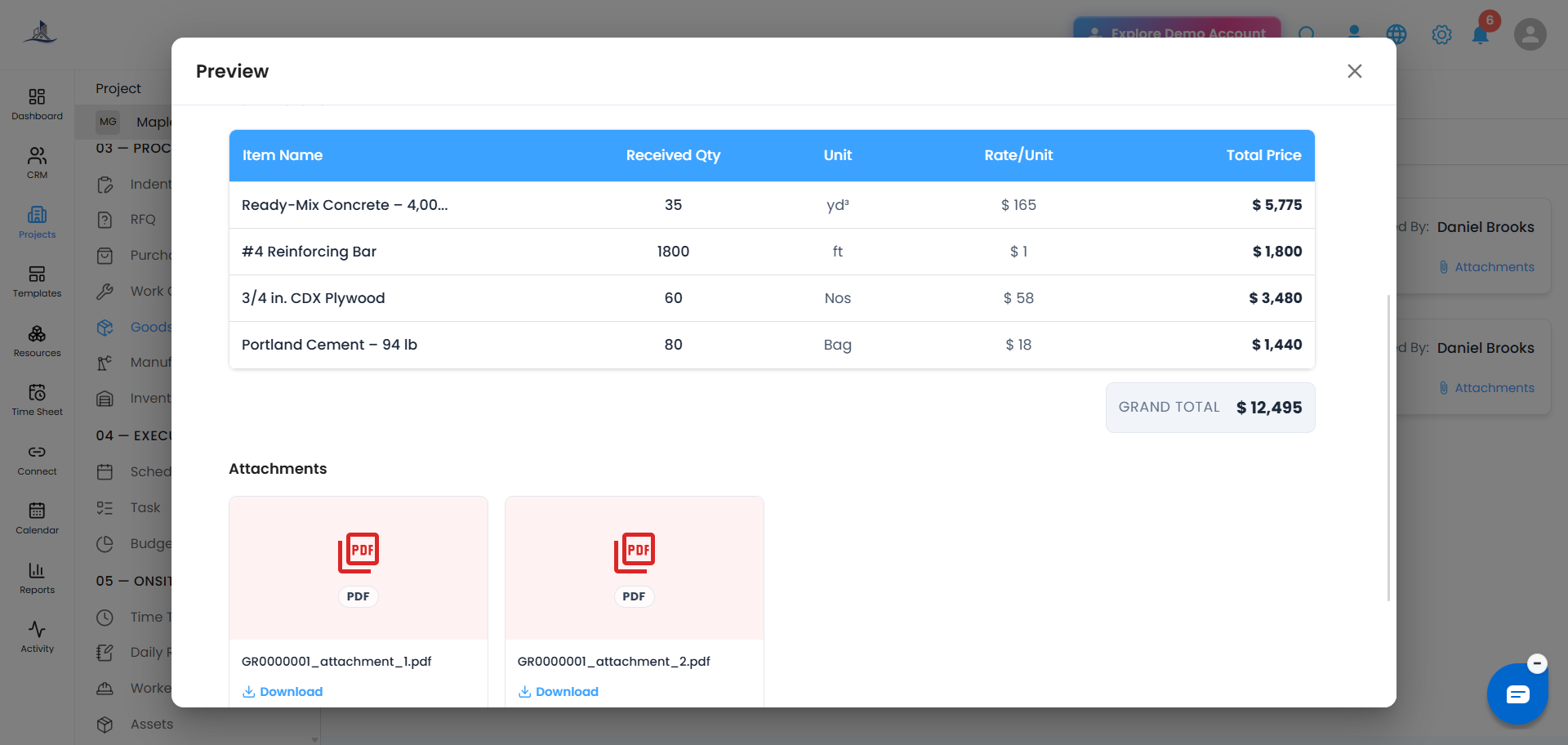
Item Details
A line-by-line breakdown of everything received:
- Item Name - the material received (e.g., Steel rods, Cement bags, Fixtures)
- Received Qty - the actual quantity accepted at the site
- Unit - the unit of measurement (Nos, kg, meters, bags, etc.)
- Rate/Unit - the cost per unit, per the PO or vendor bill
- Total Price - calculated automatically for each line, so cost tracking stays transparent
The Grand Total at the bottom right of the table shows the combined value of everything received on that GRN.
Was this article helpful?
That’s Great!
Thank you for your feedback
Sorry! We couldn't be helpful
Thank you for your feedback
Feedback sent
We appreciate your effort and will try to fix the article