How AI Takeoff Works
Upload the plan and set the scale.
Click the AI button again.
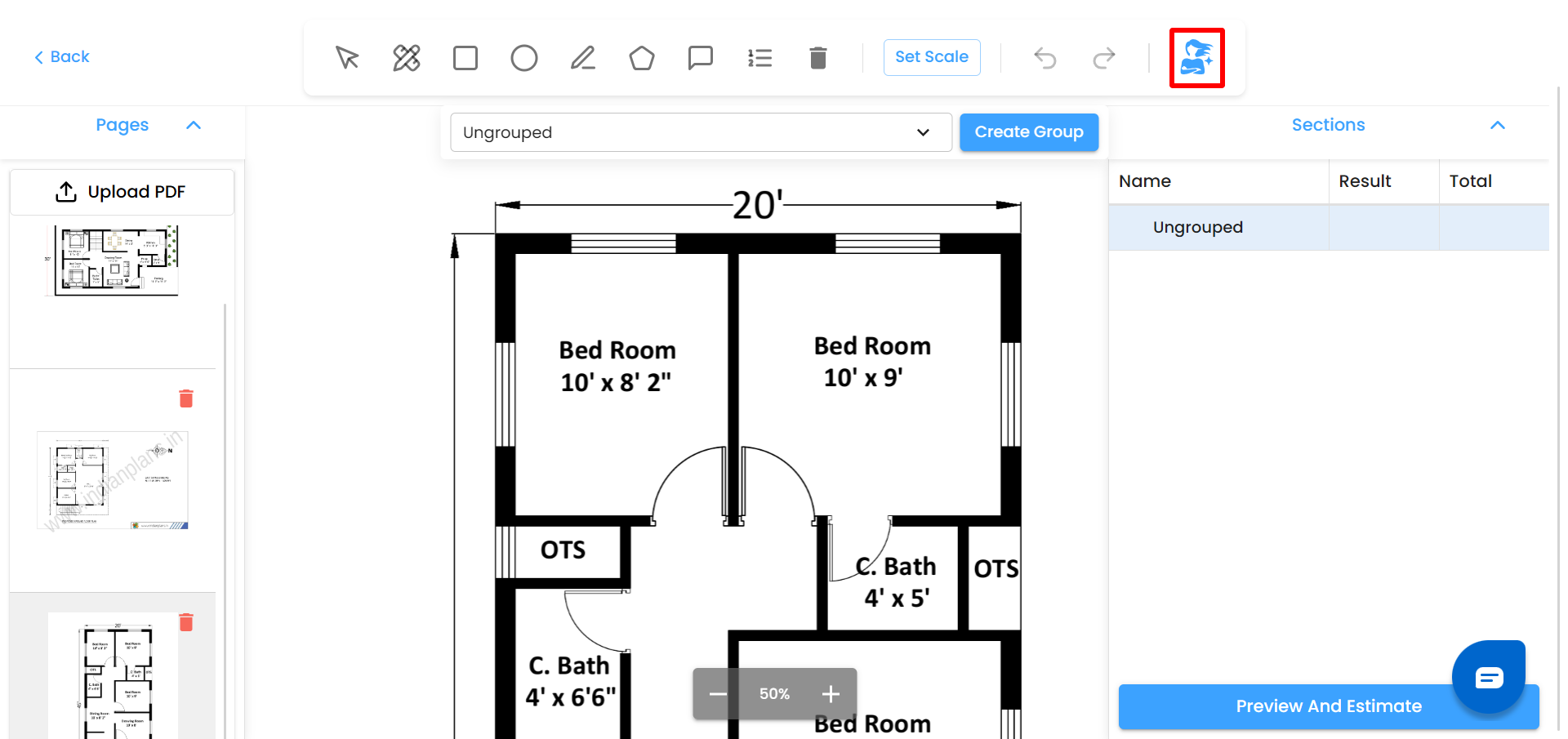
AI scans the entire 2D plan automatically.
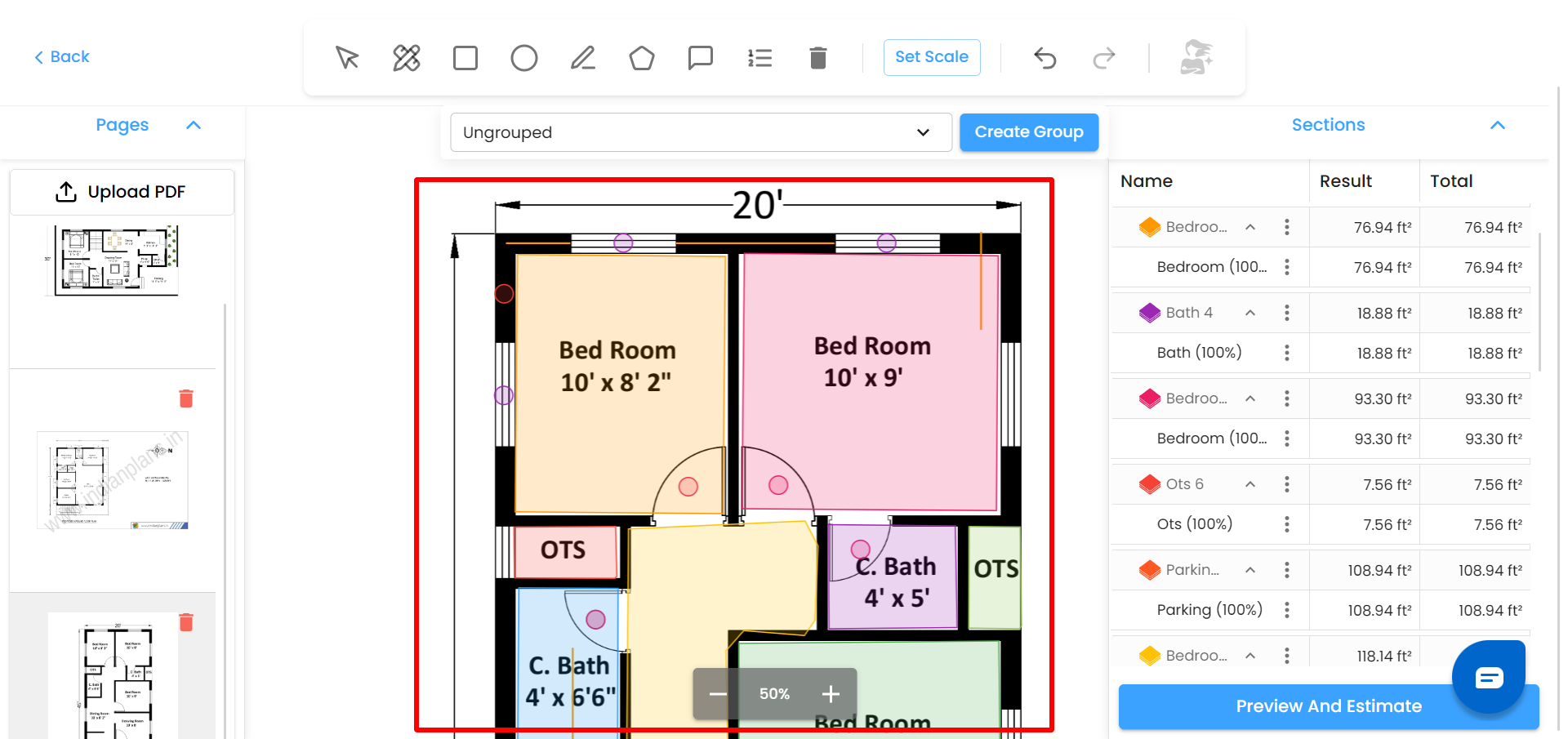
The system:
Detects rooms and areas
Draws polygons over detected spaces
Predicts lengths and areas
Detects components like doors, windows, columns, etc.
Adds counts automatically
Reads text from the drawing to identify space names
Creates groups based on detected names
Adds measurements into the correct group
All detected values are added into Sections & Groups, ready for review or editing.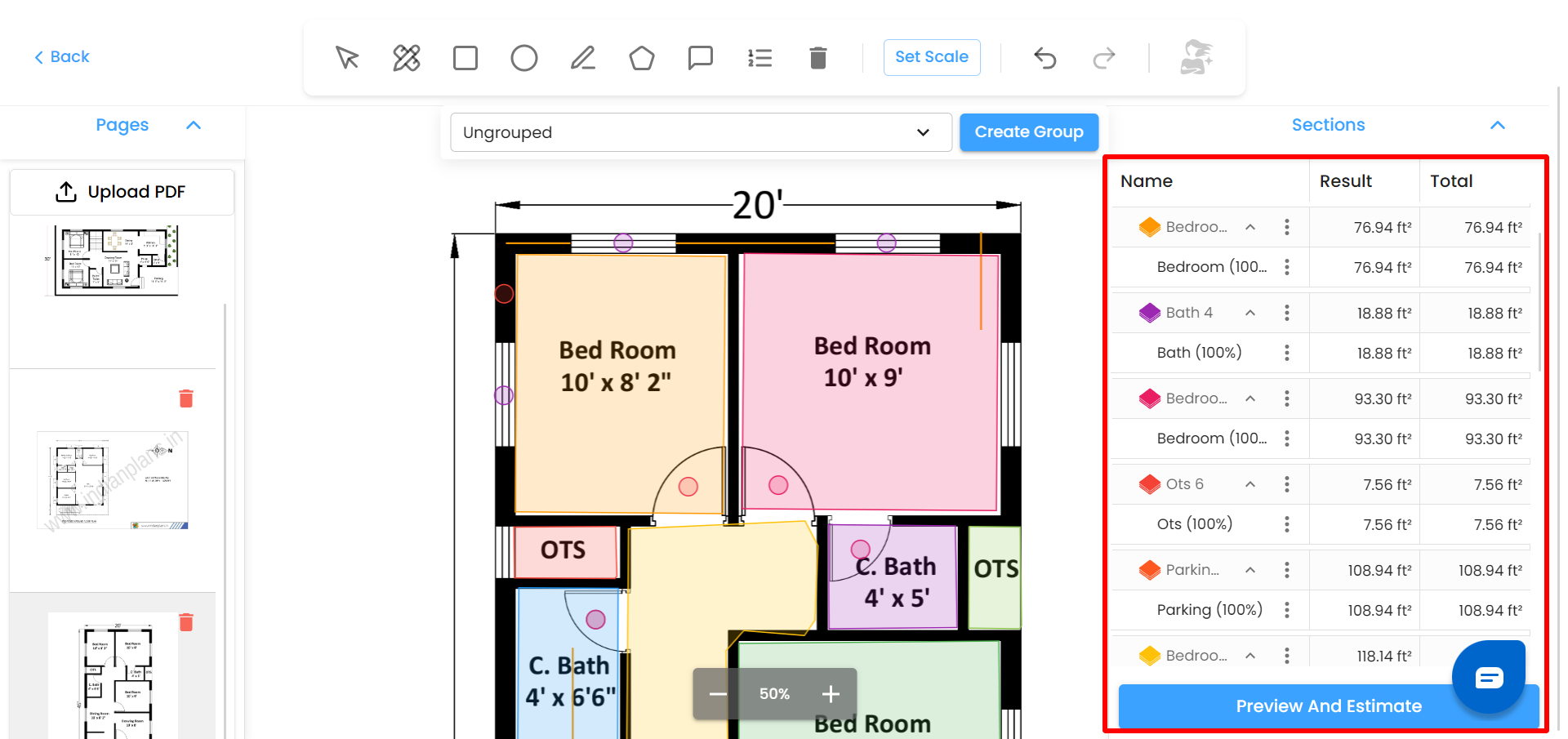
Was this article helpful?
That’s Great!
Thank you for your feedback
Sorry! We couldn't be helpful
Thank you for your feedback
Feedback sent
We appreciate your effort and will try to fix the article