Automatic Expiry – Manage Proposals and Questionnaires
Automatic expiry helps you manage proposals and questionnaires by setting default expiration dates after they are sent. This keeps follow-ups timely and ensures your leads remain organized.
Where to Find Auto Expiry – Quick Access
You can configure expiry settings for both proposals and questionnaires from a single location.
What You Can Do Here
Click Settings in the top-right menu.
Select Preferences from the dropdown.
Under Project & CRM Preferences, click Auto Expiry.
The Auto Expiry page will open, displaying settings for both Questionnaires and Proposals.
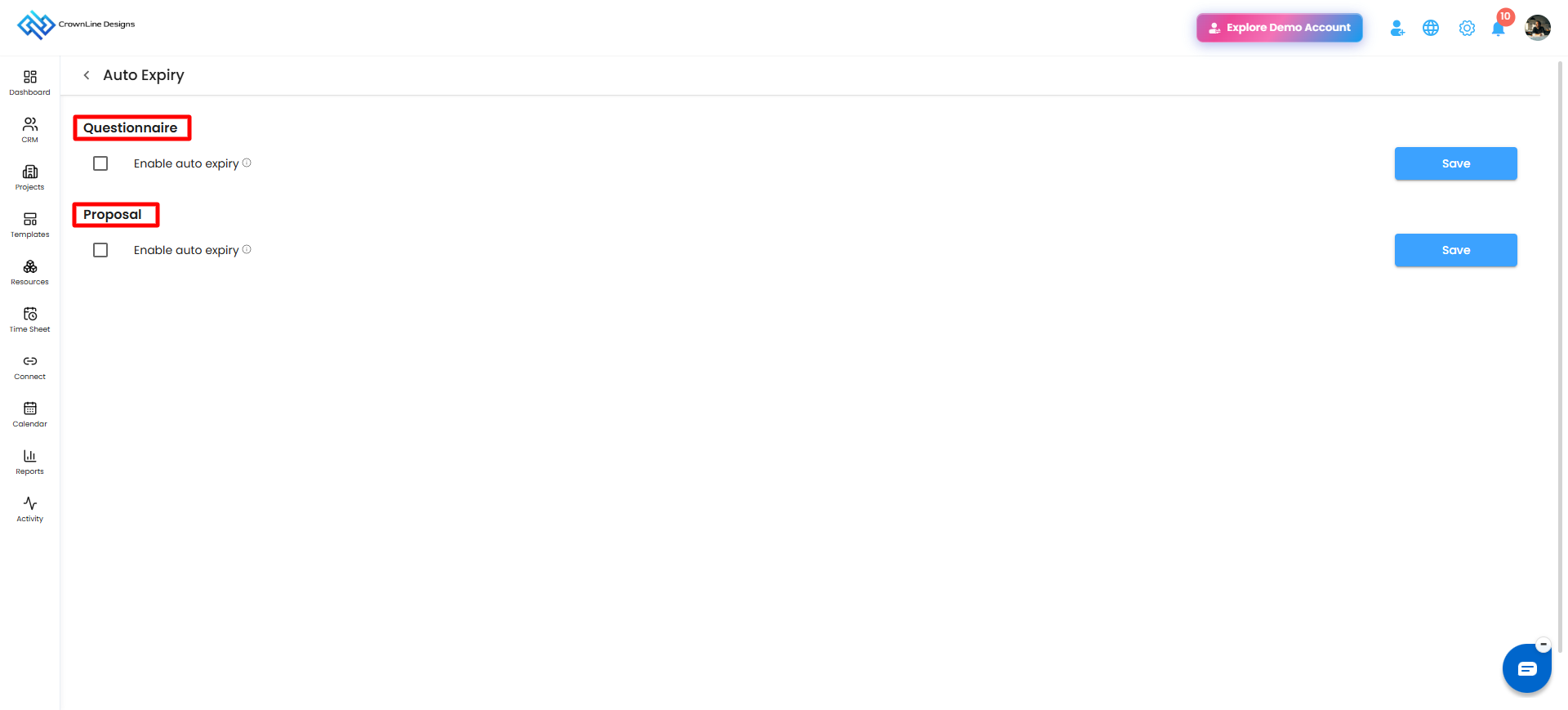
Pro tip: Manage both expiry settings from one place to keep your workflow consistent and reduce manual follow-ups.
Enabling Auto Expiry – Set It and Forget It
Auto expiry allows proposals and questionnaires to receive a default expiration date automatically after they are sent.
What You Can Do Here
Enable or disable auto expiry separately for Proposals and Questionnaires.
Set the default number of expiration days for each.
Once enabled, newly sent proposals and questionnaires will automatically receive an expiration date based on the configured duration.
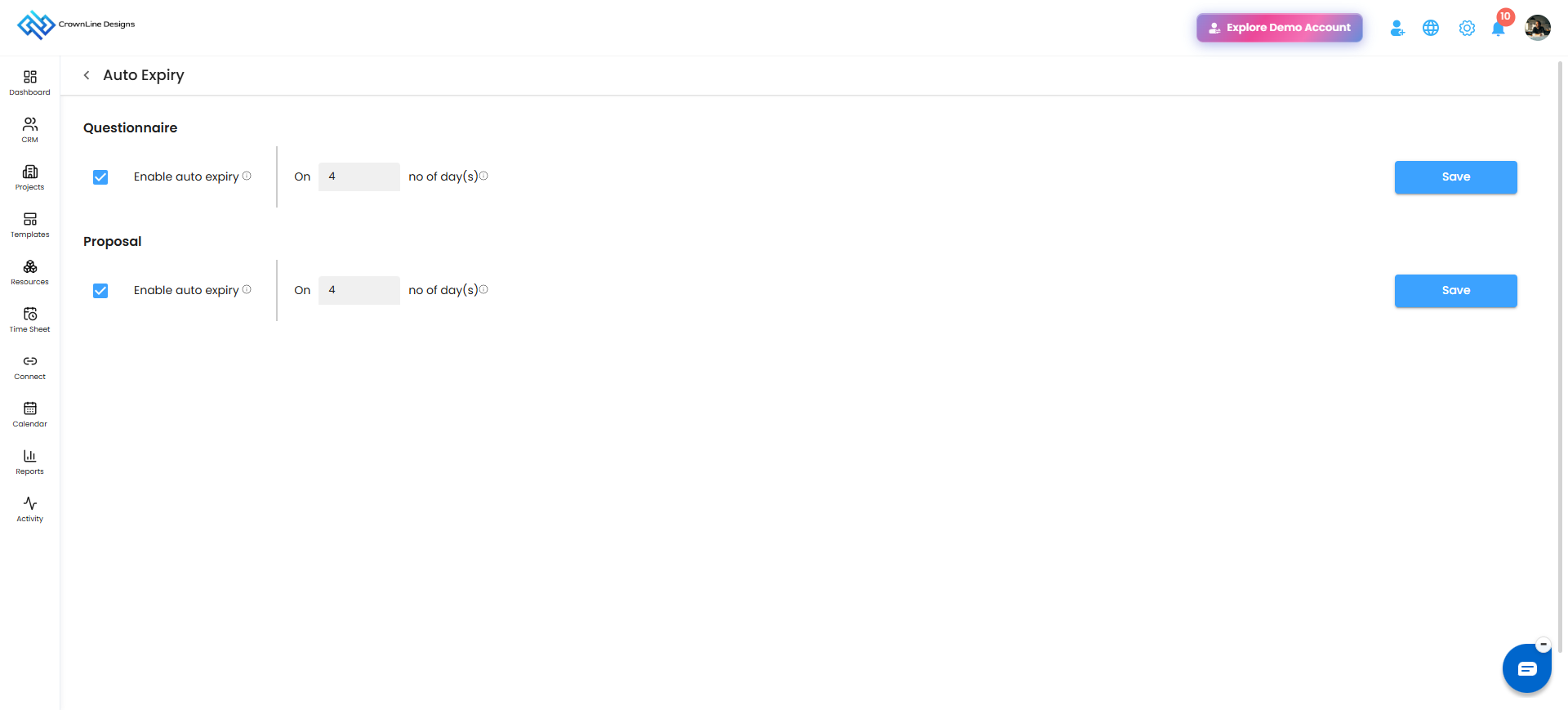
Set Expiration – Default or Customized
The portal lets you control how long proposals and questionnaires remain active.
What You Can Do Here
Set the default expiration duration for proposals.
Set the default expiration duration for questionnaires.
Use the Manual Expiry option when a specific proposal or questionnaire requires a customized expiration period.
Apply different expiry durations based on your workflow requirements.
Pro tip: Use manual expiry for specific leads that require customized deadlines while maintaining default settings for other proposals and questionnaires.
Manual Expiry – Tailor Deadlines for Specific Leads
Manual expiry allows you to customize the expiration period for an individual proposal or questionnaire instead of relying on the default duration.
What You Can Do Here
Set a custom expiration duration for a specific proposal or questionnaire.
Use the default expiry settings for other records.
Manage individual deadlines according to your lead requirements.
Pro tip: Use manual expiry selectively to maintain control over important deadlines without affecting your overall expiry settings.
Was this article helpful?
That’s Great!
Thank you for your feedback
Sorry! We couldn't be helpful
Thank you for your feedback
Feedback sent
We appreciate your effort and will try to fix the article