A Sales Order can be converted into an invoice when the order is ready for billing.
When Can You Convert a Sales Order to an Invoice?
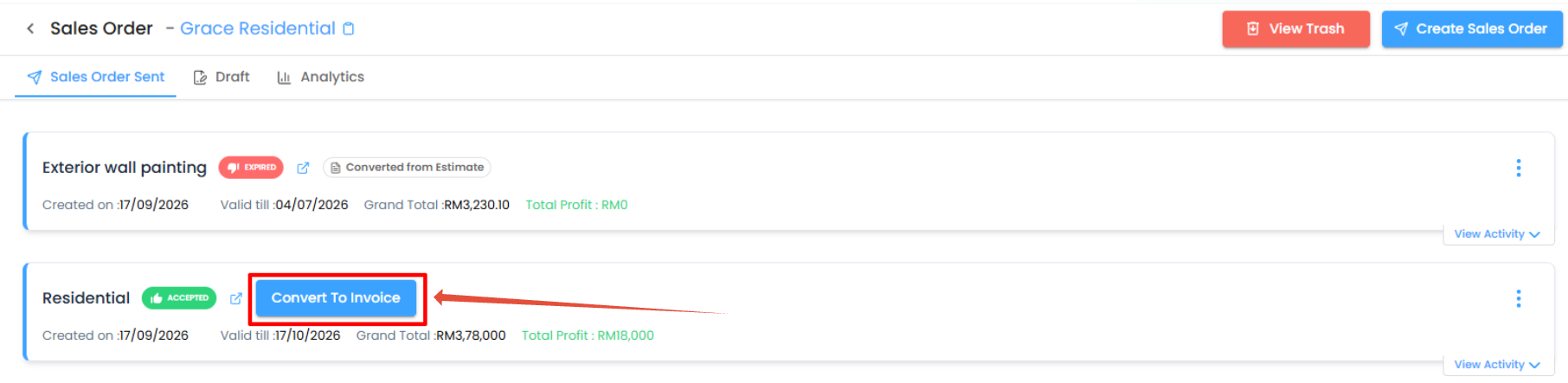
If the Sales Order has not already been converted to an invoice, the Convert to Invoice option is available from the Sales Order.
How to Convert a Sales Order to Invoice
- Open the required Project.
- Go to the Sales Order module.
- Open the Sent tab.
- Locate the required Sales Order.
- Click the Convert to Invoice option.
- Continue with the invoice creation workflow.
Converted to Invoice Status
Once the Sales Order has already been converted to an invoice, it displays the Converted to Invoice label in the Sent tab.
This makes it easy to identify Sales Orders that have already moved to the invoicing stage.
Pro tip: Check the Converted to Invoice label before creating another invoice for the same Sales Order.
Was this article helpful?
That’s Great!
Thank you for your feedback
Sorry! We couldn't be helpful
Thank you for your feedback
Feedback sent
We appreciate your effort and will try to fix the article