A Sales Order can also be created manually when an estimate is not being converted.
How to Create a Manual Sales Order
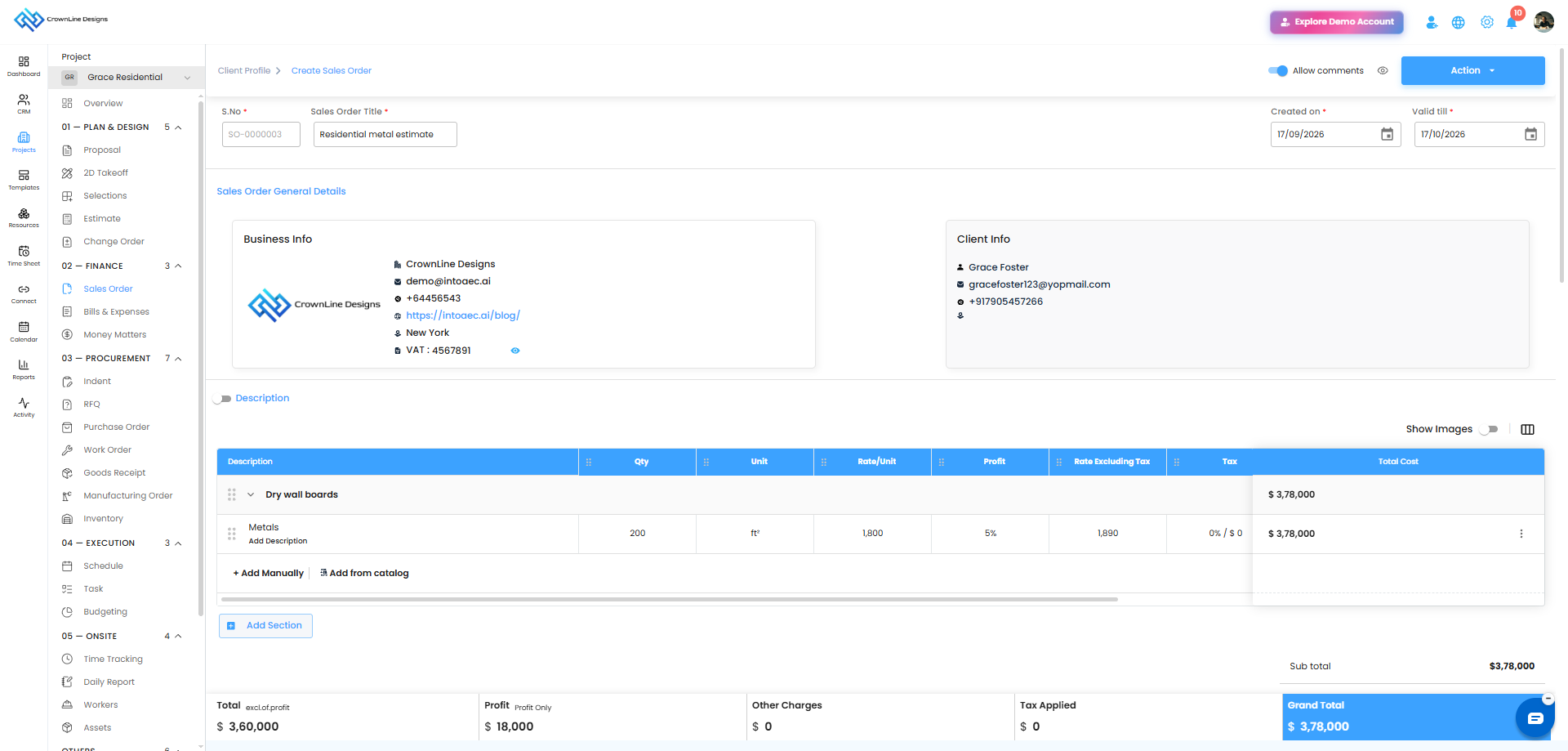
- Go to the required Project.
- Open Sales Order under the Finance section.
- Click Create Sales Order.
- Enter the required Sales Order details.
- Add the required line items.
- Enter the required material quantity, rate, and unit details.
- Add descriptions and other required information.
- Save the Sales Order as a draft or continue with the approval workflow.
What is Different About a Manual Sales Order?
A manually created Sales Order:
- Can be edited while it is in Draft.
- Can be edited after it has been sent, where applicable.
- Does not display the Created from Estimate label.
- Can be submitted for approval.
Pro tip: Use a manual Sales Order when the order needs to be created independently without converting an estimate.
Was this article helpful?
That’s Great!
Thank you for your feedback
Sorry! We couldn't be helpful
Thank you for your feedback
Feedback sent
We appreciate your effort and will try to fix the article