Overview
One connection covers all three. Instead of linking each Microsoft tool separately, a single secure authorization connects Outlook Calendar, Microsoft To Do, and Outlook Mail to IntoAEC together — so your schedule, tasks, and email all plug into your workspace at once.
Connecting Your Microsoft Account
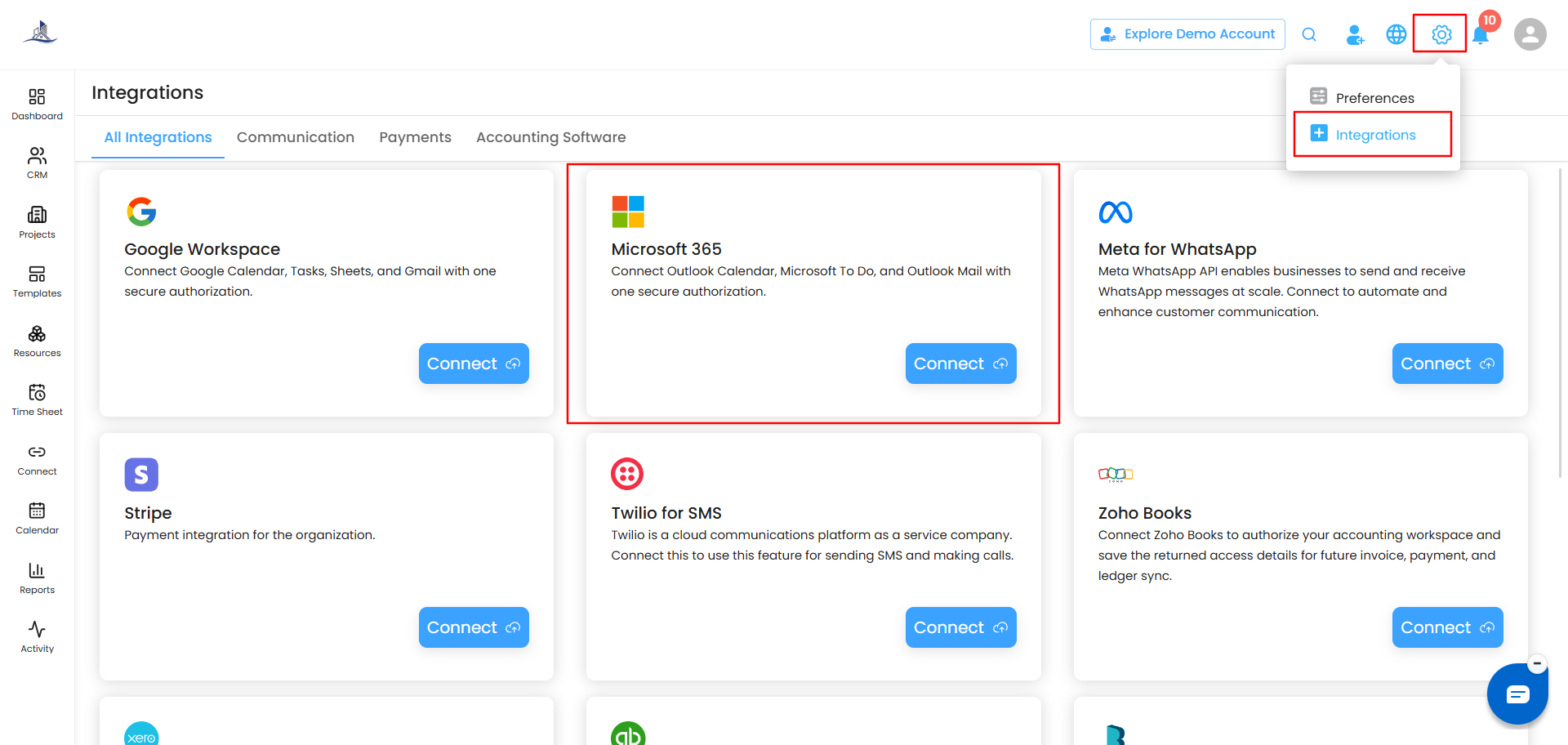
- Go to Settings > Integration and find Microsoft 365.
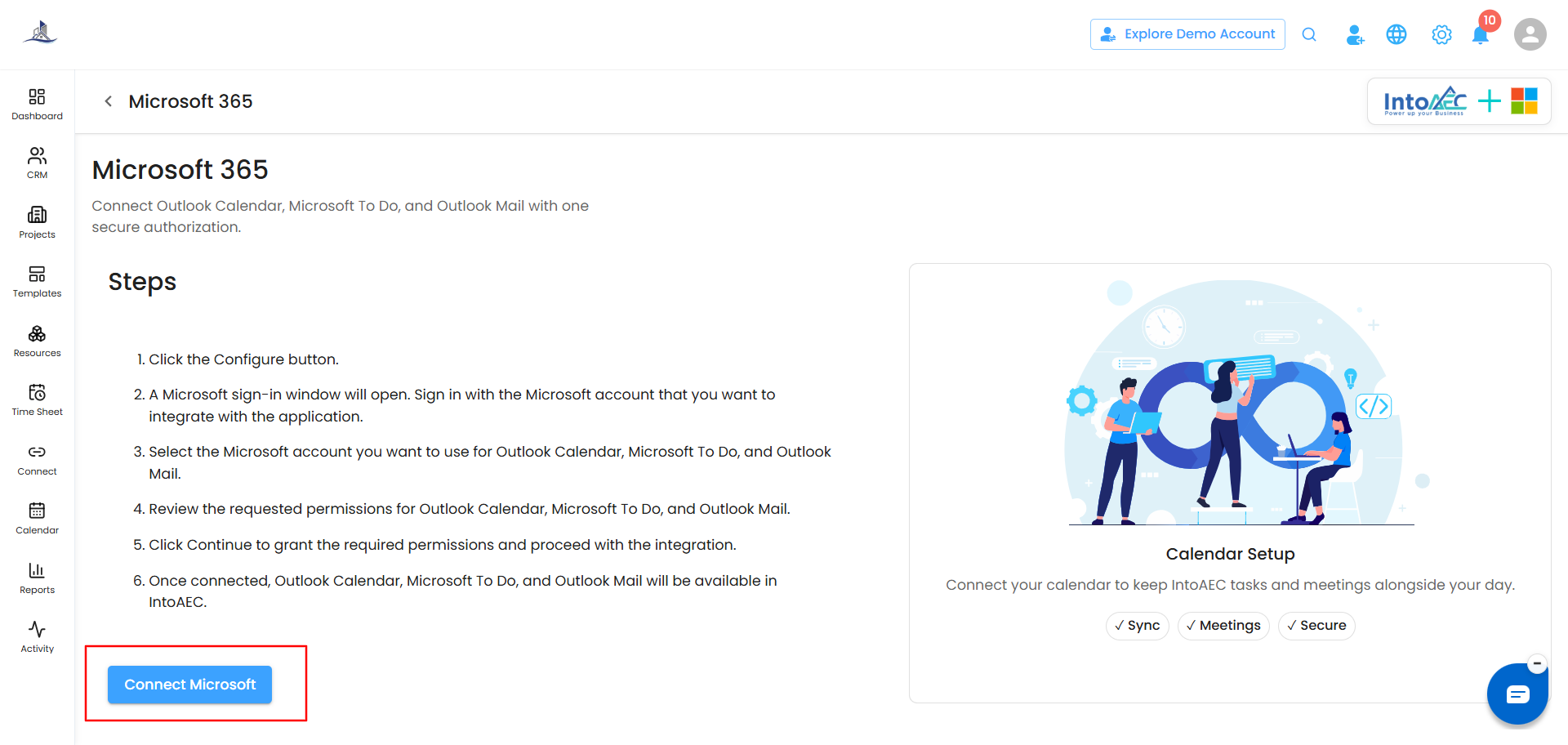
- Click Configure (or Connect Microsoft).
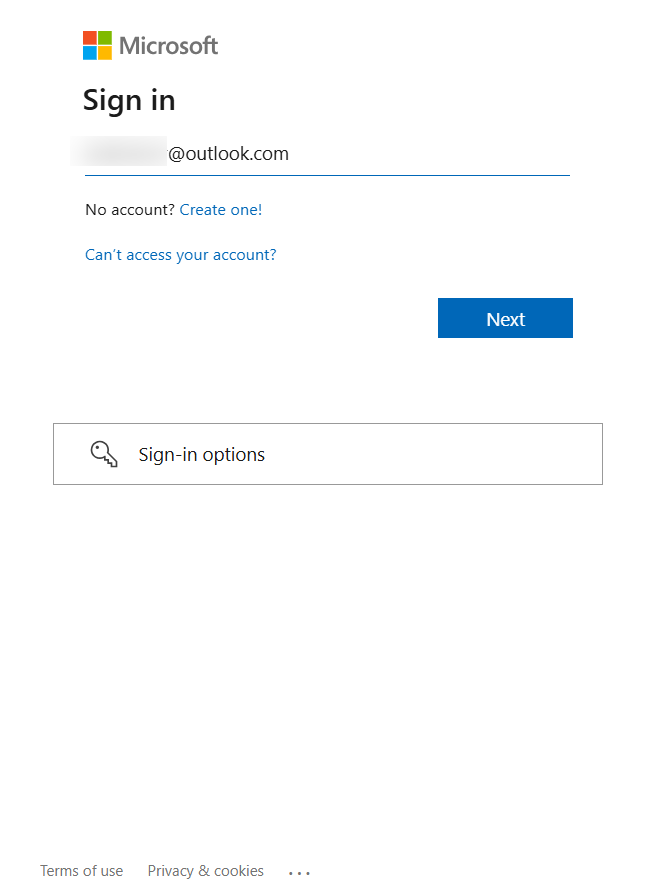
- A Microsoft sign-in window opens. Sign in with the Microsoft account you want to integrate.
- Select the account you want to use for Outlook Calendar, Microsoft To Do, and Outlook Mail.
- Review the permissions being requested for each of the three services.
- Click Continue to grant the permissions and complete the integration.
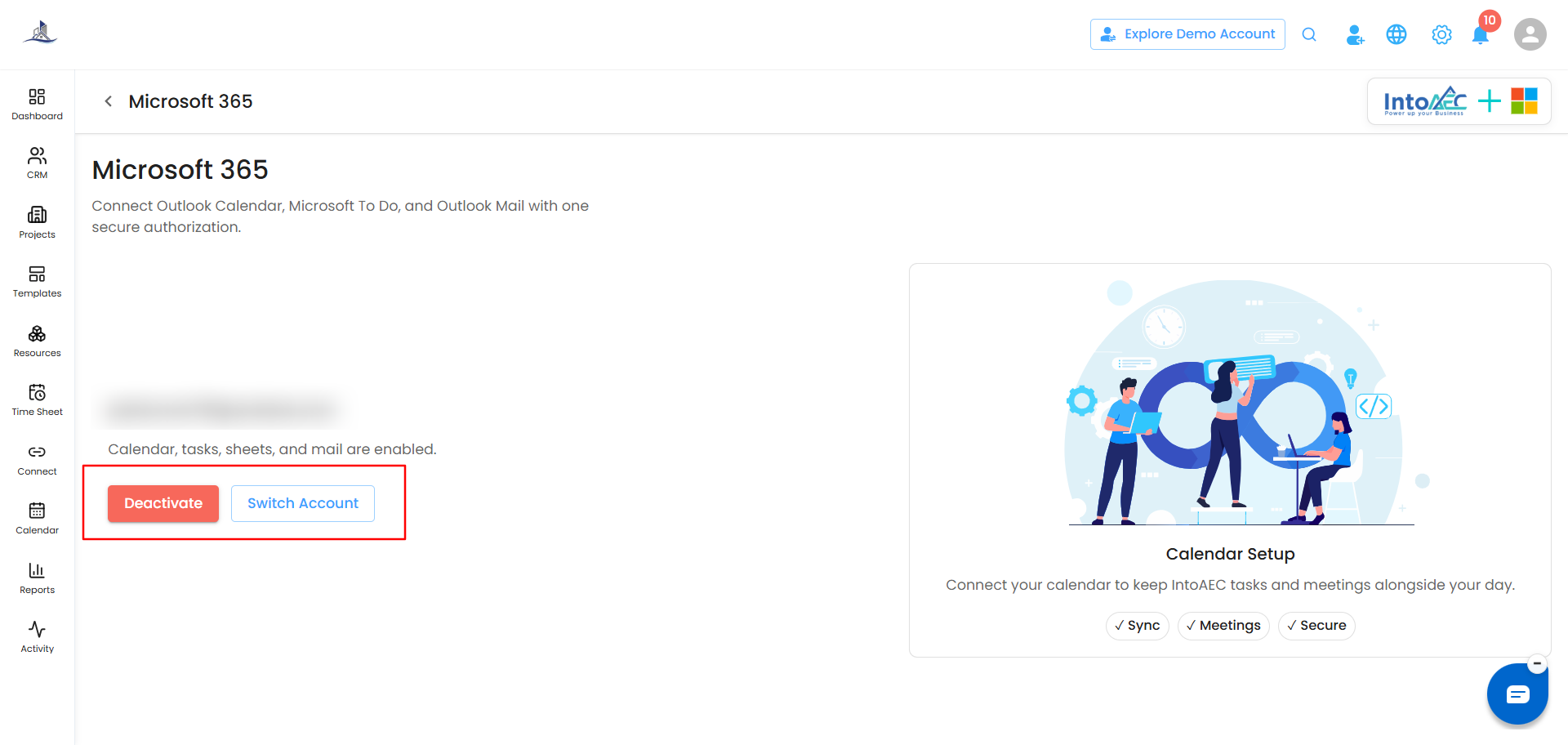
Once connected, Outlook Calendar, Microsoft To Do, and Outlook Mail are all available inside IntoAEC. Your connected email ID is shown on the page, along with confirmation of what's enabled.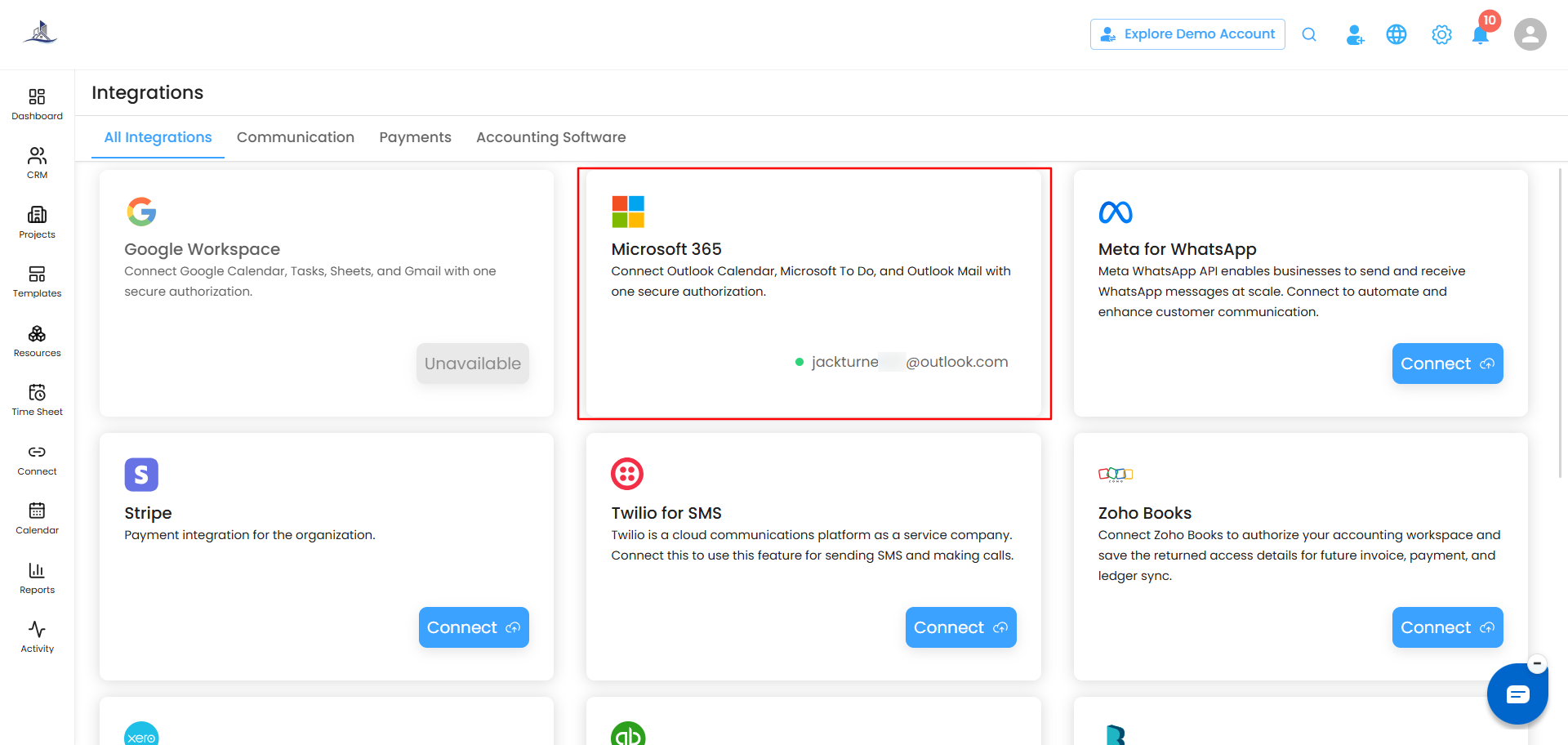
Managing Your Connection
Once connected, the Microsoft 365 page shows your connected account and what's enabled. From here, you have two options:
- Deactivate - disconnects the account, turning off sync for Outlook Calendar, Microsoft To Do, and Outlook Mail.
- Switch Account - connects a different Microsoft account instead, without needing to deactivate first.
Google Workspace or Microsoft 365 - Choose One
This integration is set up per user, not organization-wide - each person connects their own account based on what they personally use. On your own account, you can connect Google Workspace or Microsoft 365, not both at the same time. Pick whichever matches your own email and calendar:
- If you use Gmail, Google Calendar, and Google Sheets, connect Google Workspace.
- If you use Outlook, Outlook Calendar, and Microsoft To Do, connect Microsoft 365 instead.
Other users in your organization are free to make their own choice - for example, one teammate can connect Google Workspace while another connects Microsoft 365, each independently.
Was this article helpful?
That’s Great!
Thank you for your feedback
Sorry! We couldn't be helpful
Thank you for your feedback
Feedback sent
We appreciate your effort and will try to fix the article