Overview
When none of the other form types quite fit, the Custom Form gives you full flexibility to build exactly what your process needs - from scratch, with whatever fields make sense.
Getting Started
From the Forms dashboard, click Create, then select Custom Form.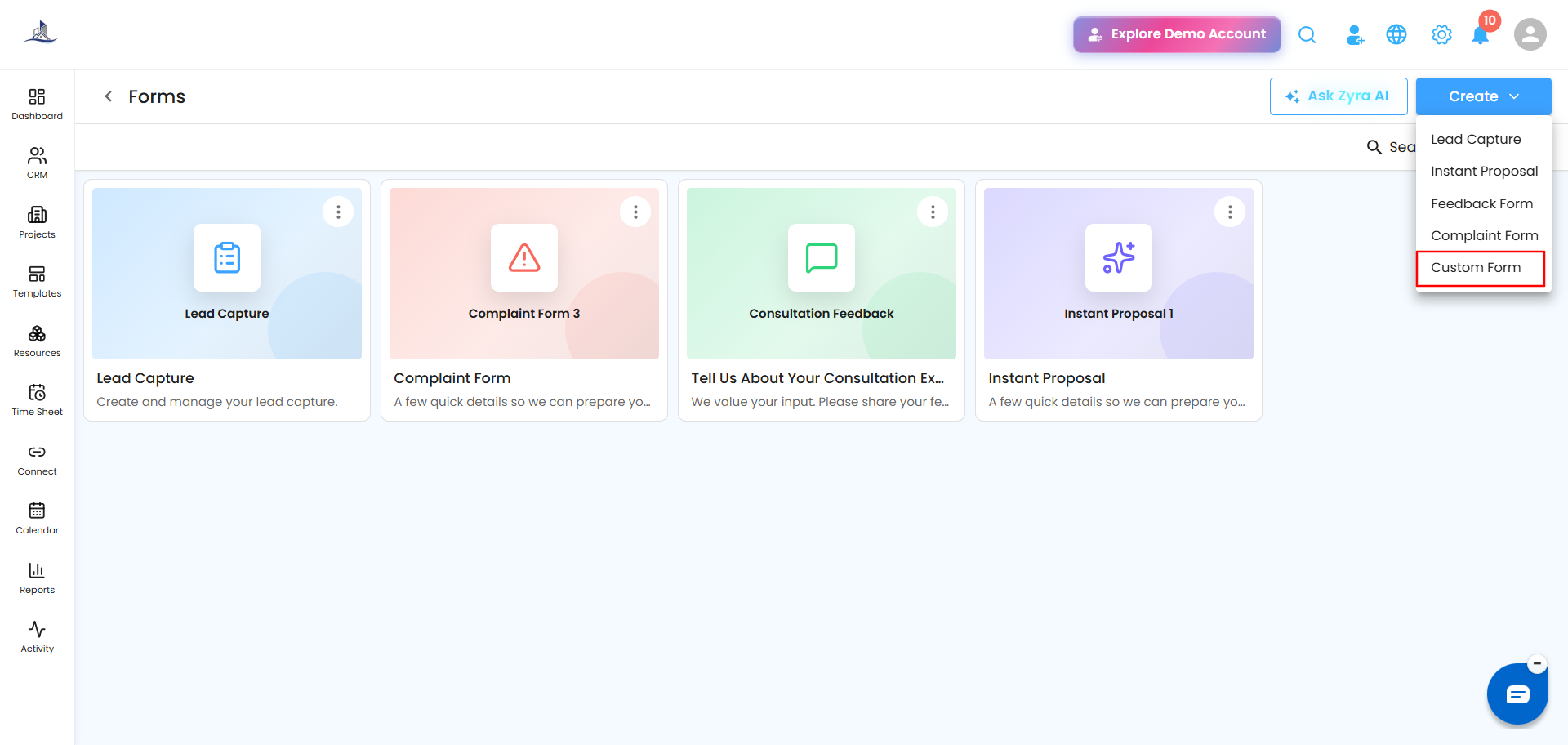
Step 1: Welcome
Set the Form Name, Form Title, and Form Description.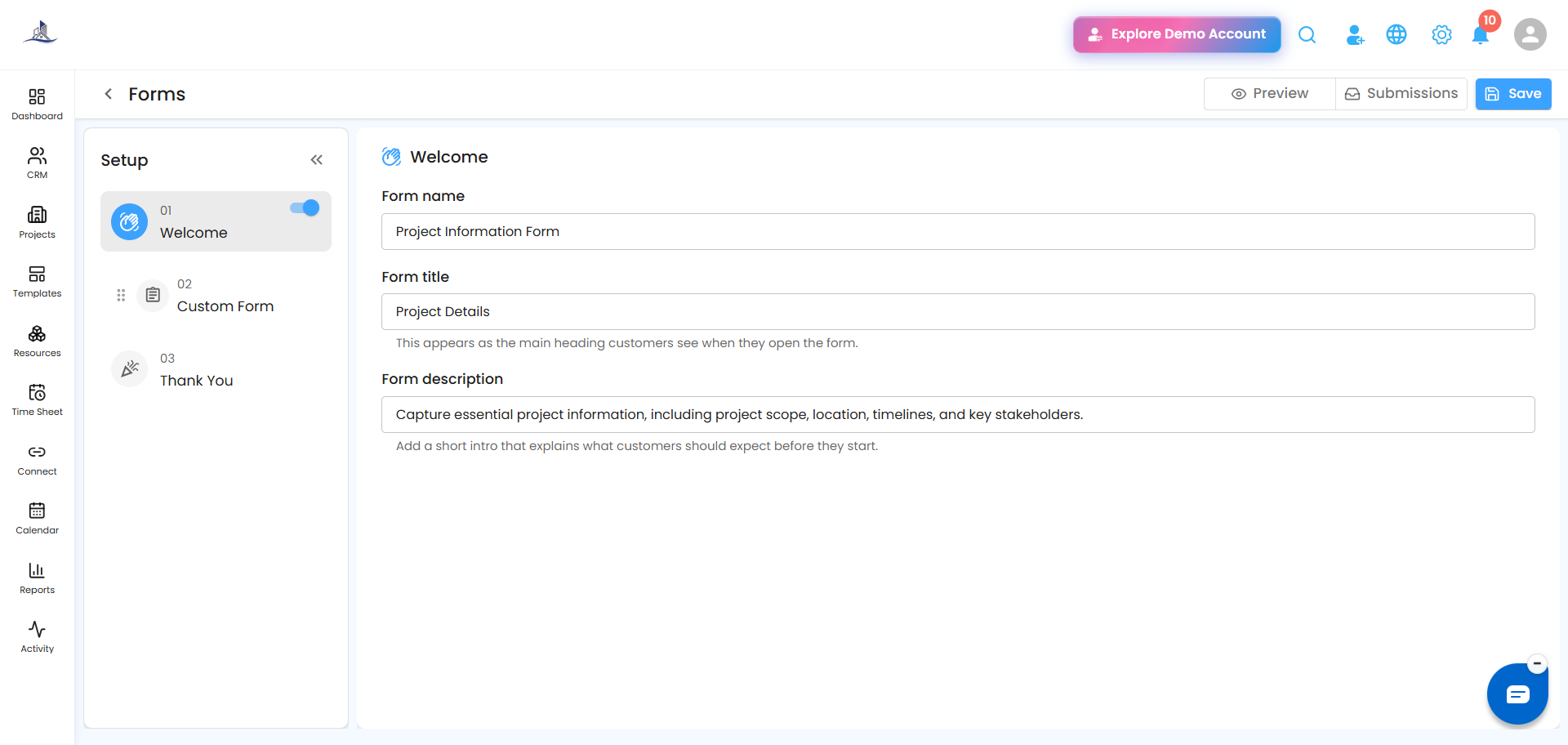
Step 2: Custom Form Builder
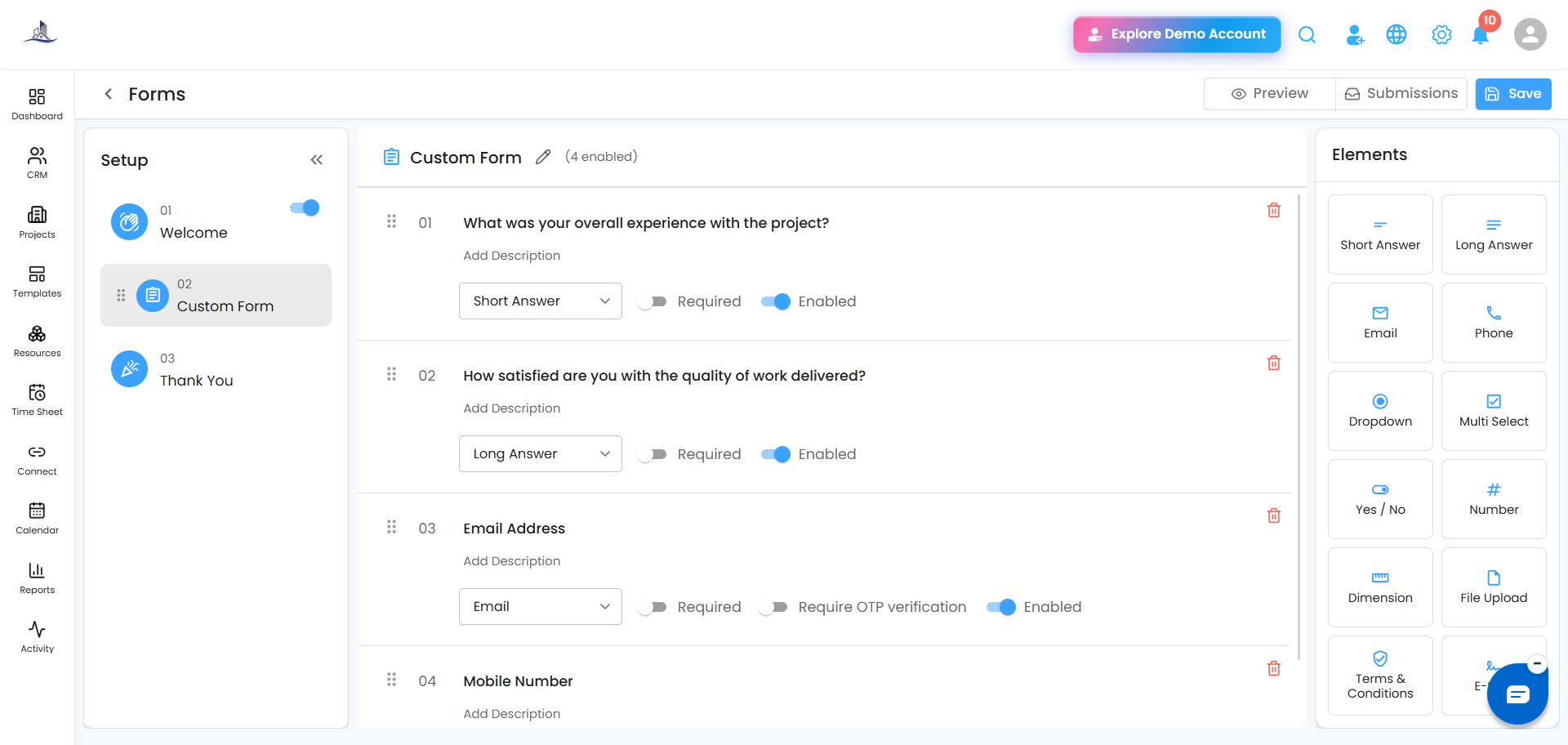
Add any combination of field types to build your form:
- Text Fields
- Dropdown Lists
- Checkboxes
- Radio Buttons
- File Upload Fields
- Date Fields
- Multi-Step Sections
 Step 3: Thank You
Customize the message shown after someone submits the form.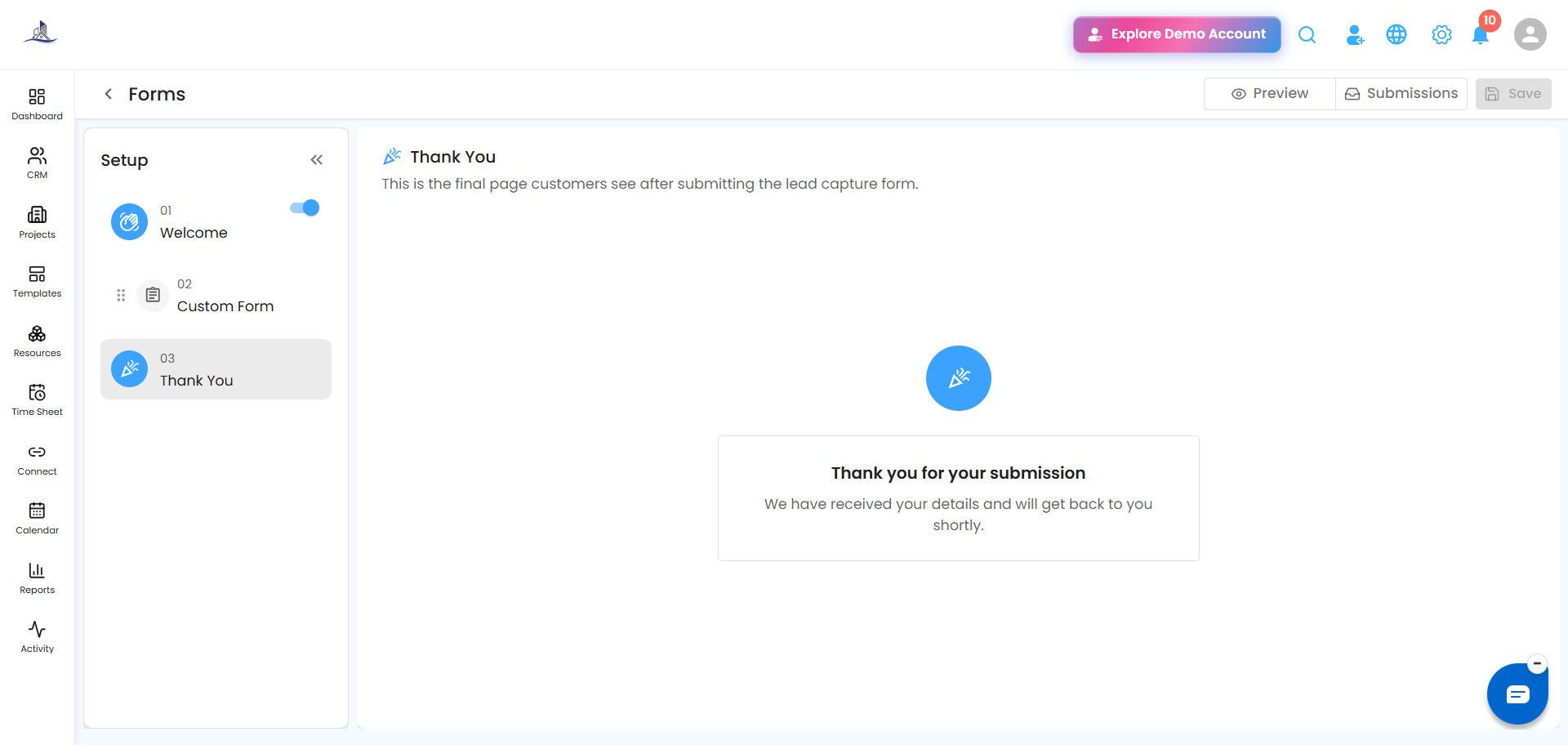
Common Use Cases
- Employee Onboarding
- Vendor Registration
- Event Registration
- Survey Forms
- Inspection Checklists
- Internal Approval Requests
Tip: If you're not sure where to start, try Ask Zyra AI - it can help draft questions, structure your steps, and write descriptions for you.
Was this article helpful?
That’s Great!
Thank you for your feedback
Sorry! We couldn't be helpful
Thank you for your feedback
Feedback sent
We appreciate your effort and will try to fix the article