Overview
A Complaint Form gives customers a structured way to report issues directly, instead of scattered emails or calls - so every complaint is logged, tracked, and easy to follow up on.
Getting Started
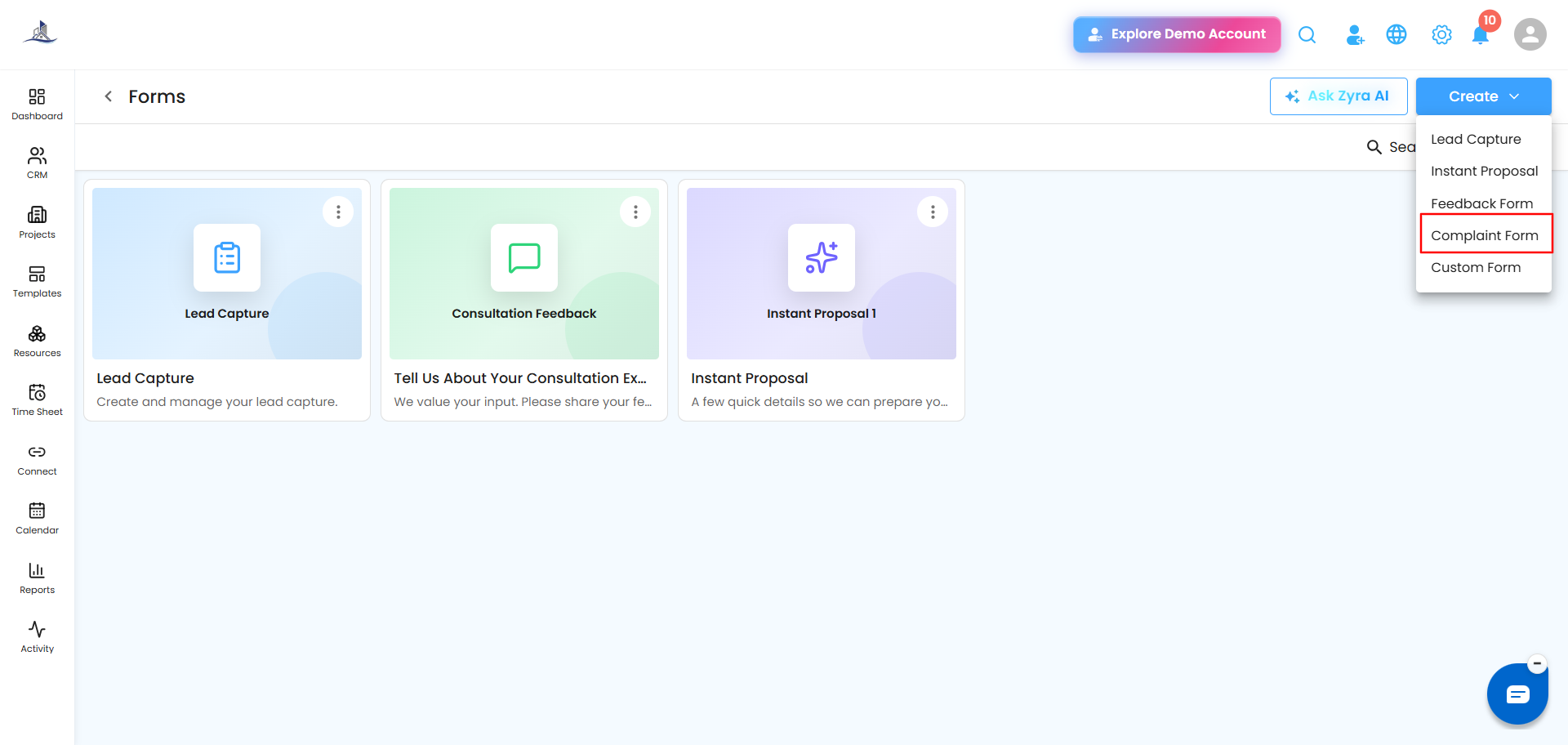
From the Forms dashboard, click Create, then select Complaint Form.
Step 1: Welcome
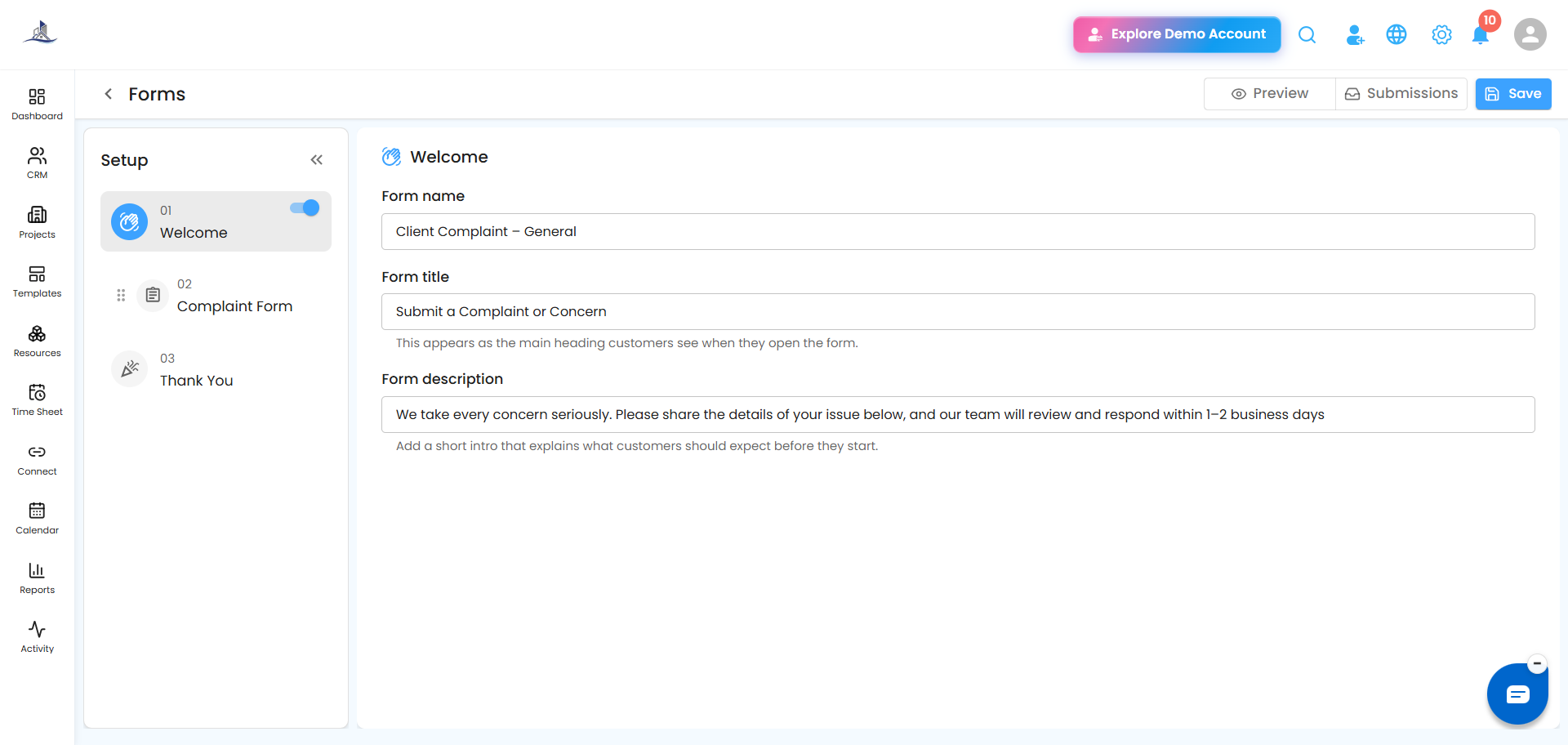
Set the Form Name, Form Title, and Description.
 Step 2: Complaint Details
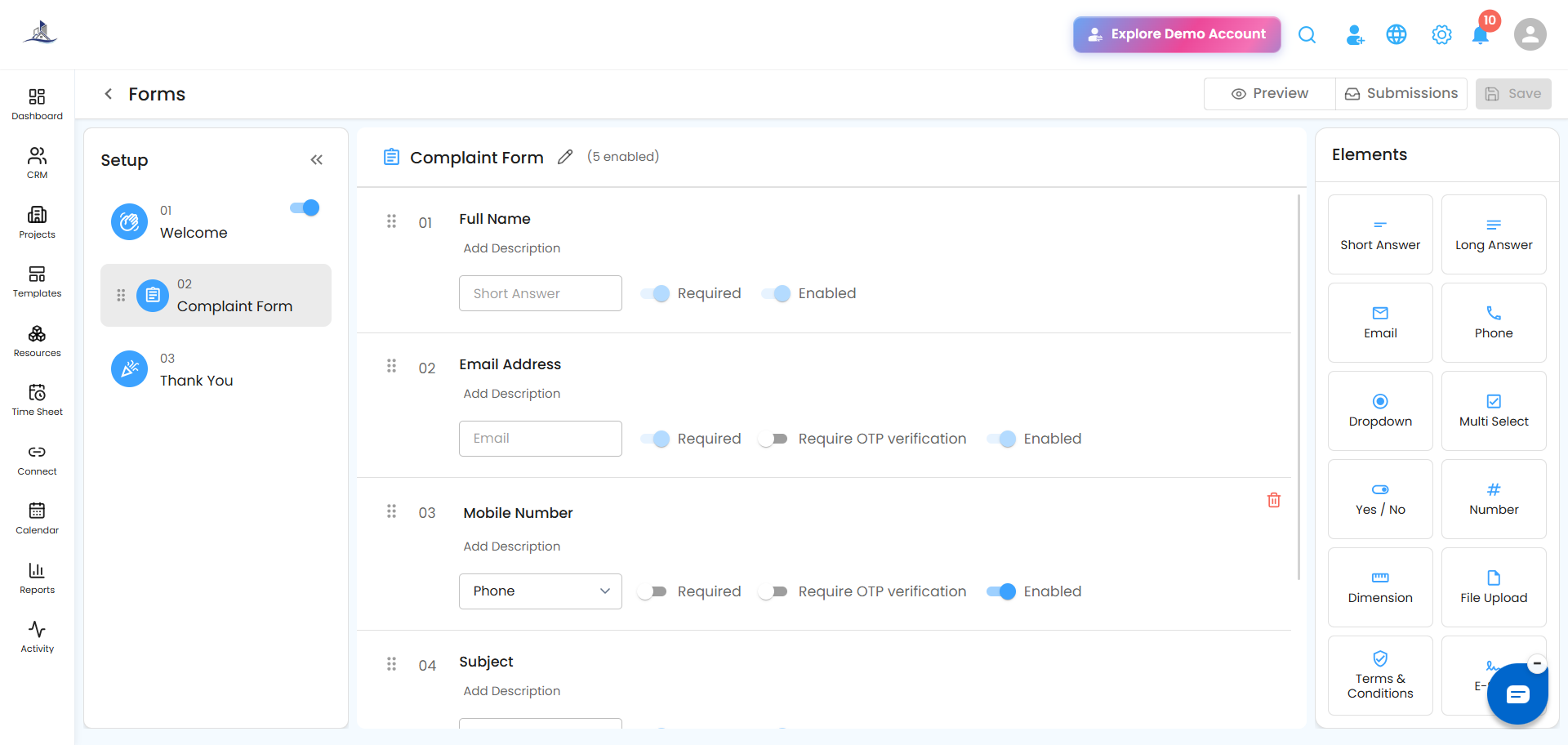
Add the fields you need to capture the full picture of the issue:
- Complaint Category
- Issue Description
- Priority Level
- Attachments
- Supporting Documents
Step 3: Thank You
Write a confirmation message letting the customer know their complaint has been received and will be reviewed.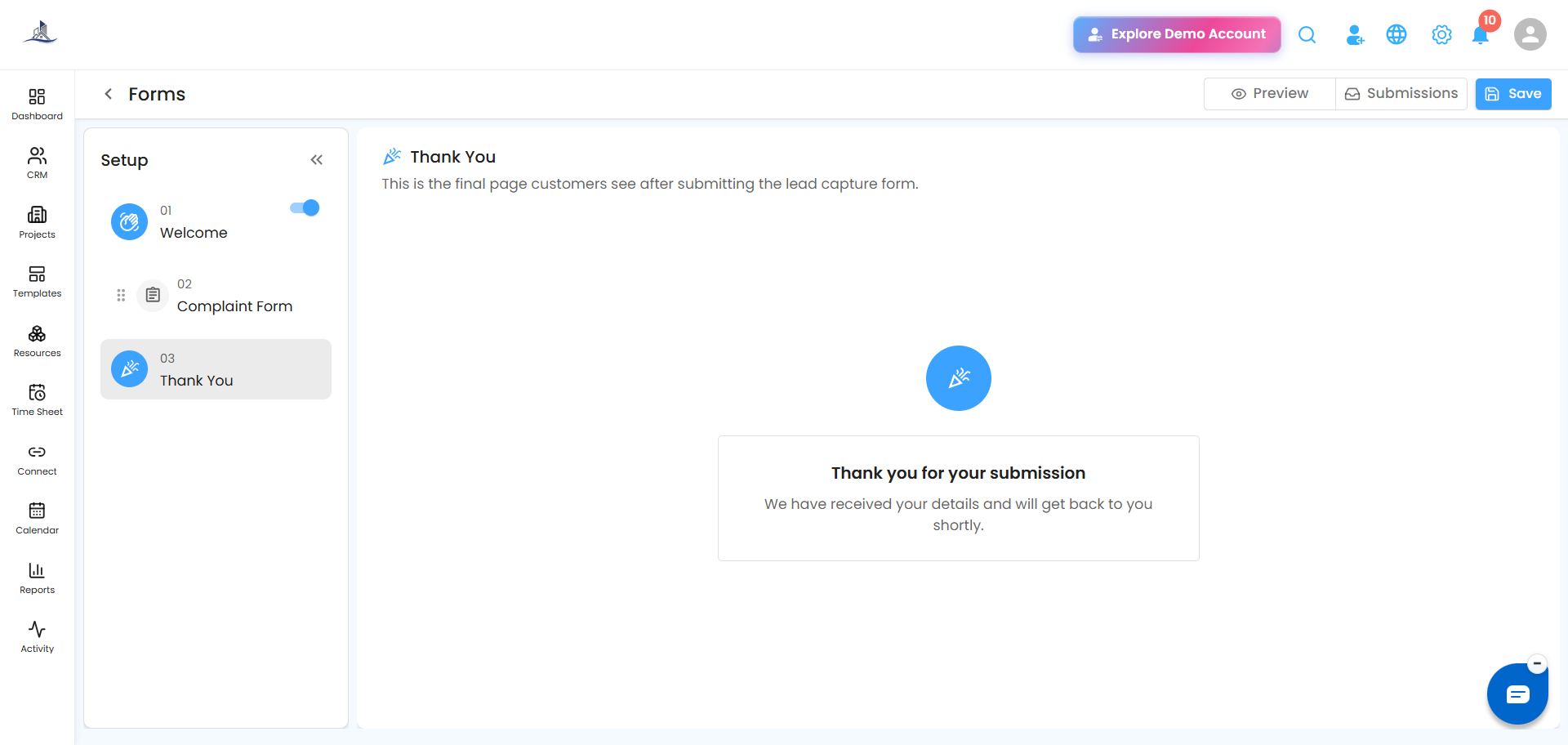
Why it's worth using: Centralizing complaints in one place means nothing slips through the cracks — it improves issue tracking, creates accountability, and makes your team's response faster and more consistent.
Was this article helpful?
That’s Great!
Thank you for your feedback
Sorry! We couldn't be helpful
Thank you for your feedback
Feedback sent
We appreciate your effort and will try to fix the article