The Sync Sales Order option helps keep a Sales Order updated when changes are made to its related Estimate through a Change Order.
This functionality depends on the Change Order behavior configured under Change Order Preferences.
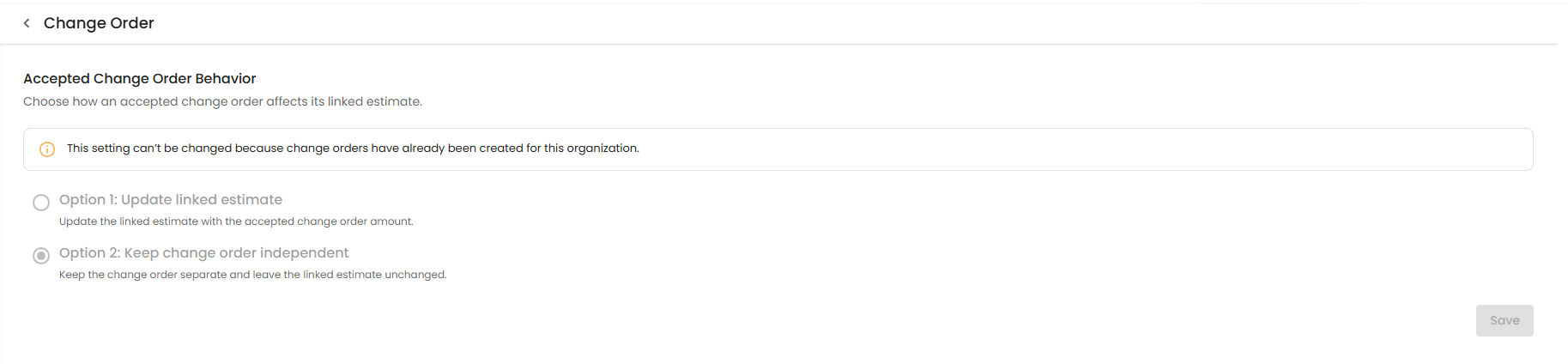
Change Order Preference – Change Order Behavior
Before using Sync Sales Order, the organization must have the appropriate Change Order behavior configured in:
Settings → Preferences → Project & CRM Preferences → Change Order
You can choose between two options:
- Option 1: Update linked estimate – Updates the linked Estimate with the accepted Change Order amount.
- Option 2: Keep change order independent – Keeps the Change Order separate and leaves the linked Estimate unchanged.
When Does Sync Sales Order Apply?
When a Sales Order has already been created from an Estimate and changes are made through a Change Order, the Sync Sales Order option can be used to update the existing converted Sales Order.
The sync behavior depends on the selected Change Order preference.
Option 1: Update Linked Estimate
When Update linked estimate is selected:
- The Change Order updates the linked Estimate.
- The converted Sales Order can then be synchronized with the updated Estimate.
- Click Sync Sales Order to apply the applicable changes to the existing Sales Order.
Option 2: Keep Change Order Independent
When Keep change order independent is selected:
- The Change Order remains separate from the linked Estimate.
- The linked Estimate remains unchanged.
- Therefore, the Change Order does not update the Estimate or its converted Sales Order through the Estimate.
How to Sync a Sales Order
- Go to the required Project.
- Open the Estimate module.
- Open the Estimate that was converted into a Sales Order.
- Create or apply the required Change Order.
- When applicable, the Sync Sales Order option will be available.
- Click Sync Sales Order.
- The applicable changes are synchronized with the existing Sales Order.
Pro tip: Configure the Change Order behavior before creating Change Orders so your Estimate and converted Sales Order follow the intended workflow.
Was this article helpful?
That’s Great!
Thank you for your feedback
Sorry! We couldn't be helpful
Thank you for your feedback
Feedback sent
We appreciate your effort and will try to fix the article