Overview
Set your off-days, public holidays, and working hours so schedules reflect real working conditions. IntoAEC automatically skips non-working days when calculating task durations and timelines, helping you avoid conflicts and keep deadlines realistic.
You can configure working days and working time for the whole organization, or customize off-days at the project level, including weekends and public holidays.
How to Open Off-Days & Working Hours
- Select your project.
- Go to Schedule.
- Click the Calendar icon to open Off-Days & Working Hours.
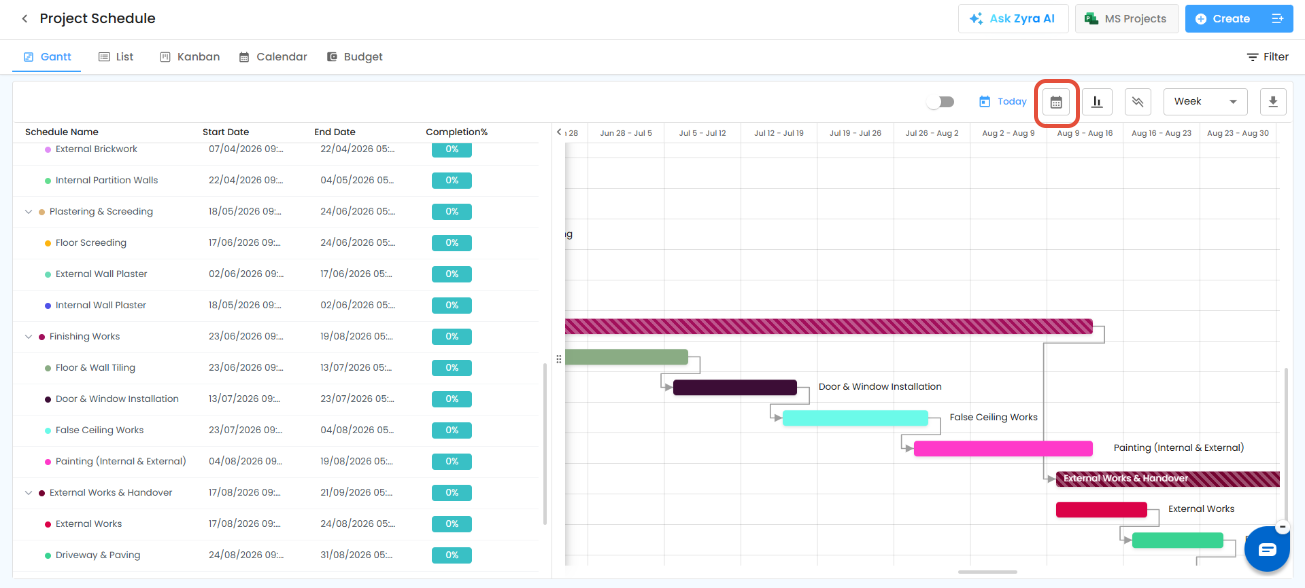
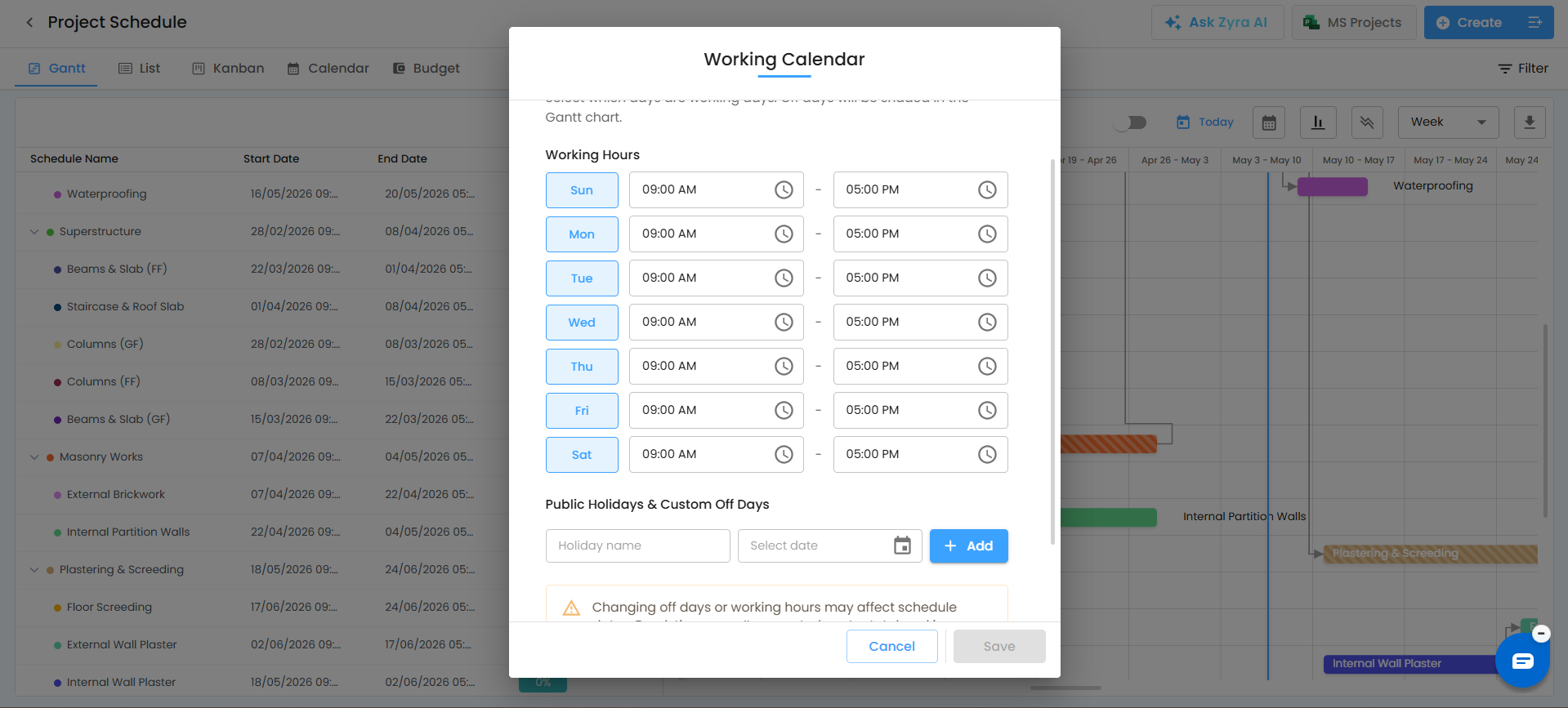
What You Can Do
- Set weekly off-days and other non-working days
- Define working hours
- Add public holidays to the calendar
- Have off-days automatically excluded from schedule calculations
- Update settings at any time, even after schedules are created
How It Works
- Mark weekly off-days or other non-working days.
- Set standard working hours.
- Add public holidays so schedules skip those dates automatically.
- Edit holidays and off-days whenever required.
Why It Matters
- Schedules adjust automatically around off-days and holidays
- Durations become more accurate and realistic
- Teams avoid assigning work on non-working days
- Planning and deadline tracking improve
Pro Tip: Keep public holidays and weekly off-days updated so schedules stay accurate throughout the year.
Good to Know
- Break times are deducted from working hours, which can slightly change end times.
- Working hours also determine capacity in the Workload View.
- Before importing from MS Project, set your IntoAEC working days to match your MS Project calendar.
Related Articles
- Import from MS Project
- Workload
- Schedule Overview
Need Further Assistance?
Contact your organization administrator or the IntoAEC support team.
Was this article helpful?
That’s Great!
Thank you for your feedback
Sorry! We couldn't be helpful
Thank you for your feedback
Feedback sent
We appreciate your effort and will try to fix the article