Project Type Customization – Organize Your Projects
Project Type Customization helps you categorize projects based on their nature, workflow, or requirements. Assigning project types makes it easier to organize and identify projects across your organization.
Where to Find Project Type Customization – Quick Access
Navigate to Settings.
Select Preferences.
Under Project & CRM Preferences, click Project Type Customization.
What You Can Do Here
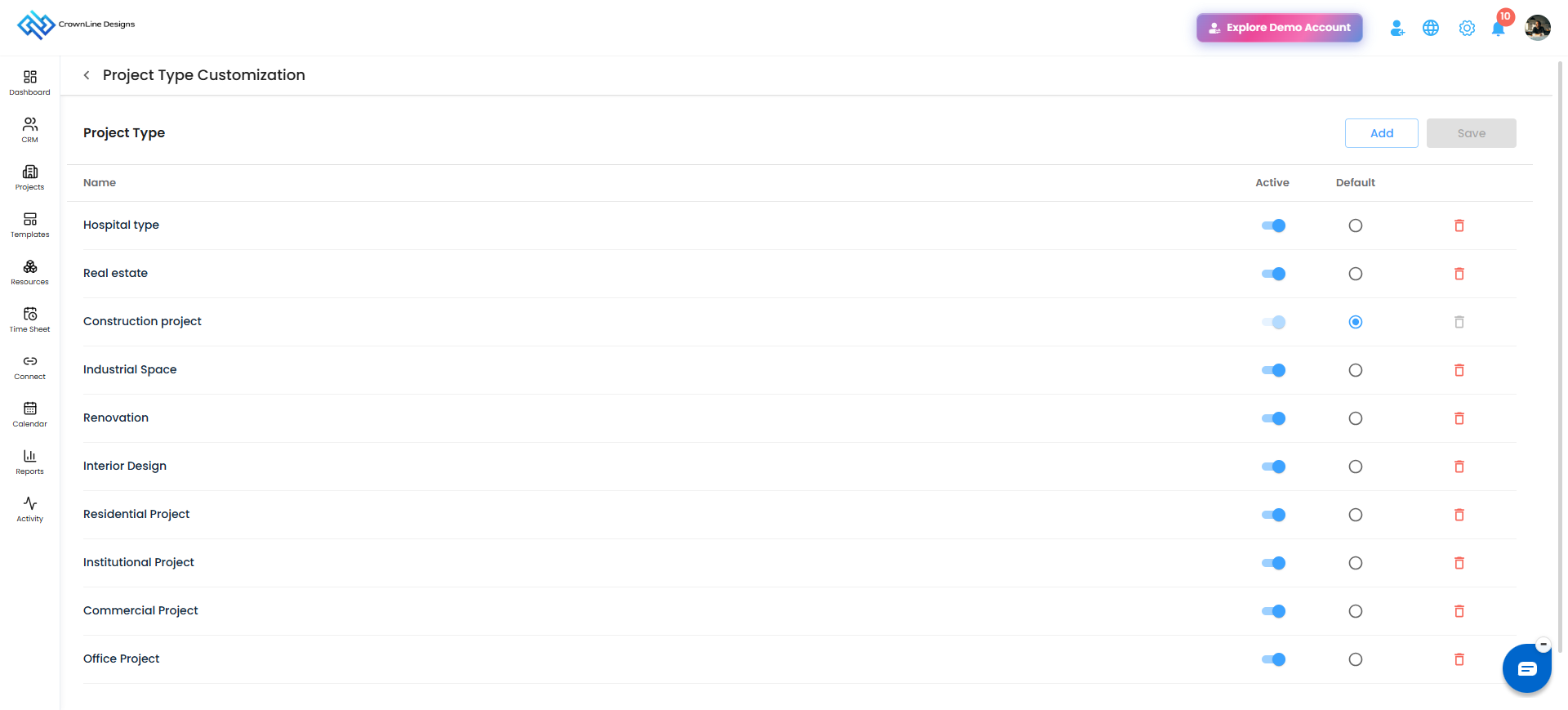
Add Project Types: Create new project types based on your organization's requirements.
Set Default: Mark a project type as the default option when creating a project.
Activate or Deactivate: Use the Active/Inactive toggle to control the availability of a project type.
Delete: Remove project types that are no longer required.
Using Project Types in Projects
Select a project type while creating or managing a project.
The assigned project type is displayed in the Project Master grid.
Use the project type filter to find and organize projects based on their categories.
Pro tip: Create clear and meaningful project types to keep your projects organized and make filtering easier.
Was this article helpful?
That’s Great!
Thank you for your feedback
Sorry! We couldn't be helpful
Thank you for your feedback
Feedback sent
We appreciate your effort and will try to fix the article